7
3. Hardware Installation
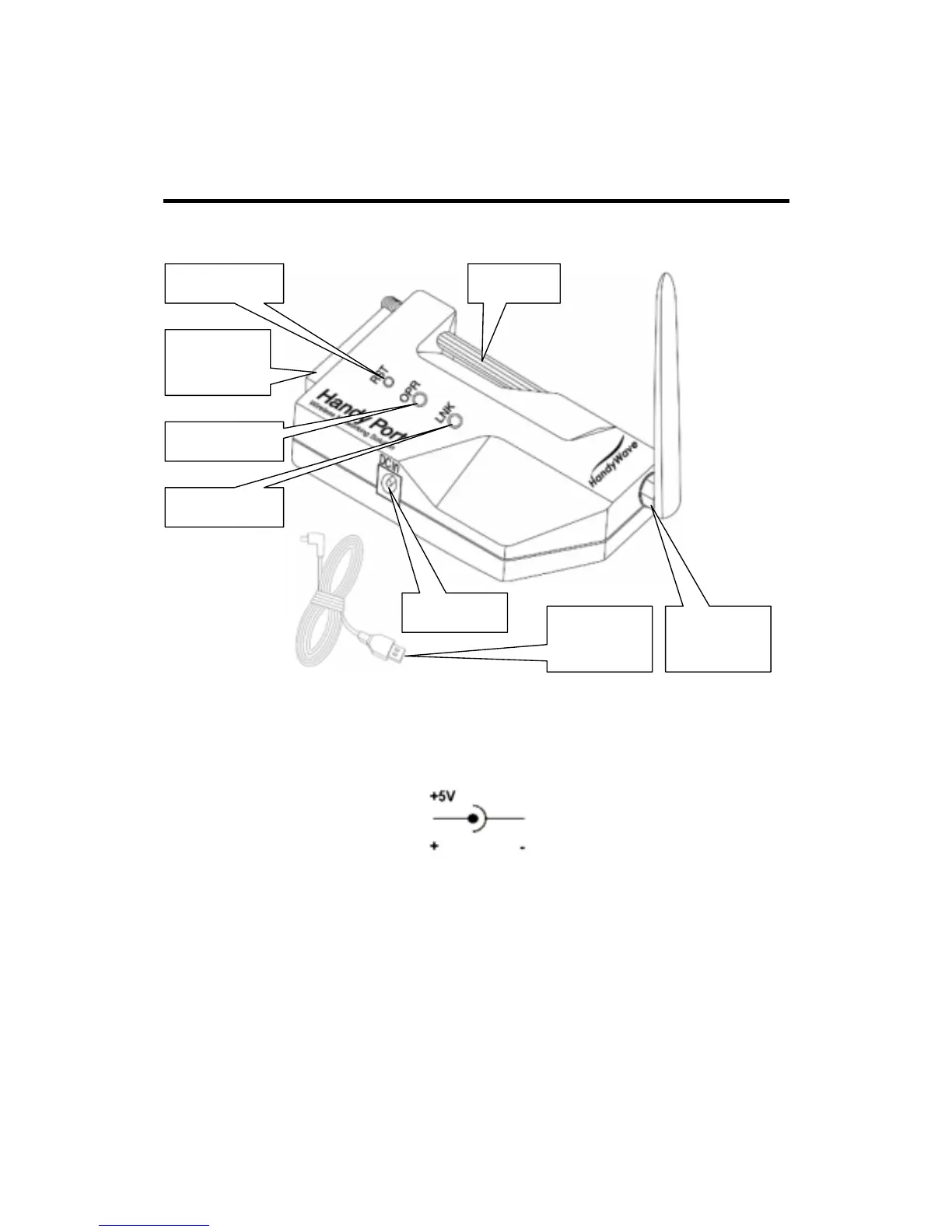
3.1. Hardware Description
3.2. Power Supply
You can supply power to the HPS-120 as follows:
Use an AC/DC converter (Output Power: +5 ~ +12Vdc / 300mA).
Use a provided USB cable.
You can supply power via 9
th
pin of D_SUB 9 Pin connector.
3.3. Install Procedure
Step 1: Assemble a provided antenna to HPS-120 body.
Step 2: Plug a HPS-120 into the COM port of device.
Step 3: Power on.
Step 4: Configure the HPS-120, if necessary.
Antenna /
Connector
DC In Jack
Screw
RS-232
Connector
RST Button
OPR LED
LNK LED
USB Cable
for Power



 To Next Page