6
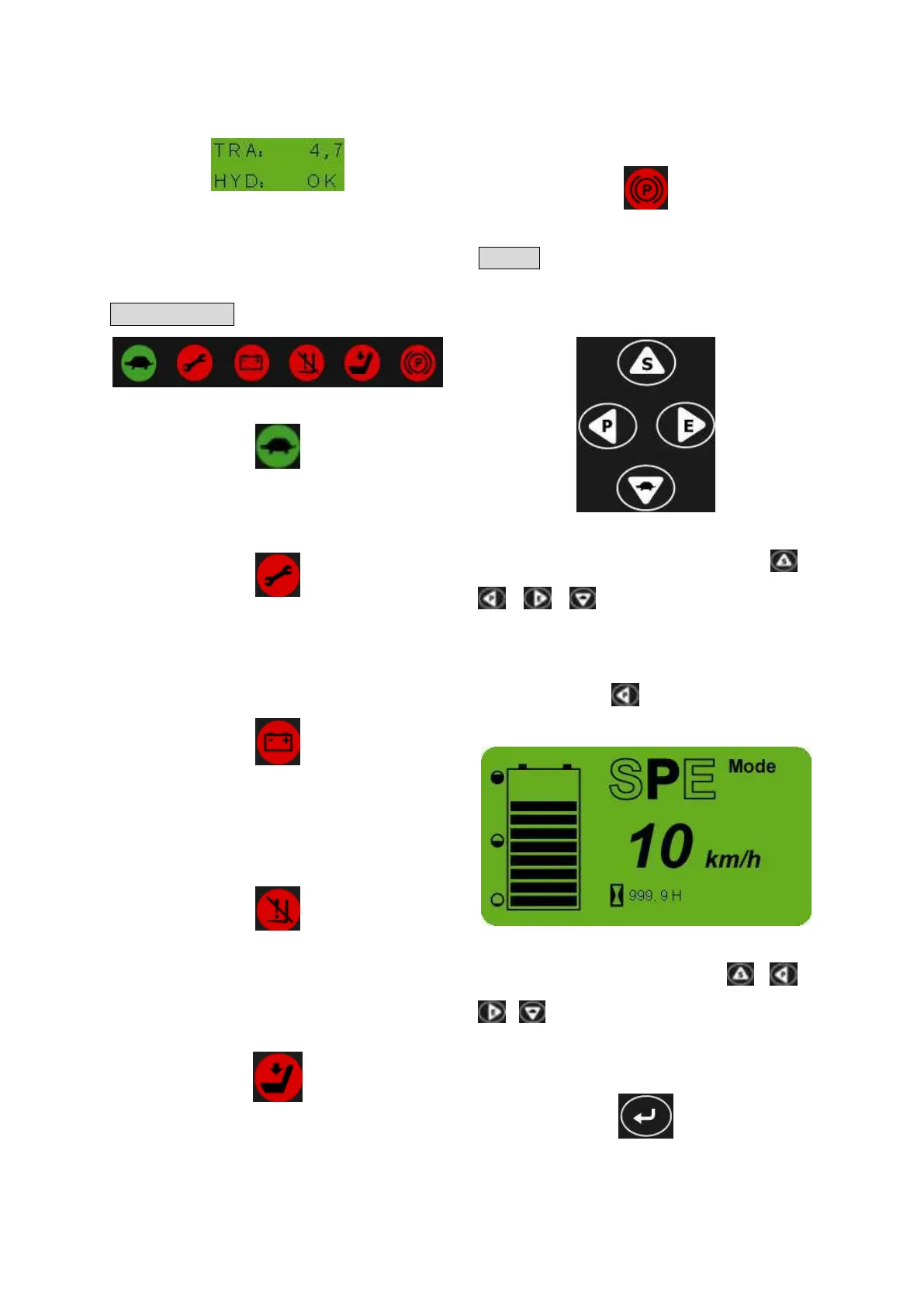
Fault code display
Failure occurs, display the controller‟s fault
code.
Note: “TRA” means the traction controller,
“HYD” means the pump controller.
Indicator light
Crawl speed indicator[F](Green)
When the truck in SPE mode, the crawl speed
indicator light up.
Fault indicator[G](Red)
The light up when the controller is wrong or
operation mistake, and the fault code shows in
the main display screen.
Battery low capacity indicator[H](Red)
When there is only one line for the power, the
indicator will be on to remind the user to
charge the battery.
Lifting low speed indicator[I](Red)
When there is 10% power, the indicator is on,
and the mast lifting speed drops, to remind
user to charge the battery as soon as possible.
Seat switch indicator[J](Red)
When operator leaves the seat, the light will be
on, and the truck will be unable to travel or lift.
This function needs the seat to equip with seat
switch (optional).
Parking brake applied indicator[K]
When parking brake applied, the light up.
Button
Mode settings or direction choosing
button[L]
Mode settings
In the main display interface, the button 、
、 、 , corresponding S mode、P
mode、E mode、SPE mode.
For example: In the main display interface,
press the button , the screen shows as
follows:
Direction choosing
In the menu interface, the button 、 、
、 , corresponding up、left、right、down
four direction choosing button keys.
Menu button[M]
(1)In the main display interface, press the



 To Next Page