7
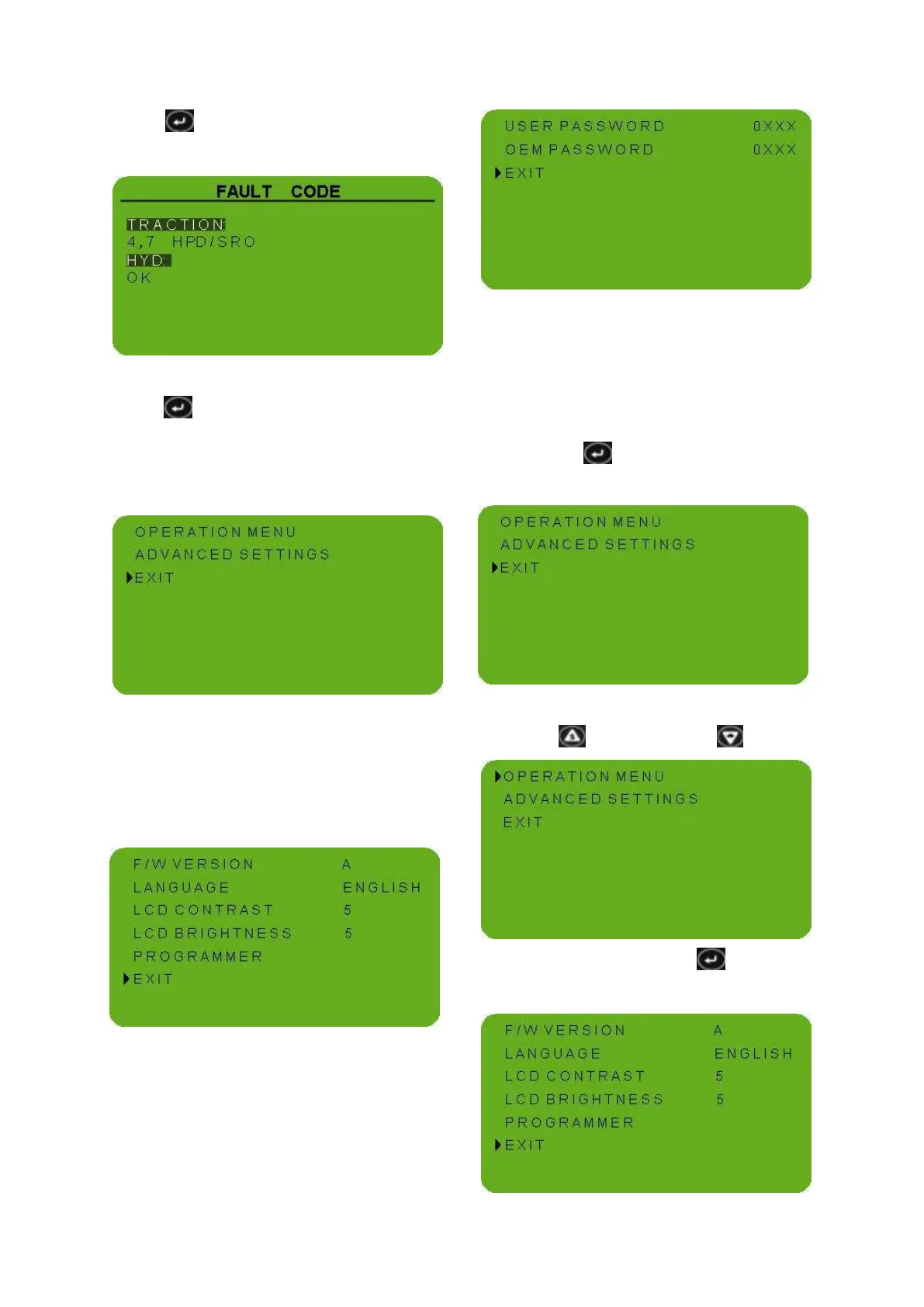
button , and then enter the fault code
interface. The fault code shows as follow:
(2)In the main display interface, press the
button over 2 seconds, and then enter
the main menu .
The main menu includes: operation
menu,advanced settings and exit.
OPERATION MENU
The operation menu includes : Software
version information, language settings, LCD
contrast settings, LCD brightness settings,
programmer settings and exit.
ADVANCED SETTINGS
This menu needs password.
Through the example below shows how to use
the button settings parameter .
For example: The language from english
switch to chinese.
① In the main display interface, press the
menu button( ) over 2 seconds, and then
enter the main menu .
② Select the “OPERATION MENU” through
up button( ) or down button( ) .
③ Press the menu button( ), enter the
opeation menu.



 To Next Page