INSTRUCTION MANUAL
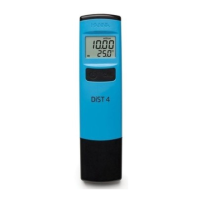
HI98304
EC Tester
Warranty
These meters are warranted for a period of one year against defects in
workmanship and materials when used for their intended purpose and
maintained according to instructions. Probes are warranted for a period
of six months. This warranty is limited to repair or replacement free of
charge. Damage due to accidents, misuse, tampering or lack of prescribed
maintenance is not covered. If service is required, contact your local Hanna
Instruments Office. If under warranty, report the model number, date of
purchase, serial number and the nature of the problem. If the repair is not
covered by the warranty, you will be notified of the charges incurred. If the
instrument is to be returned to Hanna Instruments, first obtain a Returned
Goods Authorization (RGA) number from the Technical Service department
and then send it with shipping costs prepaid. When shipping any instrument,
make sure it is properly packaged for complete protection.
Solutions
Code Description
HI70030P
12.88 mS/cm calibration solution,
20 mL sachets (25 pcs.)
HI7030M
12.88 mS/cm calibration solution,
230 mL bottle
HI7030L
12.88 mS/cm calibration solution,
500 mL bottle
Accessories
IST98304N 06/18
To obtain the highest accuracy for measurement it is important to follow
these tips:
• Calibration is only as good as the solution being used. The calibration
solution values change over time. Fresh solution should be used for each
calibration.
• The probe should be rinsed with purified water each time before placing
in calibration solution or sample to be tested.
Care and Maintenance
Error messages
During user calibration, if the reading is out of the accepted range, the meter
will display “---- Err“.i.e. 20.00 mS/cm blinking means the limit of the
measured value is out of range.
If the measured temperature is higher than 50.0 ºC or lower than 0.0 ºC, the
50.0 ºC or 0.0 ºC temperature value will blink on the LCD in measure mode.
1. Pour 2” (5 cm) of standard solution into a container.
2. Place the probe in calibration solution. The probe tip should be centered
in the solution and submersed 1.18” (3 cm). The meter will automatically
recognize the solution.
3. If the solution is not recognized or is out of the accepted range “---- Err“
is displayed.
4. If the calibration solution is recognized “REC“ is displayed until the
reading is stable and the calibration is accepted.
• After acceptance, the “Stor“ message is displayed and meter returns to
measurement mode.
Calibration Procedure
Measurement and Calibration
For better accuracy, frequent calibration of the meter is recommended. In
addition, the instrument must be recalibrated:
• When high accuracy is required.
• At least once a month.
Measurement
Press the ON/OFF button to turn the meter ON. Place the probe to the
desired solution. The conductivity value, automatically compensated for
temperature, will be shown on the LCD.
The measured temperature will be shown on the secondary LCD.
Note: Before taking any measurement make sure the meter has been
calibrated.
Clear Calibration
Place meter in calibration mode. Press ON/OFF and “Clr” is displayed. The
meter will now be at default calibration.
DiST 4
Battery Replacement
To change the CR2032 Li-ion battery, turn the battery cover located on the
back of the meter counterclockwise to unlock. Remove cover and replace with
new battery + side facing up.
Note: Batteries should only be replaced in a safe area using the
battery type specified in this instruction manual. Old batteries should
be disposed in accordance with local regulations.
The meter features a low battery indicator. When the battery is running low
(under 10%), the battery indicator will blink on the LCD. When the battery
is discharged “dEAd bAtt” will be displayed on the LCD for 2 seconds and
the meter will turn off.
0
0
4
4
Recommendations for Users
Before using Hanna Instruments products, make sure that they are entirely
suitable for your specific application and for the environment in which they
are used. Any variation introduced by the user to the supplied equipment
may degrade the meter' s performance. Avoid touching the electrode area.
To avoid damages or burns, do not put the meter in microwave oven. For
yours and the meter's safety do not use or store the meter in hazardous
environments.
• Press CAL button to enter calibration mode from measurement mode.
• The meter will enter the calibration mode, displaying “mS/cm 12.88
USE” with CAL tag blinking.

 Need help?
 General


 To Next Page