User’s Manual
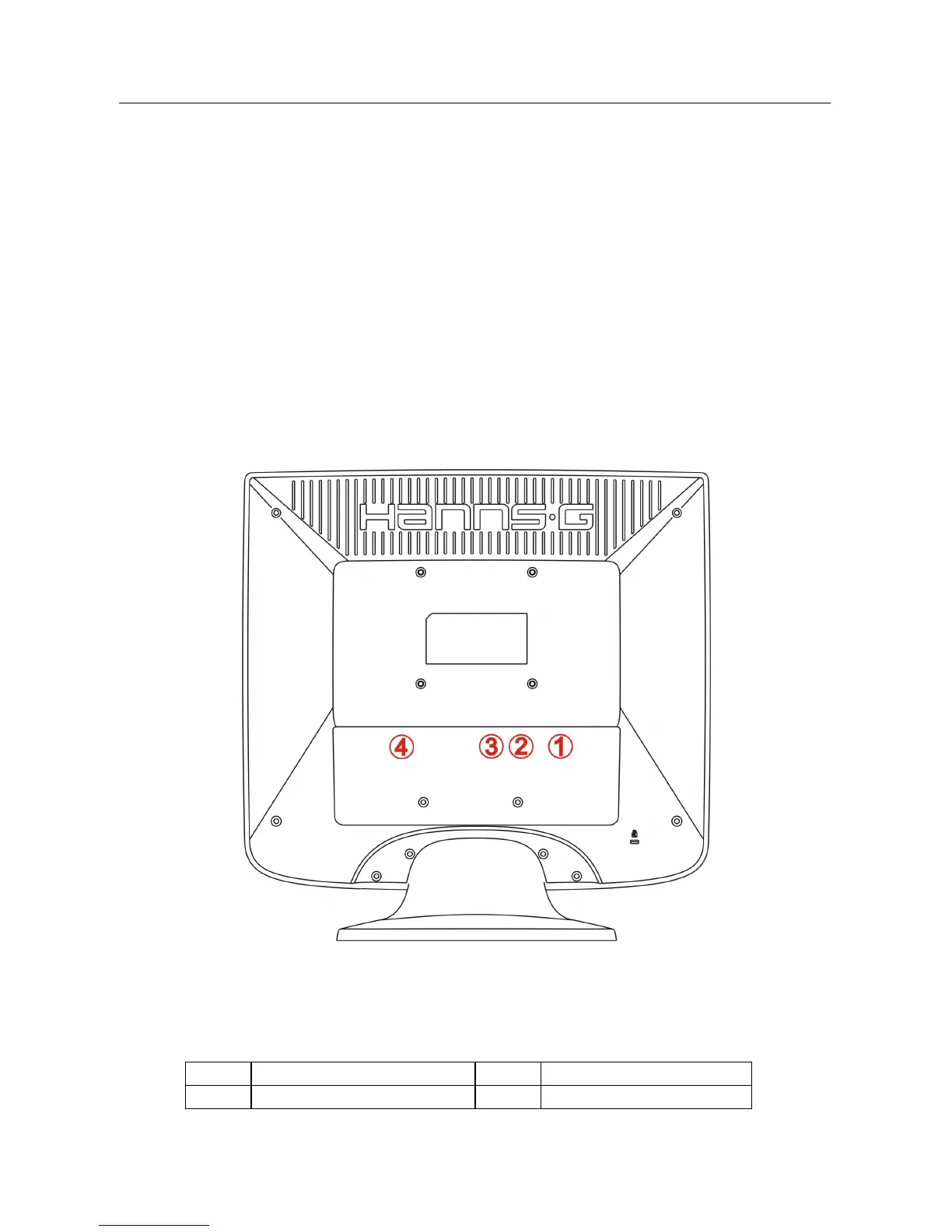
CONTROLS AND CONNECTORS
CABLE CONNECTIONS:
Turn off your computer before performing the procedure below.
1. Connect one end of the 15-pin D-Sub cable to the back of the monitor and connect the
other end to the computer’s D-Sub port.
2. Connect one end of the 24-pin DVI-D cable (Dual input mode optional) to the back of the
monitor and connect the other end to the computer’s DVI-D port.
3. Connect the audio cable between the monitor's audio input and the PC's audio output
(green port).
4. Plug the AC-power cord one end to LCD monitor’s AC input socket, the other end to Wall
outlet.
5. Turn on your monitor and computer.
Figure.2. Connecting Cables
1. Audio Input 2. VGA Input
3. DVI-D Input (optional) 4. Power AC Input
8


 To Next Page
 Loading...