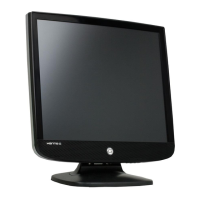
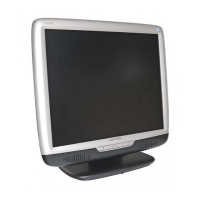
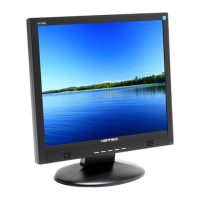
Need help?
Do you have a question about the Hanns.G HW173ABB and is the answer not in the manual?
Essential safety guidelines for monitor usage and placement.
Information on handling mercury-containing lamps for recycling and disposal.
Lists items included in the product package for user verification.
Guides on how to connect the monitor to a computer system.
Basic steps for turning on and operating the monitor.
Details adjustments available through the monitor's main OSD menu.
Explains how to adjust image-specific settings via the OSD.
Covers adjusting color parameters like RGB levels in the OSD.
Details OSD configuration options like position, timeout, and transparency.
Explains options for sharpness, DOS mode, and factory reset.
Provides answers to common issues and questions regarding monitor operation.
Lists detailed technical specifications of the LCD monitor.
 General
| Pixel pitch | 0.255 x 0.255 mm |
|---|---|
| Aspect ratio | 16:10 |
| Display diagonal | 17 \ |
| Display resolution | 1440 x 900 pixels |
| Viewing angle, vertical | 150 ° |
| Contrast ratio (typical) | 600:1 |
| Display number of colors | 16.78 million colors |
| Display brightness (typical) | 250 cd/m² |
| AC (power) in | Yes |
| DVI-D ports quantity | 0 |
| Power consumption (standby) | 1 W |
| Power consumption (typical) | 19.6 W |
| Power requirements | AC |
| Certification | CE, FCC, BSMI, CB, UL/CUL, NEMKO/GS, CCC, MPRII, MIC, GOST, PSB, VCCI, C-Tick |
| Product color | Black |
| Market positioning | - |
| LED indicators | Stand-by |
| Tilt angle range | 0 - 20 ° |
| Panel mounting interface | 100 x 100 mm |
| Sustainability certificates | ENERGY STAR |
| Operating temperature (T-T) | 5 - 35 °C |
| Operating relative humidity (H-H) | 10 - 85 % |
 Weight and Dimensions
| Depth (without stand) | 198 mm |
|---|---|
| Width (without stand) | 368.3 mm |
| Height (without stand) | 401.3 mm |
| Weight (without stand) | 3400 g |

 To Next Page