This document is the User's Manual for the HANNspree HS248PPB (HSG1370) LCD Monitor. It provides comprehensive information on the monitor's features, installation, operation, and troubleshooting.
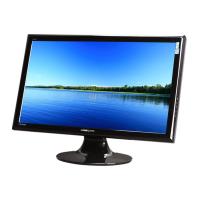
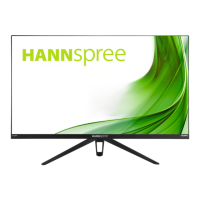
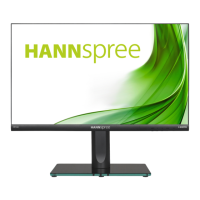
The HANNspree HS248PPB is a 60.5cm / 23.8" Wide Screen TFT Color LCD Monitor designed for crisp, clear display in Windows environments. It is characterized by its GP Green Product status, ergonomic design, and space-saving, compact case design. The monitor is equipped with an internal universal power supply, allowing operation in either 100/120V AC or 220/240V AC voltage areas without user adjustment.
Important Technical Specifications:
- LCD Panel: TFT Color LCD
- Size: 60.5cm / 23.8" Diagonal
- Pixel Pitch: 0.274mm(H) × 0.274mm(V)
- H-Frequency: 30KHz - 83KHz
- V-Frequency: 56Hz - 75Hz
- Display Colors: 16.7M Colors
- Max. Resolution: 1920 × 1080 @60Hz
- Plug & Play: VESA DDC2B™
- Power Consumption:
- ON Mode: 25W (Typical)
- Power Saving Mode: <0.5W
- OFF Mode: <0.3W
- Audio Output: Rated Power 2.0W rms (Per channel)
- Input Terminal: VGA, HDMI, DP
- Maximum Screen Size: Hor.: 527.04mm, Ver.: 296.46mm
- Power Source: 100-240V ~1.0A 50-60Hz
- Environmental Considerations:
- Operating Temp: 5° to 35°C
- Storage Temp.: -20° to 60°C
- Operating Humidity: 20% to 85%
- Dimensions: 540.04 (W) × 408.2 (H) × 183(D) mm (21.26 "(W) × 16.07 "(H) × 7.2”(D))
- Weight (NW): 3.5 kg (7.7lb)
Usage Features:
- Installation: The monitor comes with a stand base that can be easily installed or removed. For wall mounting, it supports VESA 100×100 with 4 holes, M4, 8mm screws, and a weight capacity of 8kg. It is recommended to use a UL listed wall mount bracket and have installation performed by qualified service personnel.
- Connectivity: The monitor offers multiple input options including VGA, DP (DisplayPort), and HDMI. It also includes a LINE IN port for audio input and an earphone output.
- Adjustable Viewing Angle: The monitor can be tilted vertically from -5° to 20° for optimal viewing. Users are advised to hold the stand when adjusting the angle and avoid touching the LCD screen.
- On-Screen Display (OSD) Controls: The front panel features buttons for:
- MENU/ENTER: To turn on the OSD menu and confirm selections.
- Adjust (Left/Right Arrows): To navigate through OSD icons, adjust contrast (when OSD is off), and adjust brightness (when OSD is off).
- AUTO: To perform auto adjustment (for VGA input only) and return to the previous menu.
- Power Button: To switch the monitor ON/OFF.
- OSD Settings: The OSD menu allows users to customize various display parameters:
- Brightness/Contrast: Adjust contrast, brightness, and color temperature (9300/6500/5500).
- Color Adjust: Optimize contrast, brightness, and color temperature.
- Image Setting (for VGA only): Adjust H-position, V-position, Clock (to reduce vertical flicker), and Phase (to reduce horizontal flicker).
- OSD Setting: Change OSD language, OSD H. Pos. (horizontal position), OSD V. Pos. (vertical position), OSD Timer (timeout from 5 to 60 seconds), and Transparency.
- System: Select display mode (PC/GAME/MOVIE/ECO), adjust Audio Volume, select Audio Input (HDMI or PC), choose Signal Source (Analog/Display), adjust Aspect Ratio (16:9/AUTO/4:3), enable/disable Active Contrast, and enable/disable Over Drive.
- Reset: Reset all settings to default.
- Plug & Play DDC2B Feature: The monitor supports VESA DDC2B, allowing it to communicate its identity and display capabilities to the host system. It requires a video input signal to operate properly.
- Windows 7/8 Compatibility: Provides guidance for display problems under Windows 7/8, including installing the latest video drivers and using recommended display resolutions.
Maintenance Features:
- Cleaning: Periodically clean the monitor with a soft cloth. For stubborn stains, use a cloth lightly dampened with a mild detergent solution. Avoid strong solvents like thinner, benzene, or abrasive cleaners. Always unplug the monitor before cleaning.
- Storage: Save the original shipping box and packing materials for maximum protection if the monitor needs to be shipped.
- Troubleshooting (FAQ): The manual includes a comprehensive FAQ section to address common problems such as:
- Power LED not on.
- No Plug & Play functionality.
- Display too dark/bright.
- Picture bounces or wave patterns.
- Power LED on but no video/picture.
- Missing primary colors.
- Screen image not centered or sized properly.
- Color defects.
- Incorrect screen resolution.
- No sound from built-in speaker.
- Error messages like "CABLE NOT CONNECTED" or "INPUT NOT SUPPORT".
The manual emphasizes safety precautions, including avoiding exposure to rain or moisture, not opening the cabinet, and referring servicing to qualified personnel. It also highlights HANNspree's commitment to environmental protection and recycling.

 Need help?

 To Next Page
 General