This document is a User's Manual for the HANNspree HP278WJB (HSG1464) LCD Monitor.
Function Description:
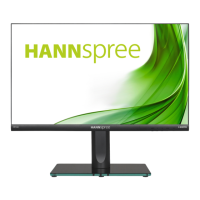
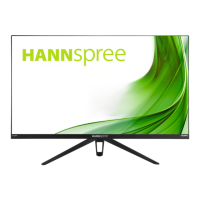
The HANNspree HP278WJB (HSG1464) is a 68.6cm / 27" Wide Screen TFT Color LCD Monitor designed for crisp, clear display. It incorporates High-Definition Multimedia Interface (HDMI™) technology for high-quality multimedia connectivity. The monitor is designed with an ergonomic and compact case, making it space-saving. It supports various input sources including DP, HDMI, and VGA, and features a USB HUB 3.0 for additional connectivity. The monitor is equipped with VESA DDC2B capabilities, allowing it to communicate its display capabilities to the host system.
Important Technical Specifications:
- Model: HP278WJB (HSG1464)
- LCD Panel: TFT Color LCD
- Size: 68.6cm / 27" Diagonal
- Pixel Pitch: 0.3114mm(H) × 0.3114mm(V)
- H-Frequency: 30KHz - 83KHz
- V-Frequency: 60Hz - 75Hz
- Display Colors: 16.7M Colors
- Max. Resolution: 1920 × 1080 @60Hz
- Plug & Play: VESA DDC2B™
- Power Consumption:
- ON Mode: 14W (Standard)
- Power Saving Mode: ≤ 0.5W
- OFF Mode: ≤ 0.3W
- Audio Output: Rated Power 2.0W rms (Per channel)
- Input Terminals: DP, HDMI, VGA, AUDIO IN, USB HUB 3.0
- Maximum Screen Size:
- Hor.: 597.888mm
- Ver.: 336.312mm
- Power Source: AC 100~240V, 50~60Hz; DC 12.0V 4.0A
- Environmental Considerations:
- Operating Temp: 5° to 35°C
- Storage Temp.: -20° to 60°C
- Operating Humidity: 20% to 85%
- Dimensions: 615 (W)×124.7 (H)×459.6(D) mm (24.2"(W)×4.9"(H)×18.1”(D))
- Weight (NW): 5.5 kg (12.1 lb)
- Compliance: Electromagnetic Compatibility Directive 2014/30/EU, Low Voltage Directive 2014/35/EU, and RoHS Directive 2011/65/EU.
- ENERGY STAR® Qualified: Products save money by reducing energy costs and help protect the environment. Automatically goes into "display sleep" within 5 minutes of inactivity. Wakes from Active Off mode by moving the mouse or pressing any keyboard key.
Usage Features:
- Installation: The monitor comes with a stand that can be easily installed or removed. For wall mounting, it supports VESA 100×100 with M4, 8mm screws and an 8kg weight capacity. Wall mounting should only be performed by qualified service personnel.
- Connectivity: Connects to a PC via HDMI, VGA, or DP cables. An audio cable connects the monitor's audio input to the PC's audio output. Power is supplied via a 12V DC adapter.
- Adjusting Viewing Angle: The monitor can be adjusted vertically from -5° to 15°, horizontally from 0° to 45°, and rotated from 0° to 90° for optimal viewing. Users are advised not to touch the LCD screen or place fingers near hinges during adjustment to prevent damage or pinching.
- On-Screen Display (OSD) Controls:
- Power Button: Turns the monitor ON/OFF.
- Power Indicator: Blue for Power On mode, Red for Power Saving mode.
- MENU/ENTER Button: Activates OSD menu and confirms selections.
- Up/Down Buttons (▲/▼): Adjusts Contrast and Brightness when OSD is off, navigates OSD menu, and adjusts function values when activated.
- E Button: For VGA input, returns to the previous menu and performs auto adjustment (optimizes horizontal/vertical position, clock, phase). For Digital Input Models, enters Source selections (DP, HDMI) and acts as a confirmation function.
- OSD Settings:
- Brightness / Contrast: Adjusts display brightness and contrast.
- Preset Mode: Selects display modes like PC, MOVIE, GAME, ECO.
- Active Contrast: Optimizes contrast for high-contrast images/videos.
- Low Blue Light: Adjusts the low blue light of the display.
- Image Settings: H-Position, V-Position (shifts screen image), Clock (reduces vertical flicker for VGA only), Phase (reduces horizontal flicker for VGA only), Sharpness (0-100).
- Aspect Ratio: WIDE (full screen) or 4:3 (original proportion, may show black bands).
- Color Temp: WARM, NORMAL (6500K), COOL, or USER (adjusts Red, Green, Blue levels).
- Black Level: Adjusts display brightness.
- Saturation: Adjusts display saturation.
- OSD Settings: Language, H-Position, V-Position (for OSD window), OSD Time-Out (10-100 seconds), OSD Rotation (Normal/90/180/270), Transparency.
- Reset: Resets to default settings.
- Image Auto Adjust: Optimizes H-Position, V-Position, Clock, and Phase (VGA Input only).
- Color Auto Adjust: Optimizes color.
- Auto Powerdown: Switches function On or Off.
- Signal Source: Changes input source between Digital (DP/HDMI) and Analog (VGA).
- DDC/CI: Switches DDC/CI function On or Off.
- Mute: Switches Mute function On or Off. Adjusting volume while muted cancels Mute mode.
- Volume: Changes volume level (for models with incorporated audio). High volume carries a risk of hearing damage.
- Audio Input: Recommended to set to HDMI when transferring via HDMI port; otherwise, select PC and ensure PC audio output cable is connected to LINE IN (or AUDIO IN) port (for HDMI Input only).
- Response Time: Sets display response time to MINIMUM, INTERMEDIATE, or MAXIMUM (limited to specific models).
- Plug & Play DDC2B Feature: The monitor informs the host system of its identity and display capabilities. A video input signal is required for proper operation.
- Windows 7/8/10 Compatibility: For display problems, ensure PC hardware and video card support the Windows version, install the latest video driver, and try recommended display resolutions (e.g., 1920×1080@60Hz for 23"-27.5" models).
Maintenance Features:
- Cleaning: Periodically clean the monitor with a soft cloth. For stubborn stains, use a cloth lightly dampened with a mild detergent solution. Avoid strong solvents (thinner, benzene, abrasive cleaners) as they can damage the cabinet. Always unplug the monitor before cleaning.
- Storage: Save the original shipping box and packing materials for potential future shipping.
- Safety Precautions:
- Do not expose to rain or moisture.
- Do not open the cabinet; refer servicing to qualified personnel.
- Avoid placing near water, on unstable surfaces, or near heat sources.
- Ensure proper ventilation; do not block cabinet openings.
- Operate only from the specified power source.
- Unplug during lightning storms or long periods of disuse.
- Do not overload power strips or extension cords.
- Do not insert objects into cabinet slots or spill liquids.
- The wall socket should be easily accessible.
Environmental Commitment:
HANNspree is committed to environmental protection, emphasizing appropriate treatment and recycling of industrial technology devices at their end-of-life. Devices contain recyclable materials that can be re-integrated into new products. For more information, visit http://www.hannspree.eu/.

 Need help?


 To Next Page
 General