

 Need help?
Do you have a question about the HANNspree LCD Monitor and is the answer not in the manual?
Details FCC Class B compliance for radio frequency interference.
States compliance with Canadian Interference-Causing Equipment Regulation.
Indicates compliance with EMC and Low Voltage directives.
Covers modifications, cables, and manufacturer responsibility for interference.
Advises on water proximity, unstable surfaces, ventilation, and power sources.
Describes common LCD behaviors like flicker, uneven brightness, and pixel blemishes.
Guidance on handling screen issues and when to seek professional repair.
Explains the purpose of the manual and its content accuracy.
States Hannspree's limitation of liability for manual omissions.
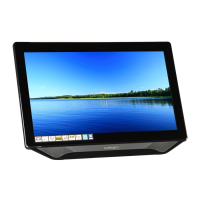
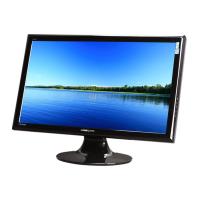
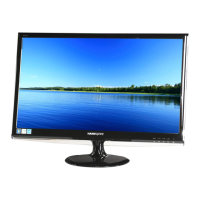
Lists key features of the 19" LCD monitor, including resolution and design.
Details the items included in the product package, such as monitor and cables.
Ensures correct power cord type for the area and connection to surge protection.
Highlights the monitor's internal universal power supply for 100/120V or 220/240V AC.
Step-by-step instructions for connecting D-Sub, DVI-D, and audio cables.
Identifies and labels the AC IN, Audio IN, DVI IN, and D-SUB ports.
Recommends adjusting the monitor's angle for optimal viewing preference.
Warns against touching the screen and placing fingers near hinges during adjustment.
Basic steps to turn the monitor on/off and connect signal cables.
Identifies and describes the functions of the external control buttons (MENU, POWER, VOL, AUTO).
Explains the power button function and the LED indicator colors (Blue/Orange).
Describes how to use MENU/ENTER and VOL +/- for OSD navigation and adjustment.
Details activating the Auto Adjustment for optimizing image position, clock, and phase.
Advises on installation location, shipping, and cleaning the monitor.
Guides on adjusting brightness and contrast levels via the OSD menu.
Explains how to adjust H-Position and V-Position for optimal screen alignment.
Instructions for reducing screen flicker by adjusting clock and phase settings.
Details on adjusting preset color temperatures and user-defined RGB values.
Guides on setting OSD horizontal/vertical position and timeout duration.
Explains how to adjust the transparency level of the On-Screen Display.
Covers adjusting OSD color scheme and selecting the display language.
Details adjusting volume, sharpness, and selecting DOS display modes.
Explains the monitor's VESA DDC2B feature for computer communication.
Emphasizes the necessity of a video input signal for monitor operation.
Describes the Green monitor standard for energy conservation and automatic power-off.
Provides solutions for common problems like no power, image distortion, dim picture, and color issues.
Troubleshooting steps for disconnected or damaged signal cables.
Lists factory preset timing modes for resolving input support errors.
Details display size, pixel pitch, resolution, and input connectors.
Covers operating conditions, dimensions, weight, and regulatory compliance.
Details the pin configuration for the 15-pin D-Sub color display signal cable.
Details the pin configuration for the 24-pin DVI-D color display signal cable.
Provides contact details for HANNSPREE North America, Inc.
Lists contact details for Australia, New Zealand, and Hong Kong.
Provides contact information for HANNspree Europe GmbH and Japan.


 To Next Page
 General