BX176 portable single gas detector operation manual
8
2. Vibration on/off
3. Key sound on/off
4. Data communication mode ①
5. Password setting
Note: ① This function is only available when your purchased
detector has this USB communication function integrated.
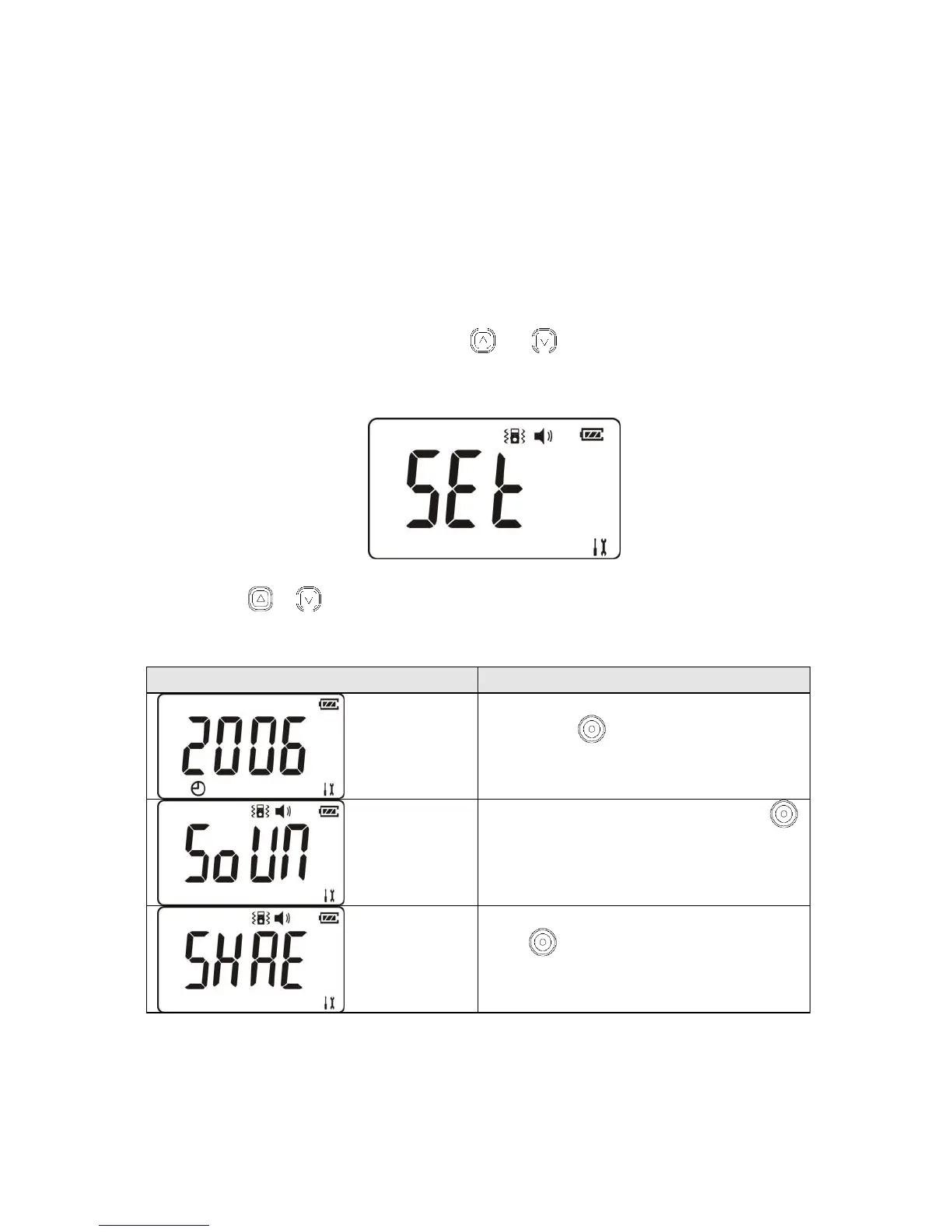
Under detecting mode, press and at the same time, screen
will show as below and after one second go into user menu.
press or to choose the item you want to adjust, below is the
display information of every item.
After screen display this
figure,press and then you can adjust
the time of the detector
After screen display this figure,press
and then you can turn it on or off the
sound of the button.
After screen display this figure,
press and then you can turn it on or
off the vibration for alarm.



 To Next Page