V4000 SERIES OWNER’S MANUAL
14
INFO
The Info page shows the firmware version number.
• Press the Master Volume/DSP knob while “Reset Unit” is selected,
to begin the reset.
• Then press the Master Volume / DSP knob again while the “Are
You Sure?” message is shown, to complete the reset.
SPECIFICATIONS
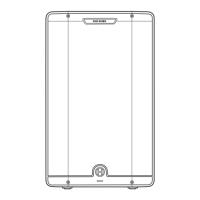
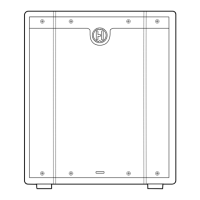
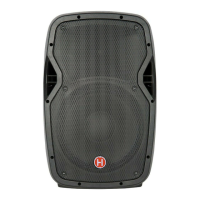
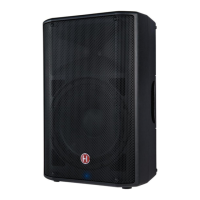
HARBINGER VARI Series V4112 V4115
Amplifier
DSP
Display-accessible parameters and Bass and Treble
knobs all control the internal DSP to customize the sound
Display-accessible parameters and Bass and Treble knobs
all control the internal DSP to customize the sound
Limiter
Transparent, dynamic DSP limiter for ideal sound quality
and system protection at maximum volume
Transparent, dynamic DSP limiter for ideal sound quality
and system protection at maximum volume
Smart Stereo
A pair of speakers can be connected for unified volume
and tone control from the first master speaker, with
optimal distribution of mono and stereo audio signals
between both speakers
A pair of speakers can be connected for unified volume
and tone control from the first master speaker, with
optimal distribution of mono and stereo audio signals
between both speakers
Input 1
XLR and 1/4-inch TRS balanced/unbalanced
compatible audio input with Mic/Guitar/Line Switch
and Input Gain Control
XLR and 1/4-inch TRS balanced/unbalanced
compatible audio input with Mic/Guitar/Line Switch
and Input Gain Control
Input 2
XLR and 1/4-inch TRS balanced/unbalanced
compatible audio input with Mic/Guitar/Line Switch
and Input Gain Control
TXLR and 1/4-inch TRS balanced/unbalanced
compatible audio input with Mic/Guitar/Line Switch
and Input Gain Control
RESET
From the Reset page, you can restore your VARI to its factory
standard state.
LOAD PRESET
From the Load Preset page, you can load one of the 6 presets stored
in the VARI.
• Turning the Master Volume/DSP knob will choose from the
available preset memories.
• Pressing the Master Volume knob will load these settings from that
preset memory:
o Voicing Selection
o Location
o Sub Cut frequency
o Bass knob setting
o Treble knob setting
o Stereo Master (Is Left or Is Right)
• Turning the Master Volume / DSP knob will choose from the
available preset memories.
• Pressing the Master Volume knob will select that preset memory.
• Completing the save will overwrite (replace) that preset memory,
with the current settings for:
o Voicing Selection
o Location
o Sub Cut frequency
o Bass knob setting
o Treble knob setting
o Stereo Master (Left or Right)
SAVE PRESET
From the Save Preset page, you can save the current VARI settings to one
of the 6 preset memories in the VARI.



 To Next Page