SKU 95082 For technical questions, please call 1-800-444-3353. Page 8
SPECIFICATIONS
Electrical Requirements 120 V~ / 60 Hz / 11.8 A
Motor (Cutter head)
Speed
per minute
Maximum Cutting Depth 3/32”
Stock Capacity
Feed Speed 20 Feet per Minute
Included
Accessories
1 Hex Wrench (4mm)
2 Magnets
UNPACKING
When unpacking, check to make sure
item is intact and undamaged. If any parts
are missing or broken, please call Harbor
Freight Tools at the number shown on the
cover of this manual as soon as possible.
INSTRUCTIONS FOR
PUTTING INTO USE
Read the ENTIRE IMPORTANT
SAFETY INFORMATION
section at the beginning of this
manual including all text under
subheadings therein before set
up or use of this product.
TO PREVENT
SERIOUS INJURY
FROM ACCIDENTAL
OPERATION: Turn the Power
Switch of the tool to its “OFF”
position and unplug the tool
from its electrical outlet
before assembling or making
any adjustments to the tool.
Note: For additional information regarding
the parts listed in the following pages,
refer to the Assembly Diagram near
the end of this manual.
Assembly
NOTE: This should always be mounted to
a workbench before use.
Select an area with enough room to 1.
Select a workbench to mount the
Planer. Place the Planer on a
workbench able to support the weight
of the Planer and the wood stock
being planed. The orientation of the
Planer should enable the easy entry
and exit of long pieces of wood stock.
Using a pencil, mark through the 2.
mounting holes of the Planer, onto
the workbench. Slide the Planer
aside and drill four 3/8 inch mounting
holes into the workbench.
Before
drilling, verify that there are no
utility wires or other obstructions
under the workbench.
Slide the Planer back over the 3.
mounting holes in the workbench,
and secure the Planer to the
workbench with bolts, washers,
spring washers and nuts (not
included). Securely tighten.
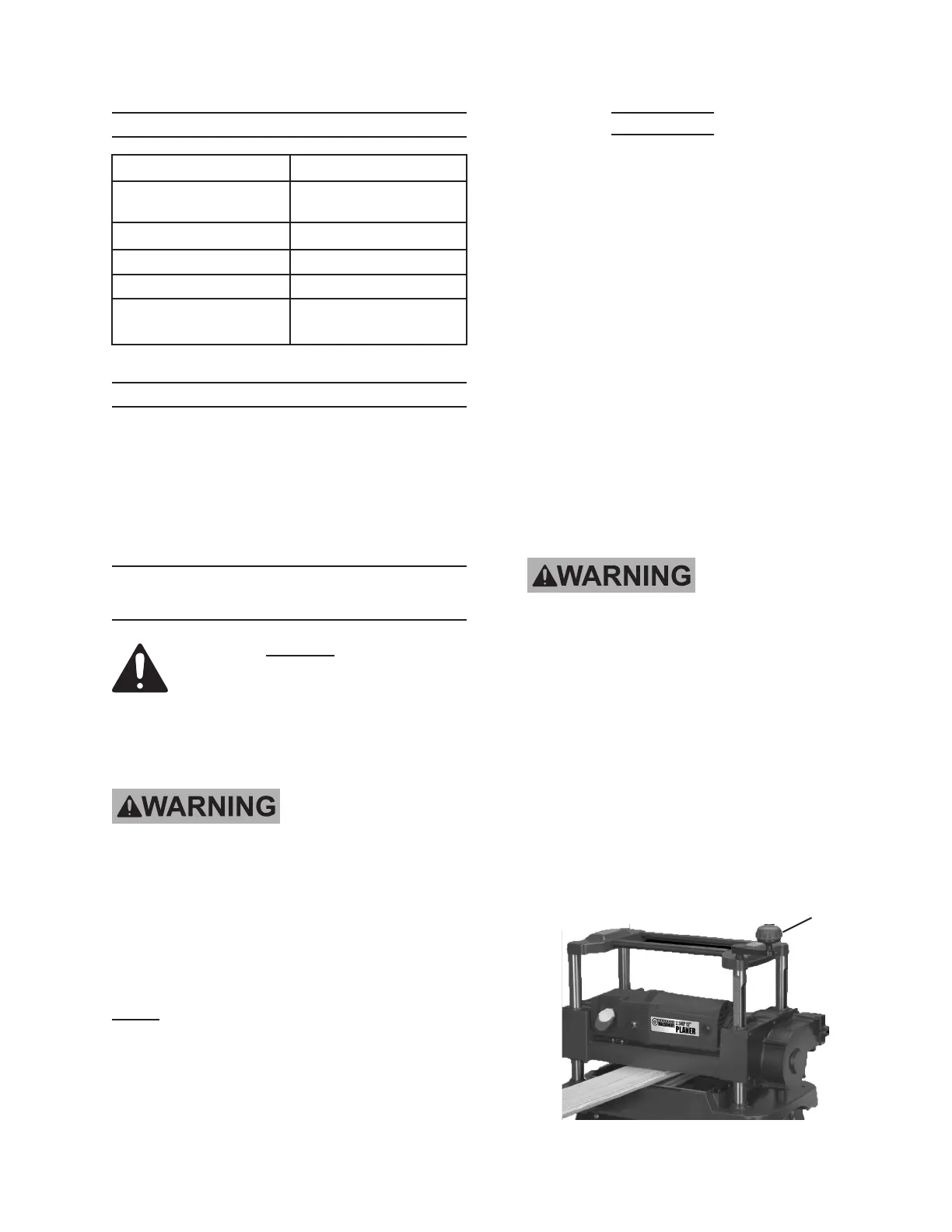
Mount the height (thickness) 4.
adjustment Handle (10) to the Right
Cap (11). See Figure A.
Figure A
Rev 10d
Crank
Handle (10)


 To Next Page