EasyManua.ls Logo

Harbor Freight Tools 95082 - User Manual

Harbor Freight Tools 95082
21 pages
Print Icon
To Next Page IconTo Next Page
Loading...
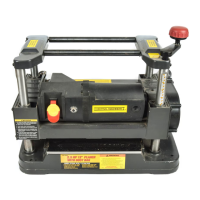
2-1/2 HP / 12” PLANER
95082
SET UP AND OPERATING INSTRUCTIONS
Visit our website at: http://www.harborfreight.com
Read this material before using this product.
Failure to do so can result in serious injury.
SAVE THIS MANUAL.
Copyright
©
2010 by Harbor Freight Tools
®
. All rights reserved. No portion of this manual or any artwork
contained herein may be reproduced in any shape or form without the express written consent of
Harbor Freight Tools. Diagrams within this manual may not be drawn proportionally. Due to continuing
improvements, actual product may differ slightly from the product described herein. Tools required for
assembly and service may not be included.
For technical questions or replacement parts, please call 1-800-444-3353.
Revised 11h

Questions and Answers

  • M
    michael24Aug 20, 2025
    Why my Harbor Freight Tools Planer will not start?
    • E
      Edward EllisAug 20, 2025
      Your Harbor Freight Tools Planer might not start due to a couple of reasons. First, there may be no power at the outlet, so check the power at the outlet. Second, the cord might not be properly connected; ensure the cord is plugged in securely.
  • R
    Raymond GeorgeAug 22, 2025
    What to do if circuit breaker keeps tripping on my Harbor Freight Tools Planer?
    • S
      Samantha PalmerAug 22, 2025
      If the circuit breaker or fuse keeps tripping when you're using your Harbor Freight Tools Planer, it could be due to several reasons. The motor might be overloaded, so try reducing the depth of cut. You may be using the wrong circuit breaker or fuse, so ensure you are using the correct one. Dull blades can also cause this issue, so consider replacing them.
  • C
    christopherrangelAug 25, 2025
    Why does the motor on my Harbor Freight Tools Planer overheat?
    • E
      Erica HuertaAug 25, 2025
      The motor on your Harbor Freight Tools Planer could be overheating for a couple of reasons. It might be overloaded, so try reducing the depth of cut. Also, the motor may not be cooling properly, so clean any sawdust from the Planer.
  • S
    Scott LaneAug 26, 2025
    How to prevent torn grain when using Harbor Freight Tools 95082?
    • B
      bennettbrianAug 26, 2025
      To prevent torn grain when using your Harbor Freight Tools Planer: * Reduce the depth of cut. * Ensure you are cutting boards along the grain. * Replace dull blades.
  • M
    Mark TurnerAug 27, 2025
    How to prevent snipe with Harbor Freight Tools 95082 Planer?
    • C
      Cynthia CochranAug 27, 2025
      To prevent gouging at the ends of the board, also known as snipe, when using your Harbor Freight Tools Planer: * Replace dull blades. * Provide better support for long boards. * Adjust the board when it is in contact with only one feed roller to ensure even force on the cutter head. * Adjust the roller case to ensure it is level with the base. * Butt each end of the stock together evenly.
  • D
    Daniel FloydAug 29, 2025
    Why am I getting rough, raised grain with my Harbor Freight Tools Planer?
    • L
      Lauren BestAug 29, 2025
      Rough, raised grain when using your Harbor Freight Tools Planer can occur due to several factors. Dull blades may be the cause, so try replacing them. A cut that is too heavy can also lead to this issue, so reduce the depth of cut. High moisture content in the wood could also be the problem, so use dry wood or wood with lower moisture content.
  • S
    Stephen FernandezAug 31, 2025
    Why is there excessive dust in the air when using my Harbor Freight Tools Planer?
    • S
      samantha27Aug 31, 2025
      If you're experiencing excessive dust in the air while using your Harbor Freight Tools Planer, it could be due to a leaking bag or a loose connection. Check the connections of your dust collection system and replace the collection bag if necessary.
  • A
    Amanda WilliamsSep 2, 2025
    What to do if board feeds in, but will not move through Harbor Freight Tools 95082 Planer?
    • K
      kristen90Sep 2, 2025
      If a board feeds into your Harbor Freight Tools Planer but doesn't move through, it could be because the out feed rollers are clogged; try cleaning the Planer. Alternatively, there might be too much pressure on the cutter head from a long board; use supports to hold the workpiece up.
  • T
    Teresa VasquezSep 4, 2025
    Why is the grain ragged after planing with my Harbor Freight Tools 95082 Planer?
    • D
      Donna WalshSep 4, 2025
      If the grain is ragged after planing with your Harbor Freight Tools Planer, it may be because the wood has a high moisture content. Use dry wood to resolve this issue.
  • P
    Pamela HerreraSep 6, 2025
    Why is roller case adjustment difficult on my Harbor Freight Tools 95082?
    • B
      Briana HayesSep 6, 2025
      Difficult roller case adjustment on your Harbor Freight Tools Planer can be caused by several factors: * Sprockets or the chain might be dirty, so clean and lubricate them. * Screws or columns could be dirty; clean and lubricate them as well. * The screws might be worn, requiring replacement. * Friction between the roller case and covers could be the issue; clean and lubricate those areas. * The roller case may not be parallel; adjust it accordingly.

Summary

Important Safety Information

General Power Tool Safety Warnings

Safety guidelines and precautions applicable to all power tools.

Instructions for Putting Into Use

Tool Set Up

Steps and warnings related to setting up the tool.

Work Piece and Work Area Set Up

Guidelines for preparing the material and the workspace.

Maintenance and Servicing

Cleaning, Maintenance, and Lubrication

Procedures for cleaning, general maintenance, and lubrication.

Carbon Brush Maintenance

Steps for inspecting and maintaining carbon brushes.

Blade Maintenance

Procedures for rotating or replacing planer blades.

Harbor Freight Tools 95082 Specifications

General IconGeneral
Knives2
Maximum Depth of Cut1/8 inch
Planing Width12-1/2 inch
Voltage120 V
Maximum Cutting Width12-1/2 inch
Feed Rate26 ft. per minute
Dust Port Size2-1/2 inch