For technical questions, please call 1-800-444-3353.
SAFETYOPERATIONMAINTENANCE SETUP
Operating Instructions
section at the beginning of this
manual including all text under subheadings therein before set up or use of this product.
Please Note: Spotlight will NOT operate during charging.
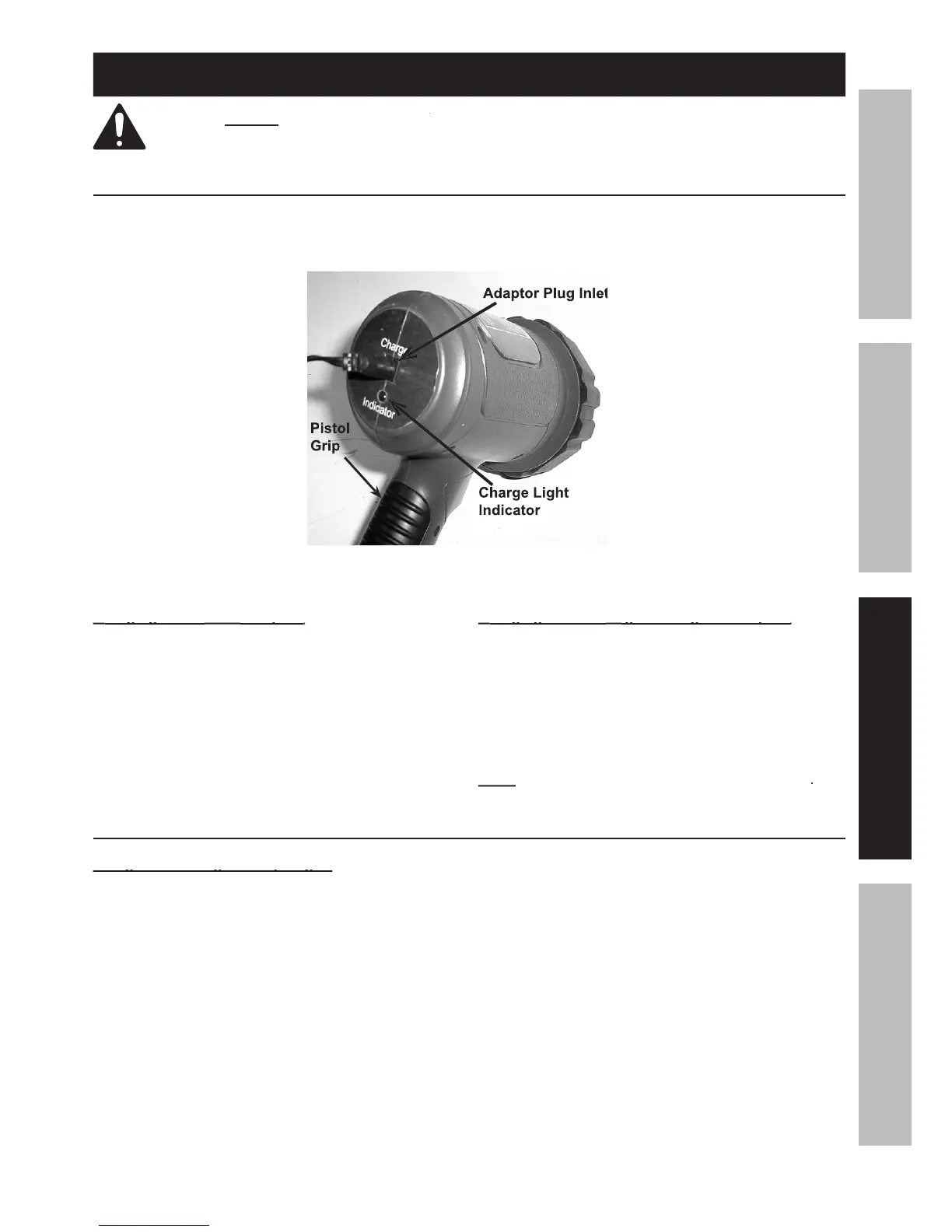
Plug AC/DC Adaptor (21) into a 120V outlet.
Attach the end of the Adaptor cord to the Adaptor
Cord Inlet, located on the back of the Spotlight.
The Charge Light Indicator will light up. When
the Charge Light Indicator goes out, the Spotlight
is ready for use. Unplug the Adaptor.
igarette Lighter Adaptor:
igarette Lighter Adaptor:
Plug into any 12V DC outlet in an automobile,
boat or RV, and then into the Adaptor Plug
Inlet located on the back of the Spotlight.
The Charge Light Indicator will light up. When
the Charge Light Indicator goes out, the Spotlight
is ready for use. Unplug the Adaptor.
Spotlight will not operate during charging
Spotlight will not operate during charging
General Operating Instructions
Using the Rechargeable Spotlight:
Using the Rechargeable Spotlight:
Hold the Spotlight using the Pistol Grip.
Squeeze the Trigger. If you want the Spotlight
to stay on, slide the Lock Switch up while
squeezing the Trigger, then release the
Trigger and the Spotlight will stay on.
When finished using the Spotlight, release
the Trigger or push the Lock Switch
downward to turn the Spotlight off. Keep
Spotlight indoors away from children.



 To Next Page