11
www.hardlifeutility.com
BACK COVER INSTALLATION
1. Install the cover for the back panel (component code 21) onto the frame of the back wall, as shown in
Figure 7.
2. Lace the back cover securely onto the frame using ropes (component code 23), as shown in Figure 7.
NOTE:
Ensure that you do not over tighten the lacings.
3. Your assembly of the front and back panels is complete.
CAUTION: Do not install the back cover onto the frame of the back wall of the shelter in high wind
conditions.
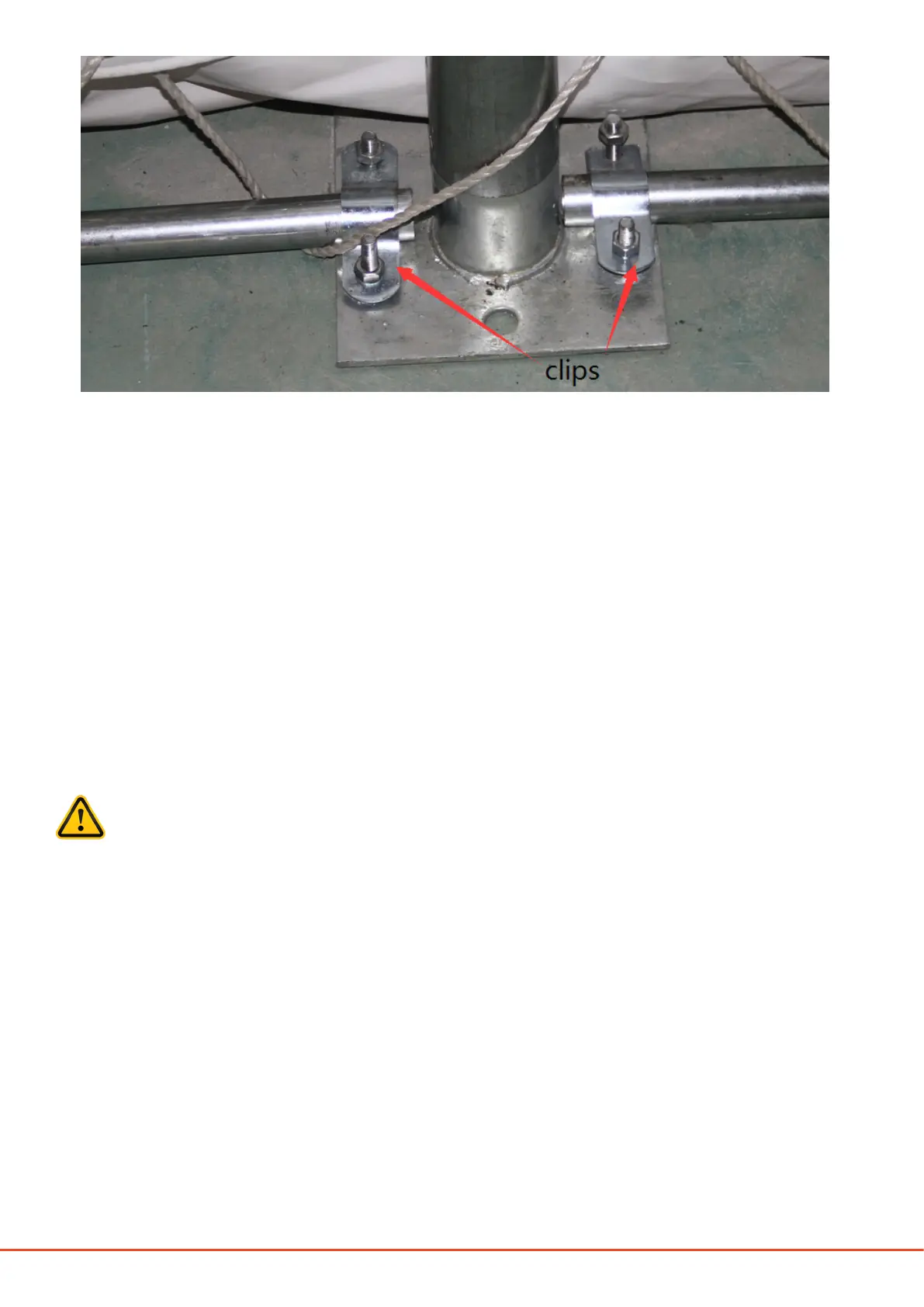
5. Insert the upper standing legs at the middle of the back panel (component code 16) into component code
15, and secure using M8 x 70 mm carriage bolts (component code 30), as shown in Figure 5. e upper
standing legs are connected to the arch using clips (component code 37), as shown in Figure 5.
6. Install the back panel horizontal tubes (component code 17), and secure using M8 x 70 mm carriage bolts
(component code 30) as shown in Figure 5.
7. Ensure that all the bolts are secured tightly before installing the back cover.
Figure 6

 To Next Page
 Loading...