8.23OIL PRESSURE SWITCH
GENERAL
The oil pressure switch monitors oil pressure in the crankcase.
If the oil pressure drops below 3 psi (20.6 kPa) the oil pressure
switch is tripped and illuminates the low oil pressure indicator
light.
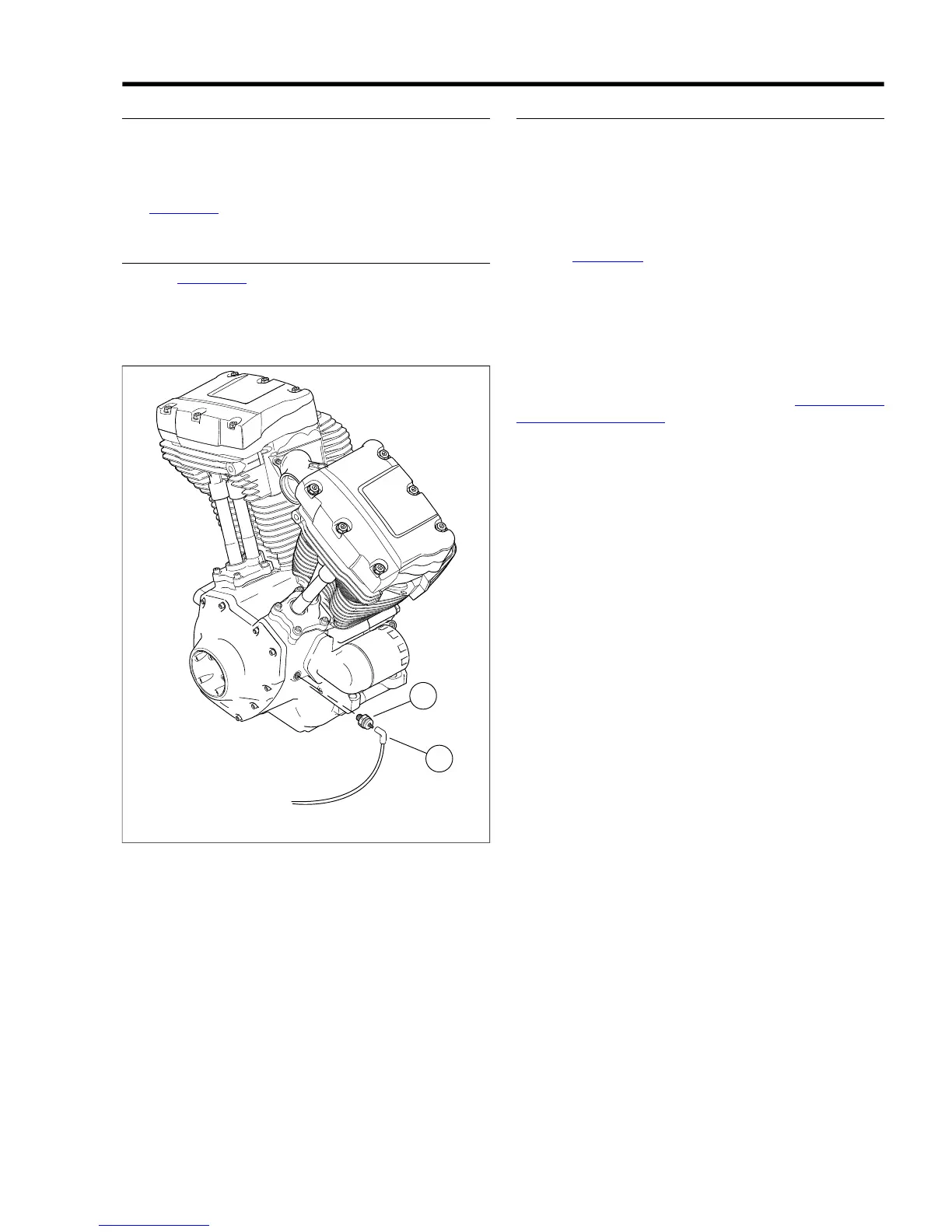
See Figure 8-63.The oil pressure switch is located on the right
side of the crankcase.
REMOVAL
1. See Figure 8-63. Remove connector (2) from oil pressure
switch (1).
2. Using a 15/16 in. open end wrench, remove switch from
crankcase.
1. Oil pressure switch
2. Connector
Figure 8-63. Oil Pressure Switch
INSTALLATION
NOTE
Perform step 1 only if original switch is being re-installed. New
switches have a sealant contact patch on the threads. If new
switch is being installed, begin at step 2.
1. Coat threads of oil pressure switch with LOCTITE PIPE
SEALANT WITH TEFLON (PST).
2. See Figure 8-63. Install oil pressure switch (1) to crank-
case.
3. Tighten switch to 96-144 in-lbs (10.8-16.3 Nm).
4. Attach connector (2) to oil pressure switch.
5. Test oil pressure switch for proper operation.
NOTE
If connector (2) requires replacement, see A.18 SEALED
SPLICE CONNECTORS in the appendix.
2008 Dyna Service: Electrical 8-43


 To Next Page
 Loading...