EasyManua.ls Logo

Harman Kardon Go+Play - User Manual

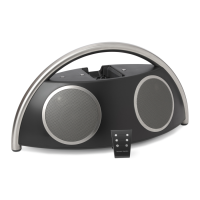
Harman Kardon Go+Play
120 pages
Print Icon
To Next Page IconTo Next Page
Loading...
User Guide


 



한국어 



中文
 
Русский



portable hi- speaker for iPod
0081CSK - HK GO+PLAY UG_6.indd 1 26/01/09 9:07:57

Other manuals for Harman Kardon Go+Play

Questions and Answers

  • J
    Jennifer CummingsAug 17, 2025
    Why is there distortion (static, crackling or hissing sounds) from my Harman Kardon Go+Play?
    • E
      Erika LarsenAug 18, 2025
      Distortion can stem from several sources: The audio source itself may have issues, so test the Harman Kardon Go + Play unit with another source. The volume might be too high, so check the source volume. Also, incorrect source selection can cause this, so ensure your iPod is properly docked or the auxiliary cable is correctly connected. Turn up the volume and test with a known good source, connecting the Aux In cable to the headphone jack of your iPod. Finally, the EQ setting may be too high, so check the EQ setting on your iPod or source device.
  • D
    Dennis GordonAug 20, 2025
    How to fix distortion (static, crackling or hissing sounds) caused by interference in Harman Kardon Portable Speakers?
    • L
      Leah TuckerAug 20, 2025
      If you are experiencing distortion, it may be due to interference from nearby devices. Try moving the Harman Kardon Go + Play unit away from monitors, cell phones, or other transmitting devices to see if that eliminates the distortion.
  • J
    Joel PriceAug 22, 2025
    What to do if iPhone/iPod won't charge on Harman Kardon Portable Speakers?
    • B
      Brandy LongAug 22, 2025
      If your iPhone/iPod is not charging via the USB port on your Harman Kardon portable speakers, ensure that the wall outlet or power strip has power and that all switches for the outlet/power strip and the unit are on. Also, make sure that the iPhone/iPod is seated securely into the docking station.
  • L
    Logan SmithAug 25, 2025
    How to troubleshoot no sound on Harman Kardon Go+Play?
    • C
      Cody MorrisonAug 26, 2025
      If there is no sound coming from your Harman Kardon Go + Play Wireless unit, first, ensure that the wall outlet or power strip has power and that all switches for the outlet/power strip and the unit are on. If you are not using the AC adapter, make sure that fresh batteries are installed correctly.
  • K
    Karen KirkAug 27, 2025
    What to do if my Harman Kardon Portable Speakers unit emits a loud hum or buzzing noise?
    • R
      Rhonda JonesAug 28, 2025
      A loud hum or buzzing noise can be due to several reasons. First, check the input cable connection to ensure it is properly plugged in. If the cable is damaged, replace it. Another potential cause is a ground loop; try turning off the Harman Kardon Go + Play unit and connecting it to another wall outlet.
  • A
    Amanda FoxAug 30, 2025
    What to do if sound comes from only one side/channel of my Harman Kardon Portable Speakers?
    • P
      patriciakingAug 30, 2025
      If sound is only coming from one side, the iPod or auxiliary cable may not be seated properly. Ensure you're using the correct iPod adapter and that the iPod is fully seated in the docking station. Also, make sure the auxiliary cable is fully inserted into the jack and try resetting the iPod. In some cases, radio frequency interference might be the cause. In this case, purchase a ferrite core and wrap the excess cable around it.
  • E
    Erika SmithSep 1, 2025
    How to troubleshoot no sound coming from Harman Kardon Go+Play?
    • D
      Diamond WilliamsSep 2, 2025
      If there is no sound coming from your Harman Kardon Go + Play unit, ensure the unit is receiving power. Check that the wall outlet or power strip has power, and that all switches for the outlet/power strip and the unit itself are turned on.
  • T
    Todd JohnsonSep 4, 2025
    Why is my Harman Kardon Go+Play Portable Speakers buzzing?
    • J
      Joshua WalkerSep 4, 2025
      If your Harman Kardon Go + Play Wireless unit is emitting a loud hum or buzzing noise, first, check the Aux In cable connection. If the issue persists, the cable may be faulty and require replacement. As a last resort, turn the unit off and connect it to another wall outlet to resolve a potential ground loop issue.
  • S
    Sonya BernardSep 6, 2025
    How to fix distortion on Harman Kardon Go+Play?
    • B
      Bianca ParkerSep 7, 2025
      If you are experiencing distortion (static, crackling, or hissing sounds) with your Harman Kardon portable speakers, try the following: Test the unit with another source to rule out a problem with your original source device. Also, check the volume level of the source and turn it down if necessary. Finally, check the EQ setting on your iPhone/iPod or source device and adjust it if it is set too high.
  • K
    Katie MorganSep 9, 2025
    Why does sound only come from one side of my Harman Kardon Go+Play Portable Speakers?
    • R
      Richard BrooksSep 9, 2025
      If the sound is only coming from one side or channel of your Harman Kardon portable speakers, make sure that the auxiliary cable is fully inserted into the jack.

Summary

Important Safety Instructions

Safety Precautions and Warnings

Essential safety guidelines, warnings, and precautions for using the audio system.

Regulatory Compliance

Statements regarding FCC and IC regulations for device operation and compliance.

Product Overview and Contents

Welcome and Introduction

Welcome message and introduction to the Harman Kardon Go + Play system.

Key Features

Highlights of the system's advanced technologies and capabilities.

Package Contents

List of all components included with the Harman Kardon Go + Play unit.

System Setup and Operation

General Setup Guide

Step-by-step guide for setting up the Harman Kardon Go + Play system.

Listening Modes

Instructions for playing music from an iPod or an external auxiliary device.

iPod Charging and Remote Usage

Details on charging your iPod and operating the system with the remote control.

Troubleshooting Guide

Sound Quality Issues

Solutions for common sound quality problems like no audio, distortion, or hum.

Interference and Noise

Addressing issues related to radio frequency interference and external noise.

Technical Specifications

Charging Troubleshooting

Guidance for troubleshooting issues related to charging the connected iPod.

Product Specifications

Detailed technical data including dimensions, power, drivers, and impedance.

Company and Environmental Information

Manufacturer Details and Trademarks

Information about the manufacturer, trademarks, and copyright notices.

Environmental Disposal Guidelines

Guidelines for proper disposal of electrical appliances and environmental impact.

Harman Kardon Go+Play Specifications

General IconGeneral
Bluetooth version4.1
Battery charge time3 hours
Signal-to-noise ratio80dB A-weighted
Charging Time3 hours
Water ResistanceNo
AUX InputYes
Built-in MicrophoneYes
Music playing timeUp to 8 hours
Output power4 x 25W (AC mode)
Frequency response50Hz - 20kHz
Dimensions417.5mm x 181.5mm x 211.5mm
Weight3433g
Power Output50W
Battery typeLithium-ion polymer (22.2Wh)
USB PortYes (for charging mobile devices)

Videos

How to Use Harman Kardon Go + Play 3: Master Your Portable Speaker

How to Use Harman Kardon Go + Play: Complete Guide

How to Pair Harman Kardon Go + Play 3 Portable Bluetooth Speaker: Easy Connection Guide

How to Connect Harman Kardon Go + Play to iPhone: Easy Steps

How to Connect Harman Kardon Go + Play to Android Phone: Easy Steps

How to Connect Harman Kardon Go + Play to PC: Easy Audio Setup

Related product manuals