EasyManua.ls Logo

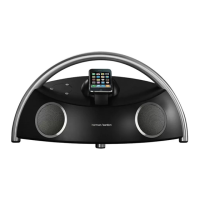
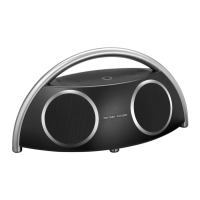
Harman Kardon GO + PlAy - User Manual

Harman Kardon GO + PlAy
6 pages
Print Icon
To Next Page IconTo Next Page
Loading...
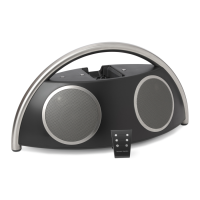
portable hi- speaker for iPod
User Guide
English ..........................2
Deutsch .........................7
Français ....................... 13
Español .......................19
Italiano ........................25
Dutch .......................... 31
Korean ......................... 37
Norwegian ..................43
Danish ........................ 49
Japanese ...................... 55
Simplified Chinese ......61

Other manuals for Harman Kardon GO + PlAy

Questions and Answers

  • K
    Kimberly GrantJul 26, 2025
    What to do if iPod does not respond to Harman Kardon Remote Control commands?
    • R
      Robert GordonJul 26, 2025
      If your iPod isn't responding to the Harman Kardon Remote Control, the remote battery power may be low. Try redocking the iPod. If the problem persists, reset the iPod. If it still fails, replace the battery.
  • S
    Samantha EvansAug 2, 2025
    Why does my Harman Kardon Remote Control only operate at close range?
    • N
      novakstephenAug 3, 2025
      The Harman Kardon Remote Control range is up to 20 feet. If you are further away, move the source unit closer to the remote. Also, the remote battery power may be low, so replace the battery.
  • Q
    qnicholsAug 9, 2025
    Why do my Harman Kardon Portable Speakers have static?
    • E
      Eric MorrowAug 9, 2025
      If your Harman Kardon Portable Speakers produce distorted sound (static, crackling, or hissing), it might be due to interference from devices like monitors or cell phones. Try moving the Go + Play away from these devices to see if that eliminates the distortion.
  • M
    Mark PrestonAug 17, 2025
    What to do if Harman Kardon Portable Speakers sound comes from only one side?
    • S
      Steven AlvaradoAug 17, 2025
      If the sound is only coming from one side or channel on your Harman Kardon Portable Speakers, the iPod or auxiliary cable might not be properly connected. Ensure you're using the correct iPod adapter and that the iPod is fully seated in the docking station. Also, make sure the auxiliary cable is fully inserted into the jack. You might also try resetting the iPod.

Summary

Important Safety Instructions

General Safety Precautions

Essential guidelines for safe operation, including ventilation, avoiding water, naked flames, and extreme conditions.

Electrical Safety Warnings

Precautions regarding electrical shock, plug safety, and protection of the power cord.

Hearing Protection Warning

Advisory to prevent hearing damage from high volume listening levels.

Regulatory Compliance

FCC Statement and Warning

Compliance information and operational conditions for FCC regulations regarding interference.

IC Statement and Warning

Compliance information and operational conditions for Industry Canada regulations.

Product Introduction and Contents

Welcome and Introduction

Overview of the Go + Play portable iPod docking system and its features.

Special Features

Highlights of key technologies like IEQ, Bi-Amplification, DSP, and RF Remote.

Package Contents

List of all components included with the Go + Play system upon purchase.

Setup and Operation Guide

General Setup Steps

Instructions for unpacking, docking adapters, iPod placement, power, and battery installation.

Music Playback Methods

Guides for listening to music from an iPod or an auxiliary device.

Video Output and Computer Sync

Steps for connecting to a TV/monitor and syncing files with a computer.

Charging and Remote Usage

Information on charging the iPod, remote functionality, and storing the remote.

Troubleshooting Guide

Sound Quality Issues

Solutions for common sound problems like no sound, distorted audio, or one-sided output.

Charging and Syncing Problems

Troubleshooting steps for iPod not charging, not recognized by computer, or USB power issues.

Audio Input and Interference

Resolving issues related to loud hums, buzzing, or radio frequency interference.

Harman Kardon GO + PlAy Specifications

Audio Specifications IconAudio Specifications
driversTwo Ridge and two Atlas transducers
tweeter power2 x 15 watts @ 1% THD
woofer power2 x 30 watts @ 1% THD
frequency response40Hz – 20kHz
signal-to-noise ratio>85dB
Bluetooth Specifications IconBluetooth Specifications
bluetooth transmitter frequency range2.4GHz – 2.4835GHz
bluetooth transmitter power≤20dBm (EIRP)
bluetooth transmitter modulationGFSK/ /4-DQPSK/8-DPSK
Power IconPower
external power supply input voltage100 – 240V AC
output voltage18VDC @ 3.6A
power consumption65W (maximum); 0.5W (standby mode)
Weight and Dimensions IconWeight and Dimensions
dimensions20" (500mm) x 9" (230mm) x 9-1/2" (240mm)
weight9.4 lb (4.3kg)

Videos

How to Use Harman Kardon Go + Play 3: Master Your Portable Speaker

How to Use Harman Kardon Go + Play: Complete Guide

How to Pair Harman Kardon Go + Play 3 Portable Bluetooth Speaker: Easy Connection Guide

How to Connect Harman Kardon Go + Play to iPhone: Easy Steps

How to Connect Harman Kardon Go + Play to Android Phone: Easy Steps

How to Connect Harman Kardon Go + Play to PC: Easy Audio Setup

Related product manuals