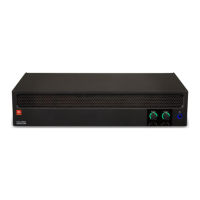
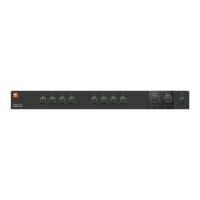
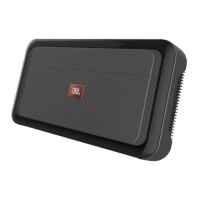
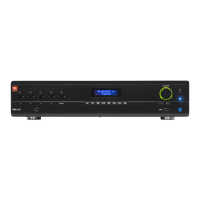
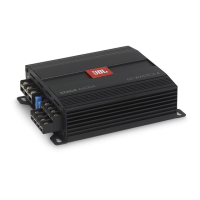
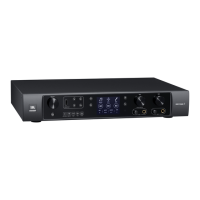
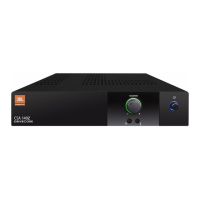
The JBL Commercial Series Amplifier is a professional audio tool designed for installed sound applications, offering both single and two-channel models. These amplifiers provide amplification with a choice of low impedance, 70V, or 100V outputs, making them ideal for commercial and industrial use.
Function Description:
The amplifier's primary function is to amplify audio signals for distribution to speaker systems. It supports both low impedance speakers (minimum 4 Ohms) and high impedance 70V or 100V speaker systems. The unit includes an integrated output transformer for high impedance applications, which, when enabled via the Hi-Z switch, also activates a 70Hz high-pass filter to protect speakers from damaging subsonic signals.
The amplifier features Euro-block type mic/line input connectors and output connectors, as well as dual RCA input connectors for stereo, unbalanced sources. Each output channel has independent Bass and Treble controls for tone adjustment. For remote control, the amplifier can be connected to a JBL CSR-V control module using a standard Ethernet cable, allowing for remote volume adjustment.
To conserve energy, the unit incorporates a "Sleep Mode" that activates after approximately two hours of operation with no input signal. The amplifier will wake from sleep mode upon detection of a signal (-36dBu) at any input. This feature can be disabled using the "Sleep Disable" switch on the rear panel.
Important Technical Specifications:
The JBL Commercial Series Amplifiers come in several models: CSA 140Z, CSA 180Z, CSA 1120Z, CSA 240Z, CSA 280Z, and CSA 2120Z.
- Rated Power (into 4 Ω or 8 Ω, 1kHz, ≤ 0.5% THD):
- CSA 140Z: 40W
- CSA 180Z: 80W
- CSA 1120Z: 120W
- CSA 240Z: 40W
- CSA 280Z: 80W
- CSA 2120Z: 120W
- Number of Output Channels:
- CSA 140Z, CSA 180Z, CSA 1120Z: 1 channel
- CSA 240Z, CSA 280Z, CSA 2120Z: 2 channels
- Insertion Loss (70V & 100V outputs): 1 dB maximum
- Input Sensitivity (8 Ω Load): 1.4V RMS
- Frequency Response (80, 20Hz - 20kHz): +/- 0.5dB
- Total Harmonic Distortion (THD) (@Full rated power, 20Hz-20kHz): <0.5%
- Signal-to-Noise Ratio (Ref. rated output, 22KHz BW, A-weighted): >100dB
- Input Impedance (nominal):
- Euro Block: 20 KΩ (balanced)
- RCA: 50 KΩ
- Maximum Input Level: +22dBu (Nominal)
- Crosstalk (Ref. rated power, A-weighted, 1kHz): >70 dB
- Tone Controls: Bass +/-10dB @100Hz, Treble +/-10dB @10kHz
- Nominal AC Line Voltages: 100-240V, 50/60 Hz
- Minimum Load Impedance:
- Low-Z Output: 4 Ω for all models
- 70V Output:
- CSA 140Z: 120 Ω
- CSA 180Z: 60 Ω
- CSA 1120Z: 40 Ω
- CSA 240Z: 120 Ω
- CSA 280Z: 60 Ω
- CSA 2120Z: 40 Ω
- 100V Output:
- CSA 140Z: 240 Ω
- CSA 180Z: 120 Ω
- CSA 1120Z: 80 Ω
- CSA 240Z: 240 Ω
- CSA 280Z: 120 Ω
- CSA 2120Z: 80 Ω
- Operating Temperature/Humidity: 0°C to 35°C @ 95% R.H. (non-condensing)
- Storage Temperature: -20°C to 85°C
- Dimensions (all models):
- Width: 8.6 in. (218.5 mm)
- Depth: 11.9 in. (303.4 mm)
- Height: 1.7 in. (43.3 mm)
- Net Weight (preliminary estimate):
- CSA 140Z: 6.3 lb (2.8 kg)
- CSA 180Z: 6.9 lb (3.1 kg)
- CSA 1120Z: 6.9 lb (3.1 kg)
- CSA 240Z: 7.5 lb (3.4 kg)
- CSA 280Z: 8.8 lb (4.0 kg)
- CSA 2120Z: 8.8 lb (4.0 kg)
- Shipping Weight:
- CSA 140Z: 9.3 lb (4.2 kg)
- CSA 180Z: 9.9 lb (4.5 kg)
- CSA 1120Z: 9.9 lb (4.5 kg)
- CSA 240Z: 10.5 lb (4.8 kg)
- CSA 280Z: 11.8 lb (5.3 kg)
- CSA 2120Z: 11.8 lb (5.3 kg)
Usage Features:
- Rack Mounting: The amplifier includes a rack mounting kit for installation into a cabinet. It can be installed as a single unit or two units side-by-side in a rack. Rubber feet are also provided for stacking units without a cabinet.
- Cooling: Proper cooling is essential. When rack-mounted, a minimum space of 4 inches (10cm) from the top surface of the unit should be maintained, and open spaces in the rack should be closed with blank panels. Air vents must not be blocked, and side walls of the rack should be at least 2 inches (5 cm) from the amplifier sides. The back of the rack should remain open.
- Input Wiring: Supports both balanced (Euro-block) and unbalanced (RCA) audio inputs. It is recommended to use prebuilt or professionally wired 22-24 gauge balanced line cables for Euro-block inputs to minimize hum or RF noise, especially over long cable runs. RCA connectors are suitable for devices like CD/DVD players. It's crucial not to use both Euro-block and RCA inputs concurrently for a single channel.
- Output Wiring: Designed to drive distributed speaker systems at 70V or 100V. For low impedance speakers, connect to the +/- pins. For high impedance speakers, connect to the appropriate 70V or 100V pin (+) and the COM pin (-). JBL recommends using high-quality, two-conductor, heavy gauge twisted speaker wire, stripped back no more than 6 mm (1/4 inch) to prevent short-circuits. Wire size guidelines are provided based on distance (e.g., 16AWG for up to 25 ft, 14AWG for 26-40 ft).
- AC Mains Connection: Connects to AC mains via a detachable IEC power cord. The power ring around the power switch illuminates green when connected to a live power source and blue when the unit is on and in normal operating mode.
- Startup Procedure: A specific startup procedure is outlined to ensure safe operation: turn down audio source and amplifier level controls, power up the amplifier, turn up the audio source to an optimum level, then adjust amplifier level controls to desired loudness.
- Protection Features: Includes a built-in clip limiter to prevent clipping and protect high-frequency drivers. The Hi-Z mode activates a 70Hz high-pass filter to eliminate potentially damaging subsonic signals. The amplifier also has internal and external fault protection, overheat auto protection (power indicator turns green, no audio output until cooled), and low voltage protection (power light ring changes from blue to green).
Maintenance Features:
- Self-Service Restriction: The unit contains no user-serviceable parts. Opening the chassis or attempting to service the unit will void the manufacturer's warranty. All servicing should be referred to qualified personnel.
- Cleaning: Clean the unit only with a dry cloth.
- Environmental Precautions: Avoid exposing the apparatus to dripping or splashing liquid. Do not place objects filled with liquid, such as vases, on the apparatus. Do not operate the amplifier in ambient temperatures exceeding 40°C or in poorly ventilated environments.
- Troubleshooting: The manual provides a troubleshooting section for common issues such as no power, no sound/low sound, and distorted sound, along with possible reasons and solutions.
- Warranty: The product comes with a 3-Year Warranty, valid within the United States of America. For warranty information outside the U.S.A., customers are advised to contact their local distributor.
The JBL Commercial Series Amplifier utilizes Crown's DriveCore™ technology, providing excellent audio performance with high efficiency. The system can be easily expanded with additional JBL Commercial Series Mixers and Mixer-Amplifiers.


 To Next Page
 General