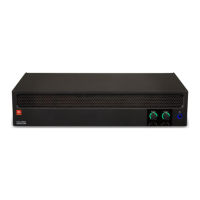
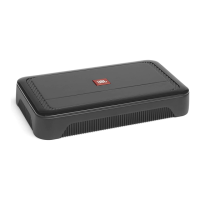
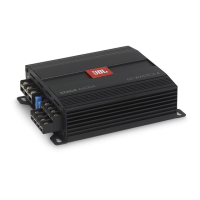
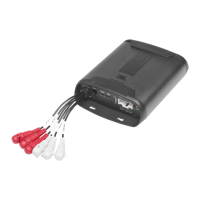
The JBL DSP2544 DSP Amplifier is a self-contained audio system designed for fine-tuning aftermarket audio systems. It features 4-channel powered audio outputs and 2-channel preamp outputs, offering an easy-to-use tuning interface suitable for both novices and experienced installers. The amplifier connects to a Windows PC via USB, allowing access to its tuning interface. This interface provides comprehensive control over various audio parameters, including fully variable crossovers with selectable 0-to-48 dB slopes, time delay, 31-band parametric or graphic EQ adjustment, assignable input-to-output mixer with input channel summing, channel gain, and master volume control. A clipping indicator helps ensure that the audio output remains undistorted. The system also supports saving up to 10 presets for quick recall of preferred audio settings.
Important Technical Specifications:
- RMS Power Output: 25W x 4 @ 4-ohm, 35W x 4 @ 2-ohm.
- Amplifier Class: Class A/B.
- Battery Voltage Range: 8V to 16V.
- Selectable Turn-on Modes: 12V, Audio Signal Sense, DC Offset, 12V remote output.
- LED Indicator: Red/Green.
- Frequency Response: 10Hz to 22kHz @ -3dB.
- Signal-to-Noise Ratio: >80dB (CEA-2006: 68dB).
- THD+N @ 4-ohm: <10%.
- Input Sensitivity: Low Level: 680mV to 6V; High Level: 1.6V to 15V.
- Channel 5 & 6 Pre-out Voltage: 4V.
- Variable Crossovers: All Channels: HPF, LPF, Band-pass with selectable 0 to 48dB slope.
- Gain: Variable for All Channels with PC.
- Subwoofer Level: Variable for Channels 5 & 6 in PC software or using accessory remote control from -30dB to +6dB.
- Fuse Rating: 15A.
- Minimum Recommended Power/Ground Wire Gauge: 8AWG.
- Speaker Level Inputs: Yes.
- Remote Bass Control: Yes (JBL RBC sold separately).
- Dimensions: Length: 9-3/8" (237.5mm), Width: 5-11/16" (144mm), Height: 1-15/16" (49.5mm).
- Weight: Approx. 1000g.
- Protection: DC, OVP, UVP, OCP, OTP.
Usage Features:
The JBL tuning software provides a comprehensive user interface for controlling the amplifier.
- Connected and Disconnected: Indicates if the amplifier is communicating with the Windows PC.
- Low and High Input Level: Shows whether the amplifier is set to lo-level or hi-level input on the control panel.
- Speaker Location Assignment: Allows designation of speaker type and location for each output channel.
- Individual Channel Volume Control and Muting: Adjusts relative volume levels for each channel and mutes audio.
- 0°/180° Phase Adjustment: Sets the phase for each channel for balanced performance.
- Linking of Paired Channels: Links channels to apply volume and tone controls evenly.
- Clipping Indicator: Alerts to 10% or greater distortion, prompting volume reduction.
- Time Delay: Adjusts the sound field's focal point by setting delays for each speaker.
- Information Display: Shows master volume, subwoofer volume, amplifier voltage, operating temperature, and current system configuration.
- X-OVER: Adjusts high-pass and low-pass crossover points for each channel, with selectable slopes from 0/6/12/18/24/30/36/42/48dB.
- Speaker Location View: Visualizes active amplifier channels and corresponding speaker locations.
- Master Volume: Controls the overall system volume and mutes audio.
- Write/Delete Presets: Saves up to 10 preferred audio settings as presets and deletes them.
- Input Mixer: Assigns audio signals from input channels to output channels, and sums multiple input channels for full-range output.
- Save File: Saves and retrieves audio system configurations from the computer.
- Settings: Controls software language (English, Spanish, French, Chinese, Japanese), power delay settings, firmware upgrades, and factory resets.
- Reset Output: Resets speaker type and location for each output channel.
- EQ Mode: Selects between 31-band parametric or graphic EQ.
- Parametric or Graphic EQ: Applies custom EQ curves to each channel by dragging sliders or entering specific values for Frequency, Gain, and Q.
- EQ Setup: Selects channels for EQ curve application.
- Bypass EQ and Restore EQ: "Bypass EQ" flattens EQ settings for comparison, while "Restore EQ" returns to previous settings.
- Reset EQ: Returns EQ to factory settings.
Maintenance Features:
- Installation: Proper installation requires disconnecting the vehicle's negative battery terminal, wearing protective eyewear, choosing a safe mounting location away from brake/fuel lines and wiring harnesses, and ensuring secure, insulated electrical connections. The amplifier should not be mounted with the heat sink facing downward to ensure proper cooling.
- Power and Ground Connections: Connect the yellow +12V power wire to the positive battery terminal (with a 15A fuse within 18"), and the black GND wire to the negative battery terminal or chassis (removing paint for best contact).
- Remote Turn-on: The red remote turn-on wire connects to the source unit's "Remote Out" for low-level inputs. For high-level inputs, the amplifier can turn on via 12-volt DC offset or audio-sensing features, eliminating the need for a remote turn-on wire.
- Remote-Out: The blue remote-out wire provides 12V turn-on for external devices after the amplifier wakes up.
- Power/Protect Indicators: A green power light indicates normal operation, while a red protect light signals conditions like over/under voltage, output circuit failure, or excessive heat.
- Troubleshooting: The manual provides guidance for common issues such as no audio (power indicator off or flashing, protect indicator on), amplifier fuse blowing, and distorted audio. It suggests checking power/ground connections, speaker impedance, vehicle charging system, wiring for shorts, and gain settings. If the protect light flashes due to DC voltage on the output, service may be required. For distorted audio with a flashing protect indicator, checking for shorted speaker leads is recommended. If music lacks dynamics, proper speaker connections and phase adjustment (0°/180°) should be verified.

 Need help?



 To Next Page
 General