EasyManua.ls Logo

Harman JBL IRX108-BT - User Manual

Harman JBL IRX108-BT
26 pages
Print Icon
To Next Page IconTo Next Page
Loading...
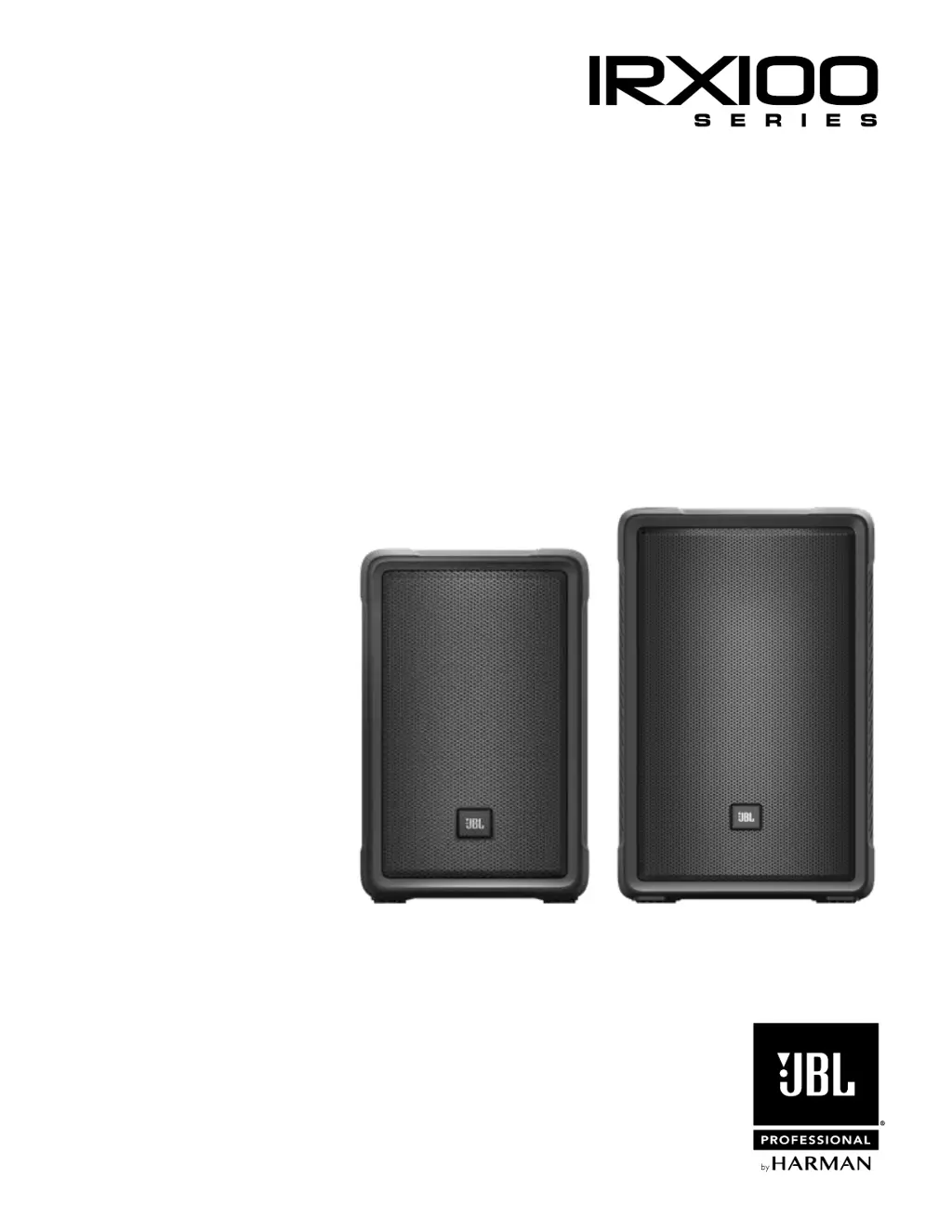
User’s Guide
IRX108-BT IRX112-BT

Questions and Answers

  • A
    Amber HaynesSep 10, 2025
    How to fix hum or buzz in Harman JBL IRX108-BT that changes with mixer level?
    • M
      Michael GutierrezSep 12, 2025
      If you hear a hum or buzz from your Harman speakers that increases or decreases when the mixer level controls are moved, it could be due to an improper A/C ground or faulty equipment connected to the mixer input, or a faulty cable between the source equipment and mixer. Try disconnecting or muting channels one at a time to isolate the problem. Also, substitute a known-good cable for the suspected faulty cable. Refer to the owner’s manual of the faulty equipment for troubleshooting help.
  • A
    Andrew StricklandAug 23, 2025
    What to do if my Harman speaker comes on but there is no sound?
    • S
      Scott CurtisAug 23, 2025
      If your Harman speaker powers on but doesn't produce any sound, the issue might be with the signal source or the cables. First, check the VU meters on the source mixer. Then, verify that the tape or CD is playing. Use headphones to confirm the instrument is actually sending an audio signal. Also, disconnect and re-seat signal cables, or replace any suspected cable with one that is known to be working.
  • W
    wwattsAug 25, 2025
    What to do if my Harman speakers have no sound?
    • A
      andrerandolphAug 25, 2025
      If your Harman speaker has no sound, first, check that the speaker is connected to an active AC power source and that the circuit is on. Next, ensure the power is switched on and the power LED is lit. Also, verify that the speaker is not in bypass mode by twisting any knob or pressing the bypass button.
  • D
    Denise WhiteAug 26, 2025
    What to do if my Harman speaker is connected to power but won't turn on?
    • B
      Bianca AllenAug 27, 2025
      If your Harman speaker is connected to working AC power but won’t come on, the speaker power cable may be faulty or improperly connected. Try re-seating the power cable at both ends and substitute a known-good power cable.
  • V
    vwoodAug 28, 2025
    Why is my Harman speaker signal distorted and very loud?
    • B
      Brian AllenAug 28, 2025
      The signal may sound distorted and very loud, with the PEAK light frequently illuminated, because the input signal is too high, pushing the speakers beyond their limit. Try these steps: * Lower the output level from the signal source. * Reduce the level controls on the speaker itself. * Consider using additional VE speakers to distribute the load.
  • A
    Allison KrauseAug 29, 2025
    Why is my Harman speaker humming or buzzing?
    • H
      hollychoiAug 29, 2025
      A hum or buzz could stem from several factors: * Improper A/C grounding or ground loops may be the cause. Try 'lifting' the audio ground using an XLR/F to XLR/M adapter on one end or re-routing audio cables away from AC power and lighting cables. * An excessively long unbalanced cable run could be the issue. Use the balanced outputs (if available) of your mixer or source equipment or use a DI box to convert your unbalanced equipment output to a balanced output. * Improper system gain structure may also contribute. Reduce the INPUT level controls and increase the output level of your source devices.
  • V
    Veronica GonzalezSep 18, 2025
    What causes noise or hiss at the output of Harman JBL IRX108-BT Speakers?
    • D
      Dr. Tonya BerrySep 18, 2025
      If you hear noise or hiss at the output of your Harman speakers, a noisy source device might be the cause. Disconnect the devices connected to your speaker one at a time. If the noise goes away, the problem is with the source or the connecting cable.
  • K
    Kayla GarciaSep 12, 2025
    How to eliminate hum or buzz from Harman speakers?
    • P
      pcruzSep 12, 2025
      If you are experiencing hum or buzz from your Harman speakers, it may be due to improper A/C grounding or ground loops, excessively long unbalanced cable runs, or an improper system gain structure. Try these solutions: 1. 'Lift' the audio ground by using an XLR/F to XLR/M adapter on one end. 2. Re-route audio cables away from AC power and lighting cables. 3. Use the balanced outputs (if available) of your mixer or source equipment. 4. Use a “DI” (direct injection) box to convert your unbalanced equipment output to a balanced output. 5. Reduce the INPUT level controls and increase the output level of your source devices.
  • N
    Nicole MarshallSep 8, 2025
    Why is my Harman speaker signal distorted at moderate volumes?
    • D
      Diane WhiteSep 8, 2025
      If the signal from your Harman speaker sounds distorted even at moderate volumes and the LIMIT light is not lit, the mixer or another source might be overdriven. Consult the owner’s manual for your mixer to adjust controls such as input sensitivity (gain), channel faders, and master faders. Then, review the instructions in the Quick Start section of this guide.
  • A
    Amy HansonSep 5, 2025
    What to do if my Harman speaker has no sound with a microphone connected?
    • K
      Kerri HowellSep 5, 2025
      If you're not getting any sound when connecting a microphone directly to the MIC/LINE input of your Harman speaker, it might be because the microphone requires phantom power, which the VE does not supply. Try using a dynamic microphone, a battery-powered microphone (if possible), or an external phantom power supply for condenser-type microphones.

Summary

SAFETY INSTRUCTIONS

Hearing Damage and SPL Exposure Risks

Discusses risks of prolonged exposure to high sound pressure levels (SPL).

General Safety Precautions

Fire and Electrical Shock Prevention

Warnings about fire/shock risks, naked flames, and earthing connections.

Electrical Hazard Warning

Warns against opening the unit due to hazardous voltages and life-threatening components.

Regulatory and Environmental Safety

Hearing Protection Advice

Advises caution against prolonged listening at high volumes to prevent hearing damage.

QUICK SETUP GUIDE

Powering On and Initial Setup

Instructions on connecting power, engaging the unit, and basic controls.

Connecting Audio Sources

Guidance on plugging audio devices into the speaker's input jacks.

Channel Gain and Volume Adjustment

Details on setting channel gain, master volume, and EQ presets.

Bluetooth Audio Pairing Procedure

Steps to pair a Bluetooth device for audio streaming.

Back Panel Controls and Connectors

EQ Preset Selection and Indicators

Explains the EQ preset button and indicator LEDs for sound shaping.

Channel Gain Controls (CH1;CH2)

Details the CH1 and CH2 gain knobs for input signal level adjustment.

IRX108 BT Specifications

IRX112 BT Specifications

Music Ducking and Feedback Suppression

Music Ducking Feature Operation

How to use the Soundcraft-designed ducking for attenuating music during speech.

Automatic Feedback Suppression (AFS)

Instructions on activating and resetting the dbx AFS system.

BLUETOOTH INTEGRATION

Streaming Audio to a Single Speaker

Guide to pairing a device with one IRX speaker for audio streaming.

Linking Left Speaker to Right Speaker

Process for establishing a stereo link between two IRX speakers.

Final Stereo Link and Confirmation

Completing the stereo pairing and confirming successful connection.

Pairing for True Stereo Sound

Steps to pair two speakers for stereo sound via Bluetooth.

LOUDSPEAKER PLACEMENT AND SUSPENSION

WARRANTY INFORMATION

CONTACT INFORMATION

Harman JBL IRX108-BT Specifications

General IconGeneral
BrandHarman
ModelJBL IRX108-BT
CategorySpeakers
LanguageEnglish

Related product manuals