EasyManua.ls Logo

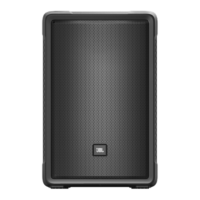
Harman JBL IRX112-BT - User Manual

Harman JBL IRX112-BT
26 pages
Print Icon
To Next Page IconTo Next Page
Loading...
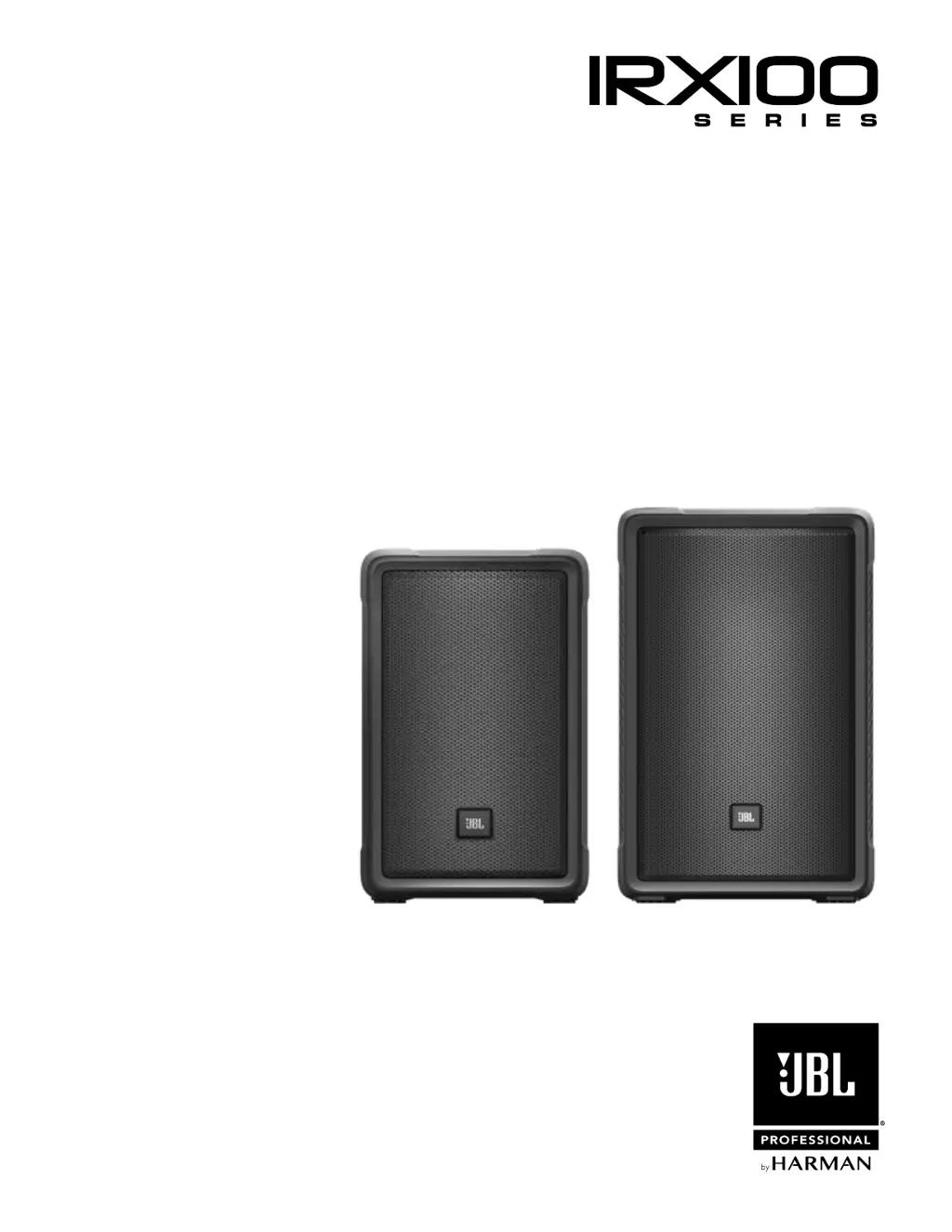
User’s Guide
IRX108-BT IRX112-BT

Questions and Answers

  • T
    Thomas LittleSep 10, 2025
    How to fix hum or buzz in Harman JBL IRX112-BT Speakers that changes with mixer level?
    • R
      richardwatsonSep 10, 2025
      If you hear a hum or buzz from your Harman speakers that increases or decreases when the mixer level controls are moved, it could be due to an improper A/C ground or faulty equipment connected to the mixer input, or a faulty cable between the source equipment and mixer. Try disconnecting or muting channels one at a time to isolate the problem. Also, substitute a known-good cable for the suspected faulty cable. Refer to the owner’s manual of the faulty equipment for troubleshooting help.
  • J
    Justin ClementsAug 23, 2025
    What to do if my Harman speaker comes on but there is no sound?
    • K
      Kyle JohnstonAug 23, 2025
      If your Harman speaker powers on but doesn't produce any sound, the issue might be with the signal source or the cables. First, check the VU meters on the source mixer. Then, verify that the tape or CD is playing. Use headphones to confirm the instrument is actually sending an audio signal. Also, disconnect and re-seat signal cables, or replace any suspected cable with one that is known to be working.
  • R
    Rebecca MorenoAug 25, 2025
    What to do if my Harman JBL IRX112-BT Speakers have no sound?
    • D
      Daniel FreemanAug 25, 2025
      If your Harman speaker has no sound, first, check that the speaker is connected to an active AC power source and that the circuit is on. Next, ensure the power is switched on and the power LED is lit. Also, verify that the speaker is not in bypass mode by twisting any knob or pressing the bypass button.
  • R
    Richard CopelandAug 27, 2025
    What to do if my Harman speaker is connected to power but won't turn on?
    • G
      gregory36Aug 27, 2025
      If your Harman speaker is connected to working AC power but won’t come on, the speaker power cable may be faulty or improperly connected. Try re-seating the power cable at both ends and substitute a known-good power cable.
  • C
    carrie60Aug 28, 2025
    Why is my Harman speaker signal distorted and very loud?
    • G
      Gina BrownAug 28, 2025
      The signal may sound distorted and very loud, with the PEAK light frequently illuminated, because the input signal is too high, pushing the speakers beyond their limit. Try these steps: * Lower the output level from the signal source. * Reduce the level controls on the speaker itself. * Consider using additional VE speakers to distribute the load.
  • L
    lopezamandaAug 29, 2025
    Why is my Harman speaker humming or buzzing?
    • E
      Erin BishopAug 29, 2025
      A hum or buzz could stem from several factors: * Improper A/C grounding or ground loops may be the cause. Try 'lifting' the audio ground using an XLR/F to XLR/M adapter on one end or re-routing audio cables away from AC power and lighting cables. * An excessively long unbalanced cable run could be the issue. Use the balanced outputs (if available) of your mixer or source equipment or use a DI box to convert your unbalanced equipment output to a balanced output. * Improper system gain structure may also contribute. Reduce the INPUT level controls and increase the output level of your source devices.
  • C
    Christopher KellySep 18, 2025
    What causes noise or hiss at the output of Harman JBL IRX112-BT?
    • T
      Theresa BrownSep 18, 2025
      If you hear noise or hiss at the output of your Harman speakers, a noisy source device might be the cause. Disconnect the devices connected to your speaker one at a time. If the noise goes away, the problem is with the source or the connecting cable.
  • Y
    ysalazarSep 12, 2025
    How to eliminate hum or buzz from Harman JBL IRX112-BT Speakers?
    • L
      Larry BarnettSep 12, 2025
      If you are experiencing hum or buzz from your Harman speakers, it may be due to improper A/C grounding or ground loops, excessively long unbalanced cable runs, or an improper system gain structure. Try these solutions: 1. 'Lift' the audio ground by using an XLR/F to XLR/M adapter on one end. 2. Re-route audio cables away from AC power and lighting cables. 3. Use the balanced outputs (if available) of your mixer or source equipment. 4. Use a “DI” (direct injection) box to convert your unbalanced equipment output to a balanced output. 5. Reduce the INPUT level controls and increase the output level of your source devices.
  • C
    Carol PattersonSep 8, 2025
    Why is my Harman speaker signal distorted at moderate volumes?
    • A
      Andrew BurtonSep 8, 2025
      If the signal from your Harman speaker sounds distorted even at moderate volumes and the LIMIT light is not lit, the mixer or another source might be overdriven. Consult the owner’s manual for your mixer to adjust controls such as input sensitivity (gain), channel faders, and master faders. Then, review the instructions in the Quick Start section of this guide.
  • C
    Charles PotterSep 5, 2025
    What to do if my Harman speaker has no sound with a microphone connected?
    • J
      Joshua MullenSep 5, 2025
      If you're not getting any sound when connecting a microphone directly to the MIC/LINE input of your Harman speaker, it might be because the microphone requires phantom power, which the VE does not supply. Try using a dynamic microphone, a battery-powered microphone (if possible), or an external phantom power supply for condenser-type microphones.

Summary

General Safety Instructions

Hearing Damage from High SPL

Potential hearing damage from prolonged exposure to high sound pressure levels (SPL).

Speaker Care and Cleaning

Guidelines for cleaning and maintaining the IRX100 Series speakers.

WEEE and Environmental Disposal

Information on Waste Electrical and Electronic Equipment (WEEE) and proper disposal.

RoHS and REACH Regulatory Compliance

Statements on compliance with RoHS and REACH regulations.

Declaration of Conformity

Safety Standards for Audio;Video Equipment

Safety requirements for audio, video, and ICT equipment.

EMC Standards for Radio Equipment and Services

Standards covering electromagnetic compatibility for radio equipment and services.

Wideband Transmission Systems Standards

Standards for data transmission equipment in the 2.4 GHz ISM band.

EMC for Multimedia Equipment

Emission and immunity requirements for multimedia equipment.

Power Quality Standards (Harmonics & Flicker)

Standards for limiting harmonic currents and voltage fluctuations.

Quick Setup Guide

IRX100 Packaging Contents

List of items included in the IRX100 system packaging.

Unboxing the IRX100 Speaker

Step-by-step guide on how to safely unbox the speaker.

IRX100 Speaker Configuration Options

Visual guide to different mounting and positioning options for the speaker.

Back Panel Overview

EQ Presets and LED Indicators

Description of EQ preset buttons and their corresponding LED indicators.

Gain, Boost, and Volume Controls

Explanation of Bass Boost, CH1/CH2 Gain, and Master Volume controls.

Audio Inputs and Connectivity Ports

Details on XLR-1/4" Combo Inputs and XLR Male Loop Thru.

Power Standby and Bluetooth Indicator

Information on the Power Standby switch and Bluetooth Indicator LED.

Overview: IRX100 Series Family

IRX108-BT 8-Inch Speaker Details

Details on the 8" portable powered speaker with Bluetooth.

IRX112-BT 12-Inch Speaker Details

Details on the 12" portable powered speaker with Bluetooth.

JBL IRX100 Series Technology Overview

Introduction to the IRX100 Series as a step forward in portable PA technology.

Block Diagram

Bluetooth and DSP Block Diagram

Diagram showing Bluetooth module and Digital Signal Processor (DSP) connections.

Audio Signal Path and Amplification Diagram

Schematic of the audio signal flow through buffers, filters, and Class D amplifiers.

Power Supply and Control Circuitry Diagram

Overview of the power supply components and control circuitry.

IRX108 BT Specifications

IRX108 BT Technical Specifications

Detailed technical parameters including system type, sensitivity, power, and coverage.

IRX108 BT Dimensions and Weight

Physical dimensions and net weight of the IRX108BT speaker.

IRX108 BT Order and Shipping Details

Details on shipping carton dimensions, weight, and UPC code.

IRX108 BT Speaker Views

Illustrations showing bottom, front, left, and rear views of the speaker.

IRX112 BT Specifications

IRX112 BT Technical Specifications

Detailed technical parameters including system type, sensitivity, power, and coverage.

IRX112 BT Dimensions and Weight

Physical dimensions and net weight of the IRX112BT speaker.

IRX112 BT Order and Shipping Details

Details on shipping carton dimensions, weight, and UPC code.

IRX112 BT Speaker Views

Illustrations showing bottom, front, left, and rear views of the speaker.

Applications and Features

IRX100 Series Target Applications

Identifies ideal uses for musicians, presenters, and installations.

Key Features of the IRX100 Series

Highlights of the IRX100 Series, including EQ presets, AFS, and Bluetooth.

Music Ducking and Feedback Suppression

How Music Ducking Works

Explanation of how music ducking attenuates music when speech is detected.

Using Automatic Feedback Suppression (AFS)

Details on activating and resetting the dbx AFS feature.

IRX100 Sleep Feature Functionality

Information on the speaker's sleep feature for conserving energy.

Bluetooth Integration

Pairing Bluetooth to a Single IRX Speaker

Instructions for pairing a single device to one IRX speaker.

Pairing IRX Speakers for Stereo Bluetooth

Steps for setting up two IRX speakers for stereo Bluetooth audio.

Loudspeaker Placement and Suspension

Optimizing Speaker Positioning

Recommendations for raising speakers and positioning them relative to microphones and turntables.

Sound Optimization for Various Spaces

Advice on using multiple speakers and handling reverberant spaces.

Stage Monitoring and Speaker Stance

Guidance on using speakers for stage monitoring and upright placement.

Cables and Connectors

Common Audio Cable Types and Uses

Description of common audio cables like XLR, TRS, TS, and RCA.

Audio Connector Wiring Diagrams

Visual representation of wiring for various audio connectors and cables.

Application Examples

Small PA Setup: Inputs and Thru Function

Example setup for a small PA system using both inputs and the thru function.

Main Speaker Placement in PA Setup

Illustrates the main speaker placement in a small PA setup.

Troubleshooting Guide

Troubleshooting No Sound Issues

Common causes and solutions for no sound or intermittent sound.

Troubleshooting Microphone Input Issues

Troubleshooting distorted or no sound with microphone inputs.

Troubleshooting Distorted or Loud Signals

Addressing issues with distorted signals, PEAK, or LIMIT lights.

Troubleshooting Noise, Hum, and Buzz

Diagnosing and resolving noise, hum, and buzz in the audio output.

Warranty Information

JBL Product Warranty Coverage

Information on warranty duration, what is covered, and exclusions.

How to Obtain JBL Warranty Service

Instructions on how to get warranty service and required documentation.

Warranty Limitations and Exclusions

Details on implied warranties and exclusion of certain damages.

Contact Information

JBL Professional Mailing & Shipping Addresses

Official mailing and shipping addresses for JBL Professional.

Customer Service and Web Resources

Contact numbers, website, and hours for customer support.

Finding International Distributors

Guidance on finding international JBL Professional distributors.

Harman JBL IRX112-BT Specifications

General IconGeneral
BrandHarman
ModelJBL IRX112-BT
CategorySpeakers
LanguageEnglish

Related product manuals