Raise lift 2-3”
to close
Dock ‘N’ Lock
Dock ‘N’ Lock
Plow
CLICK
Continueto drive chair
forward until...
Raise lift 2-3”
to close
Dock ‘N’ Lock
Dock ‘N’ Lock
Plow
CLICK
Continueto drive chair
forward until...
Outside Lifts - Installation & Owner’s Manual 2013
7
Section 1 : owner
Operating Your Lift
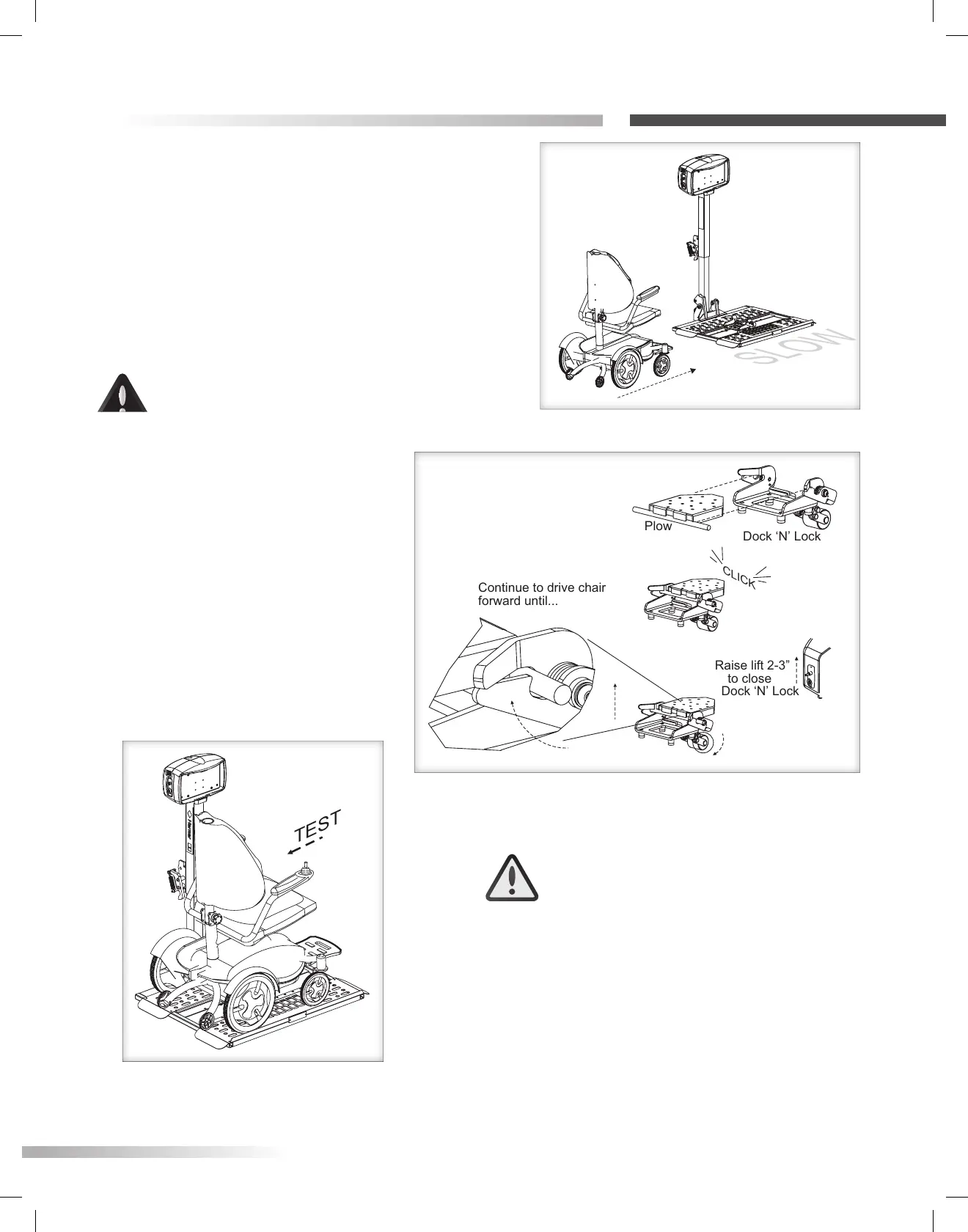
Figure 7-2
Figure 7-3
Figure 7-1
AL570 & AL570XL
LOADING THE CHAIR
Set chair speed to SLOW. Drive chair forward
carefully until the chair plow engages with the
Dock 'N' Lock [Figure 7-1]
CAUTION
Set chair speed to SLOW and use
extra caution while driving on and
o the platform.
Raise lift 2”-3” to close the Dock
'N' Lock. [Figure 7-2]
TEST SECUREMENT
Raise the lift platform 3”-6” o the
ground. Set the chair speed controller
to slow and attempt to move the chair
in reverse. If successfully locked, the
chair will not move in reverse.
[Figure 7-3]
WARNING
The Dock 'N' Lock MUST be tested
EVERY time you load the chair for
transport. DO NOT attempt to travel
with the chair until you verify that the
chair is fully engaged on the platform.
Failure to do so could result in serious
injury or property damage.








 To Next Page