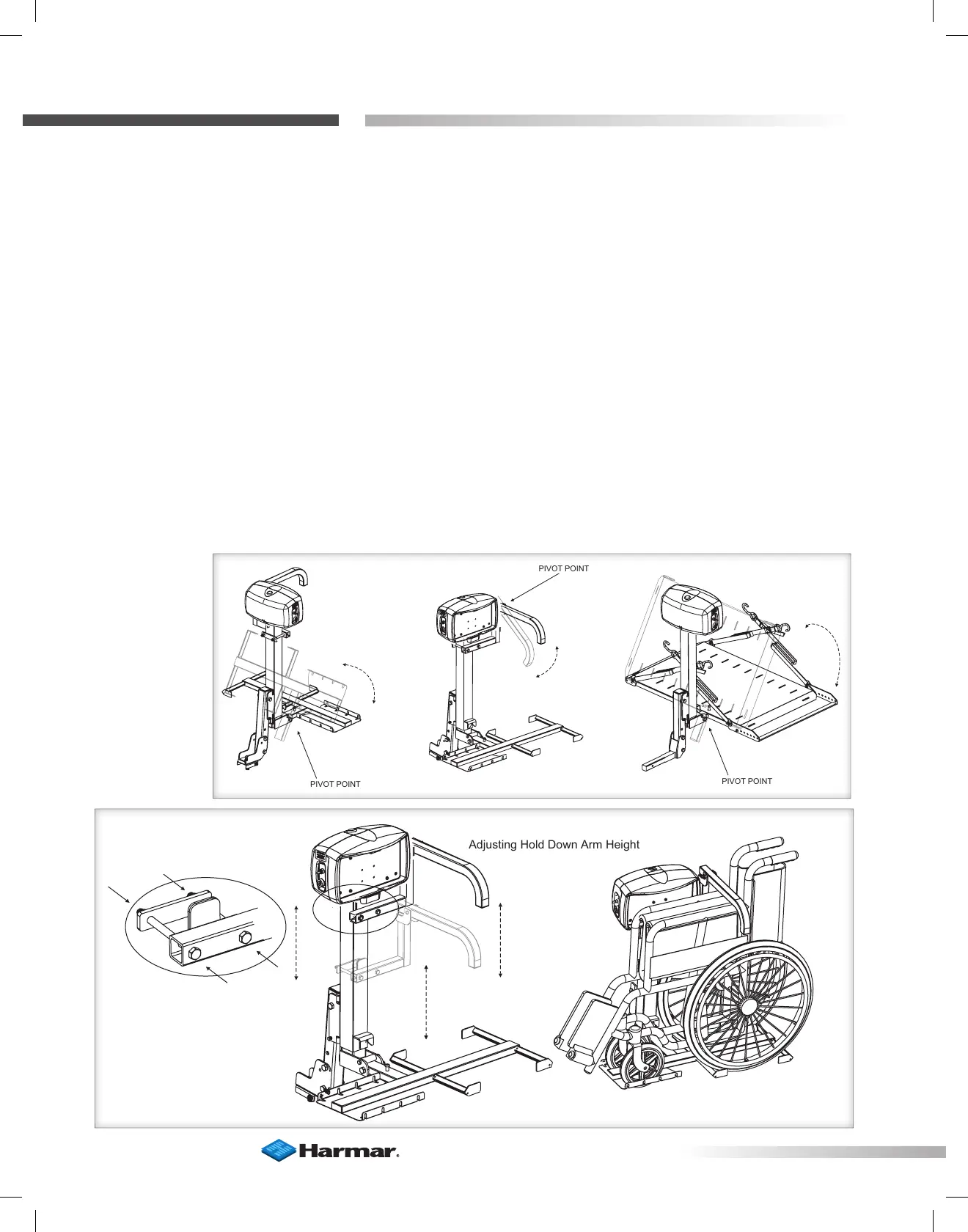
PIVOTPOINT
PIVOT POINT
PIVOTPOINT
PIVOTPOINT
PIVOT POINT
PIVOTPOINT
Adjusting Hold Down Arm HeightAdjusting Hold Down Arm Height
32
Section 2 : inStaller
Lift Adjustments
AL010/050 & AL030 MICRO LIFT ADJUSTMENT
TENSIONING WASHERS
The AL010/050 and AL030 micro lifts contain
tensioning washers on their manual folding
hinge points. The force required to move these
parts depends on the tension of these washers.
The tension also dampens the movement and
allows a controlled operation of the folding of
platform or hold-down arm.
To adjust, tighten or loosen the bolt and nut
located at the pivot point. [Figure 32-1]
Adjusting the AL030 Hold-Down Arm
The AL30’s hold-down arm height requires
adjustment to properly clamp a specific
wheelchair to the platform.
1. Position the folded wheelchair on the platform,
being certain the large rear wheels fall into the
cradles of the platform.
2. Loosen the two bolts and nuts located in
[Figure 32-2]. Allow the hold-down arm to rest on
the padded armrests.
3. Remove chair, and allow the arm bracket to fall
approximately 1 inch.
4. Tighten bolts and nuts.
5. Replace chair on platform and test the hold-
down arm. Chair should be secure and not
moveable in any direction. Adjust as needed.
Figure 32-1
Figure 32-2








 To Next Page