Chapter 3 Electra 9200 Encoding Tutorial
© 2013 Harmonic Inc. All rights reserved. 18 Electra 9200 Release 01, Rev A
Configuring an Encoder with SDI Input and IP or ASI Output
Adding Descriptors
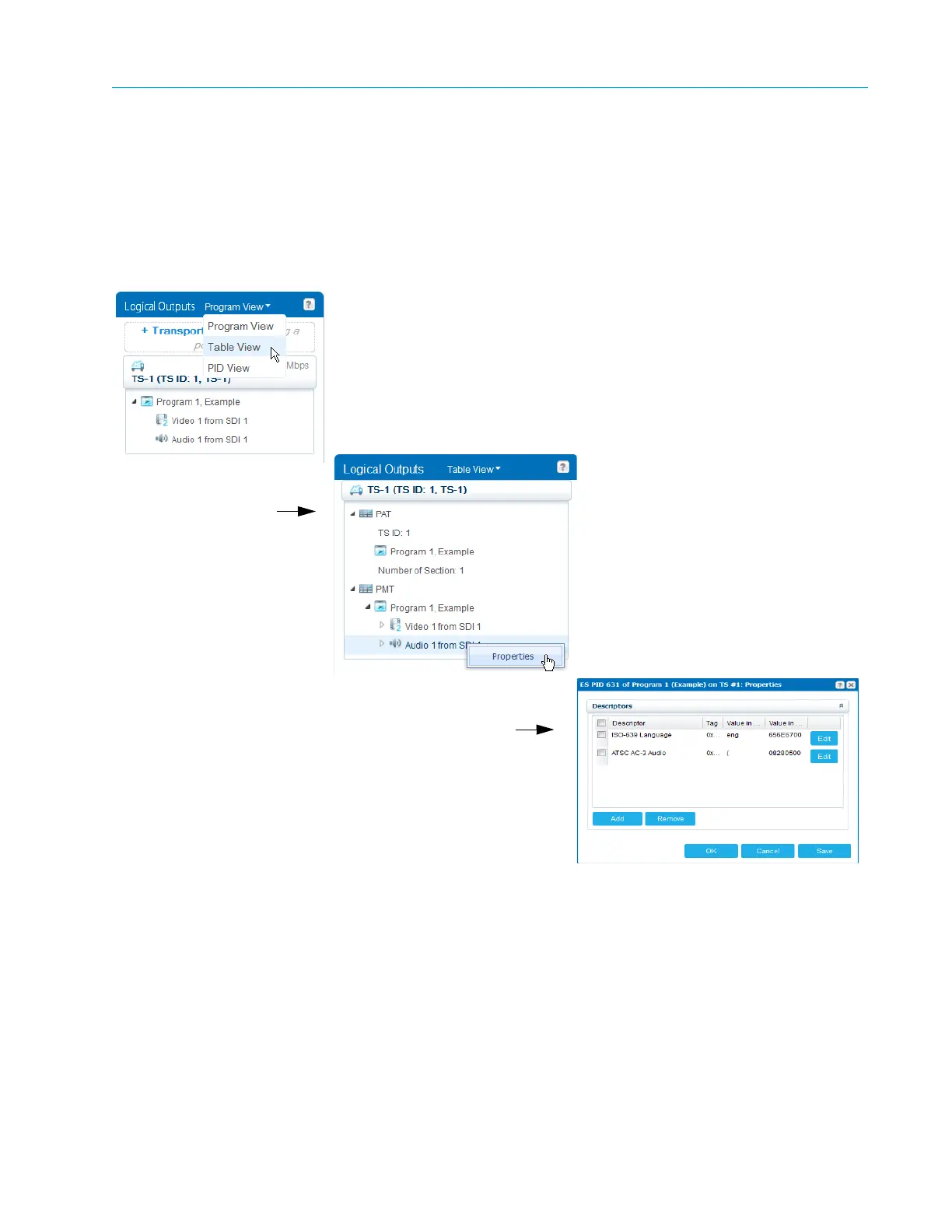
To add the necessary descriptors and manage PSI table generation, you look at the services in
the Logical Outputs panel while in Table View. You change the view at the top of the panel, as
shown in Figure 3–4.
1. Change to Table View and right-click the stream for which you want to add or modify a
descriptor
.
Figure 3–4: Adding Descriptors in Table View
2. When you have finished all the configuration settings, click
Apply to commit the changes to
the device.



 To Next Page