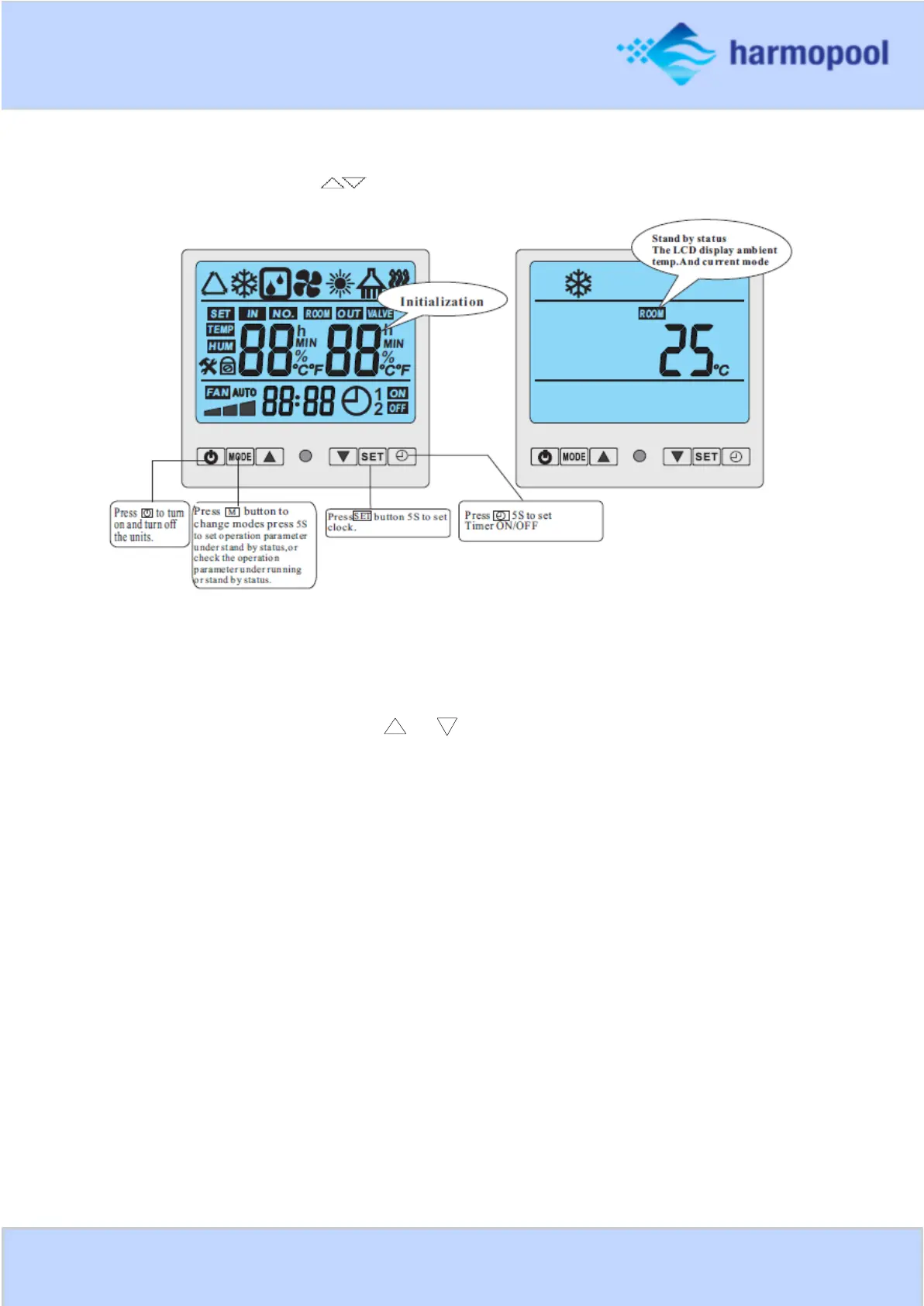
The functions of controller display
Under running status, press to adjust the temperature.
Setting operation parameter
o Under standby status, press M button 5s to enter Operation Parameter setting interface.
o Press M again to start setting (parameter from 00-G,see the Operation Parameter Table).
o Under parameter setting, press or to set data.
o Please note no motion on the display for 10s, the LCD will display water-in/water out
temp.(under running) or ambient temp.(under standby status).
o Under running status, press M 5s get a sound ”B”, press ”M” again to check current
parameter, but cannot change data of parameter!
Remarks: standby status means the unit is connected with electricity but not running.



 To Next Page