www.SteamPoweredRadio.Com
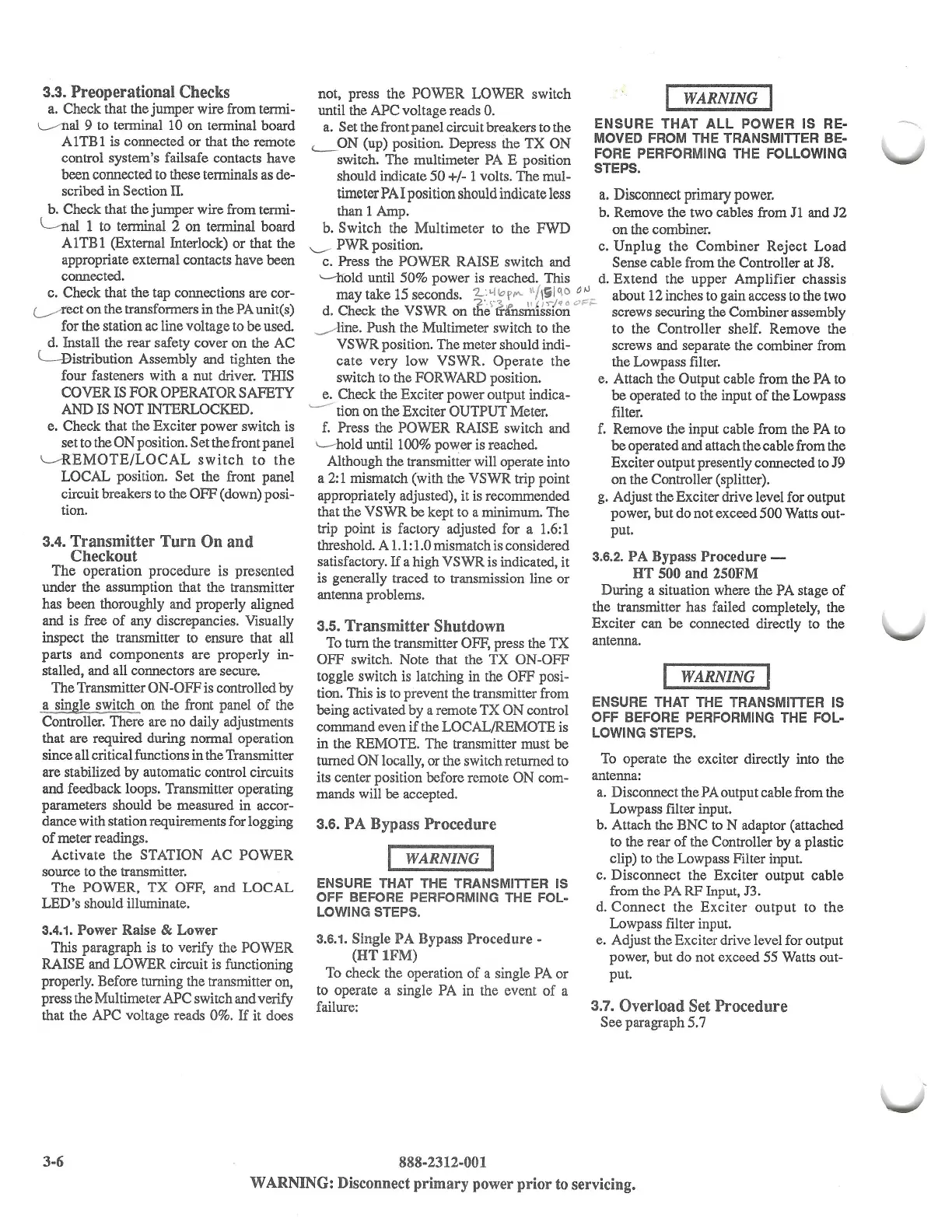
3.3.
Preoperational Checks
a.
Check that the jumper wire from termi-
L----'Ilal
9 to terminal 10 on terminal board
A 1 TB 1 is connected
or
that the remote
control system's failsafe contacts have
been connected to these terminals as de-
scribed
in
Section
II.
b. Check that the jumper wire from termi-
~al
1
to terminal
2
on
terminal board
AlTBl
(External Interlock)
or
that the
appropriate external contacts have been
connected.
c. Check that the tap connections are cor-
(____/
rect
on
the transformers in the
PA
unit(s)
for the station ac line voltage to be
used
d. Install the rear safety cover
on
the AC
l-Bistribution
Assembly and tighten the
four fasteners with a nut driver. THIS
COVERISFOROPERATORSAFETY
AND
IS
NOT INTERLOCKED.
e. Check that the Exciter power switch is
set to the ON position. Set the front panel
~EMOTE/LOCAL
switch
to
the
LOCAL position. Set the front panel
circuit breakers to the OFF (down) posi-
tion.
3.4. Transmitter Turn On and
Checkout
The
operation procedure is presented
under the assumption that the transmitter
has been thoroughly and properly aligned
and is free
of
any discrepancies. Visually
inspect the transmitter to ensure that all
parts and components are properly in-
stalled, and all connectors are secure.
The Transmitter ON-OFF is controlled by
a single switch on the front panel
of
the
Controller. There are
no
daily adjustments
that are required during normal operation
since all critical functions in the Transmitter
are stabilized by automatic control circuits
and feedback loops. Transmitter operating
parameters should
be
measured in accor-
dance with station requirements for logging
of
meter readings.
Activate
the
STATION AC
POWER
source to the transmitter.
The
POWER,
TX
OFF, and
LOCAL
LED's should illuminate.
3.4.1. Power Raise & Lower
This paragraph is to verify the POWER
RAISE and LOWER circuit is functioning
properly. Before turning the transmitter on,
press the Multimeter APC switch and verify
that the APC voltage reads 0%.
If
it does
3-6
not, press the
POWER
LOWER switch
until the APC voltage reads 0.
a. Set the front panel circuit breakers to the
'--
ON (up) position. Depress the TX ON
switch. The multimeter
PA
E position
should indicate
50
+/-
1
volts. The mul-
timeter
PA
I
position should indicate less
than 1 Amp.
WARNING
ENSURE THAT ALL POWER IS RE-
MOVED FROM THE TRANSMITTER BE-
FORE PERFORMING THE FOLLOWING
STEPS.
a.
Disconnect primary power.
b. Remove the two cables from
J1
and
J2
b.
Switch
the Multimeter to the
FWD
on
the combiner.
'---' PWR position. c.
Unplug
the
Combiner
Reject
Load
c. Press the POWER RAISE switch and Sense cable from the Controller at J8.
'-lfold
until 50% power is reached. This
d.
Extend
the
upper
Amplifier chassis
may take 15seconds.
1-.
.'-llol'"'"
11
/l
i/C\
o o
1J
_
aboutl2inchestogainaccesstothetwo
'2
',,•?,
II
t
J
,--;.
0
0F1-
d. Check the
VSWR
on the trfnsm1ss1on screws securing the Combiner assembly
_,,..-
line. Push the Multimeter switch to the to the Controller shelf. Remove the
VSWR
position. The meter should indi-
cate
very
low VSWR.
Operate
the
switch to the FORWARD position.
e. Check the Exciter power output indica-
----
tion on the Exciter OUTPUT Meter.
f.
Press the POWER RAISE switch and
1..---
hold until 100% power is reached.
screws and separate the combiner from
the Lowpass filter.
e.
Attach the Output cable from the PA to
be operated to the input
of
the Lowpass
filter.
f.
Remove the input cable from the PA to
be
operated and attach the cable from the
Exciter output presently connected to J9
on the Controller (splitter).
g. Adjust the Exciter drive level for output
power, but do not exceed 500 Watts out-
put.
Although the transmitter will operate into
a
2:
1 mismatch (with the VSWR trip point
appropriately adjusted), it is recommended
that the VSWR be kept to a minimum. The
trip point is factory adjusted for a
1.6:
1
threshold. A 1.1: 1.0 mismatch is considered
satisfactory.
If
a high VSWR is indicated, it
3
-
6
•
2
•
PA Bypass Procedure -
is generally traced to transmission line or
HT
500
and
250FM
antenna problems. During a situation where the PA stage
of
the transmitter has failed completely, the
Exciter can be connected directly to the
3.5. Transmitter Shutdown
To
tum
the transmitter OFF, press the TX
OFF switch. Note that the
TX
ON-OFF
toggle switch is latching in the OFF posi-
tion. This is to prevent the transmitter from
being activated by a remote
TX
ON control
command even
if
the LOCAL/REMOTE is
in the REMOTE. The transmitter must be
turned
ON
locally, or the switch returned to
its center position before remote ON com-
mands will be accepted.
3.6. PA Bypass Procedure
I WARNING
I
ENSURE THAT THE TRANSMITTER IS
OFF BEFORE PERFORMING THE FOL-
LOWING STEPS.
3.6.1. Single PA Bypass
Procedure
-
(HT lFM)
To
check the operation
of
a single PA or
to operate a single PA in the event
of
a
failure:
888-2312-001
antenna.
WARNING
ENSURE THAT THE TRANSMITTER IS
OFF BEFORE PERFORMING THE FOL-
LOWING STEPS.
To
operate the exciter directly into the
antenna:
a.
Disconnect the PA output cable from the
Lowpass filter input.
b. Attach the BNC to N adaptor (attached
to the rear
of
the Controller by a plastic
clip) to the Lowpass Filter input.
c. Disconnect the Exciter output cable
from the PA RF fuput,
J3.
d.
Connect
the
Exciter
output
to
the
Lowpass filter input.
e. Adjust the Exciter drive level for output
power, but do not exceed
55
Watts out-
put.
3.7. Overload Set Procedure
See paragraph 5.7
WARNING: Disconnect primary power prior to servicing.
--


 To Next Page
 Loading...