7 – English
WARNING:
Topreventaccidentalstartingthatcouldcauseserious
personalinjury,alwaysremovethebatterypackfrom
theproductwhenassemblingparts.
ATTACHING THE HANDLE ASSEMBLY
See Figure 2.
Removethebatterypackifinstalled.
Locate and align the holes on the handle assembly with
thescrewindentionsontheedgerassembly.
Insertthehandleassemblyintotheedgerassembly.
Insertthetwoscrewsprovidedtoconnecttheshaftsas
shown.
NOTE:Becarefulnottobend,twistorpinchcables.
ATTACHING THE FRONT HANDLE
See Figure 3.
Loosenthewingnutandremoveboltfromthehandle.
Install the handle on the rear handle pole in the area
indicatedbytheillustration.
Adjusthandleupordown,ifnecessary,todesiredoperat-
ingposition.
Reinstalltheboltandwingnut.Tightenwingnuttosecure.
ASSEMBLY
UNPACKING
Thisproductrequiresassembly.
Carefullyremovetheproductandanyaccessoriesfrom
thebox.Makesurethatallitemslistedinthepackinglist
areincluded.
WARNING:
Do not use this product if any parts on the Packing
List are already assembled to your product when you
unpackit.Partsonthislistarenotassembledtothe
product by the manufacturer and require customer in-
stallation.Useofaproductthatmayhavebeenimprop-
erlyassembledcouldresultinseriouspersonalinjury.
Inspect the product carefully to make sure no breakage
ordamageoccurredduringshipping.
Donotdiscardthepackingmaterialuntilyouhavecare-
fullyinspectedandsatisfactorilyoperatedtheproduct.
If any parts are damaged or missing, please call
1-800-776-5191forassistance.
PACKING LIST
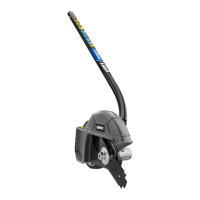
Edger
HandleAssembly
Front Handle
Screws (2)
Blade Wrench
Operator’sManual
WARNING:
If any parts are damaged or missing do not operate
thisproductuntilthepartsarereplaced.Useofthis
product with damaged or missing parts could result in
seriouspersonalinjury.
WARNING:
Do not attempt to modify this product or create ac-
cessoriesnotrecommendedforusewiththisproduct.
Anysuchalterationormodificationismisuseandcould
resultinahazardousconditionleadingtopossibleseri-
ouspersonalinjury.



 To Next Page