Nothing is displayed on
the LED display. The gate
is down.
1. Make sure the power is on
2. Check the fuse and, if necessary,
replace it with a new one (2.5A)
After turning the supply
on, the drive does not
carry out the test (the
digits should change from
"9" to "1") the display
shows a different
character.
Defective microcontroller
Send the drive to the service with a
description of the fault and the
purchase document
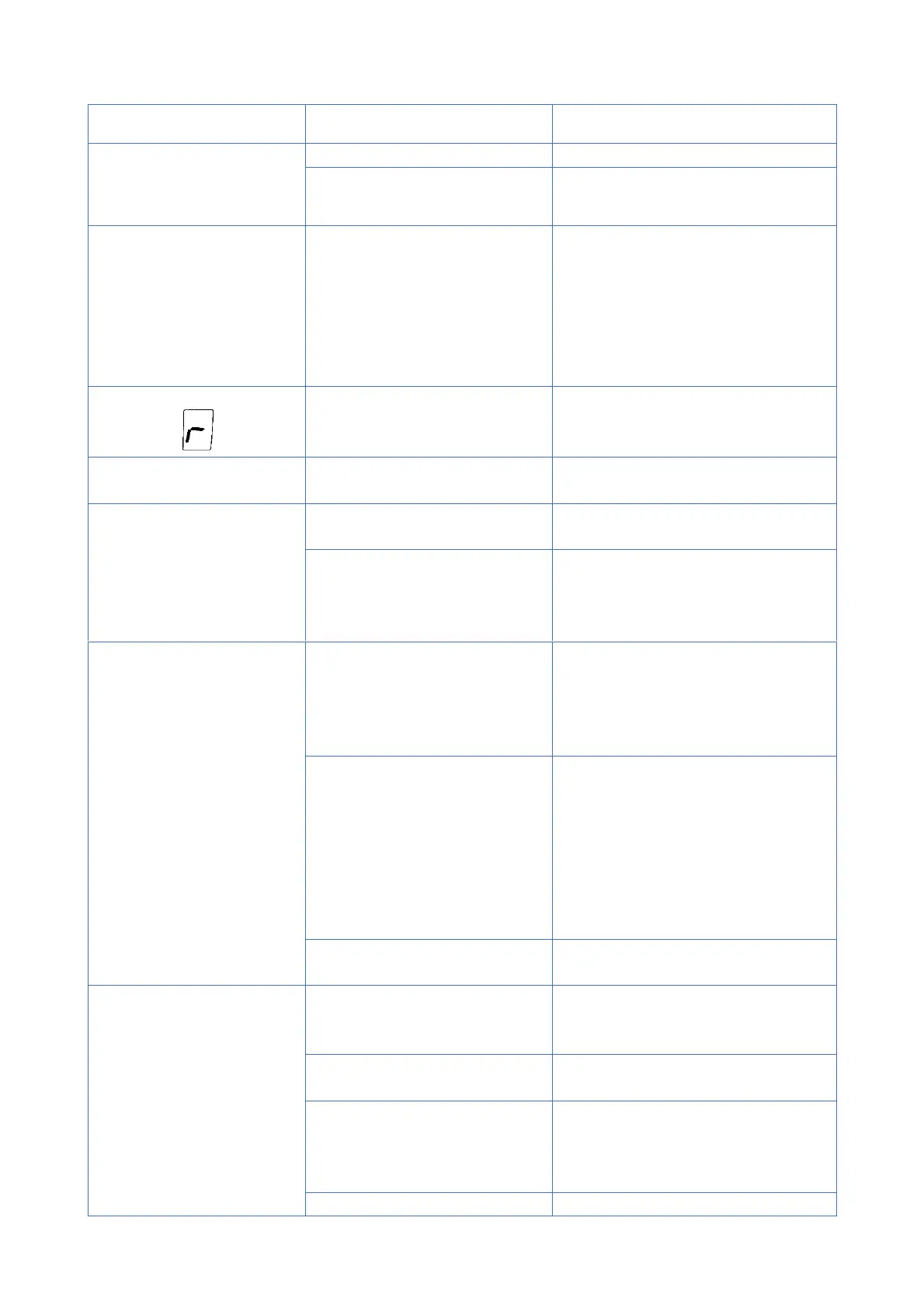
The sign appeared on the
LED display
Photocells support function
enabled, no photocells
connected
Connect the photocells or disable
the photocell support function.
Program the end positions anew in
accordance with the instructions
The selected button on
the remote control cannot
be logged in
1. The selected button is used
for the lock function
1. Select a different button for
logging in
2. Defective remote control
2. Send the remote control to the
service together with a description
of the fault and the purchase
document
After programming the
end position, the actuator
is inoperative
1. End positions incorrectly
set (LED displays "-").
1. Re-program the end positions.
Please note that we set the top
position first, and then the bottom
position. Neither position can be
set to pressure.
2. The gate lock function has
been activated (the display
shows "||" and yet the drive
does not work)
- if switching on the blocking
function was accidental, turn this
function off
- if the activation of the lock
function was intentional, first press
the button "3" on the remote
control and then the one that is
logged in.
3. Remote control button for
the drive not logged in
3. Log the remote control into the
drive according to the instructions.
The door opens but does
not close
1. The photocells support
function is enabled but the
photocells are not installed
1. Disable the photocell operation
function according to the
instructions
2. The path of infrared rays
has been interrupted
3. Send the photocells to the
service together with a description
of the fault and the purchase
document
4. Insufficient drive force
4. Set the correct drive force in


 To Next Page