Description
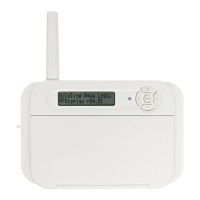
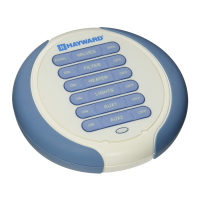
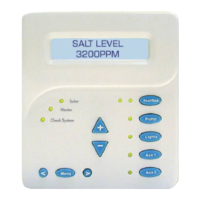
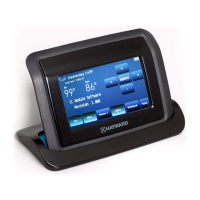
The AQL2-POD2 (AquaPod 2.0) is a wireless remote touchscreen terminal for Hayward ProLogic,
AquaLogic, AquaPlus and OnCommand pool automation controls. The AquaPod 2.0 is wireless
and portable. Its unique weathertight housing and floating design allows it to be used outdoors,
even while inside the pool or spa.
Compatibility
This AquaPod 2.0 is compatible with the following pool controls and base stations:
• All OnCommand pool controls
• ProLogic pool controls using an AQL2-BASE-RF base station operating with software revision
r3.00 or higher
• AquaLogic pool controls operating with software revision r2.60 or higher and using an AQL2-
BASE-RF base station operating with software revision r3.00 or higher
• AquaPlus pool controls operating with software revision r2.60 or higher and using an AQL2-
BASE-RF base station operating with software revision r3.00 or higher
Note that the AquaPod 2.0 will NOT communicate with the older AQL-BASE-RF base station. To
verify the software level of your Aqua Logic control and base station, press the MENU button
(possibly multiple times) until “Diagnostic Menu“ is displayed. Press the “>” or “<” keys (pos-
sibly multiple times) until the main software revision level is displayed (the revision should be 2.60
or higher). Next, press the “>” key (possibly multiple times) until the “RF Base” revision level is
shown (the revision should be 3.00 or higher).
Installation
Installation
The AquaPod 2.0 uses a rechargeable built-in battery pack which will require an initial charge
when you first receive the unit. Charge the AquaPod 2.0 for at least 5 hours before attempting to
use it without the charger. Note that the AquaPod 2.0 can be used while connected to the charger.
Installation of the AquaPod 2.0 requires that you follow the steps below.
1. Battery is installed at the factory: Do not attempt to open the AquaPod 2.0.
2. Base Station required: The AquaPod 2.0 requires that the pool control have a base station
(AQL2-BASE-RF) installed. The base station allows the pool control to communicate with the
AquaPod 2.0 remote.
3. Teach the unique ID code: The base station attached to the control has a unique ID code
that ensures that your unit will not affect other systems in the neighborhood, and likewise,
their remote controls will not affect your system. To teach the ID code to the AquaPod 2.0
remote unit, go to the local display on the pool control and perform the following steps:
USE ONLY HAYWARD GENUINE REPLACEMENT PARTS
2
USE ONLY HAYWARD GENUINE REPLACEMENT PARTS
2


 To Next Page