Troubleshooting
1. Can’t find the “Teach Wireless” display
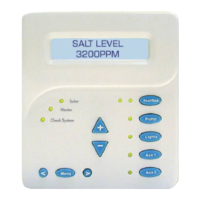
From the pool control (or any direct wired display/keypad) press the “MENU” button (possibly more
than once) until “Settings Menu” is displayed. Next, press the “<” or “>” buttons (possibly more
than once) until the “Teach Wireless” display appears. If you get to the point where “Settings
Menu” appears again, then this means that the pool control unit is not communicating with the
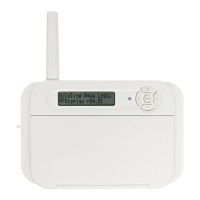
base station. Check that the 4 wire cable from the base station is plugged into the “wireless” con-
nector on the main printed circuit board. If this connector is already plugged in (for more than 30
seconds), then call Hayward Technical Service for assistance.
2. “Teach Wireless” failed
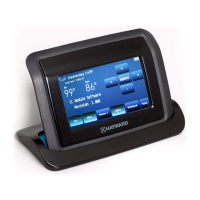
The AquaPod 2.0 can only be used with the AQL2-BASE-RF base station. Be certain that the
proper base station is being used. When teaching, be certain that the pool control shows "press
and hold wireless button" and that the AquaPod 2.0 is close to the base station and has power. If
the remote is powered, then the next most likely cause is that the distance between the base sta-
tion and the remote is too great—try moving the remote closer to the base station.
3. Unreliable communication with remote devices
The most likely cause is that the distance between the base station and the remote is too great—
try moving the remote closer to the base station.
4. Wireless display/keypad not functioning (no display)
If the display/keypad located on the main unit is working correctly, check that there is battery
power to the AquaPod 2.0. Plug the charging stand into an active 120VAC outlet and insert the
AquaPod 2.0. The display should activate and AquaPod 2.0 should function normally.
5. Display reads "The last keypress was not received"
This is usually a temporary problem caused by interference from other equipment that is using the
same radio frequency. Try pressing the button again.
6. Display reads "The base station is not responding"
If this is the first time you are using your remote, or if you have just installed a new base station,
run the “Teach Wireless” procedure from the pool control's local display/keypad or any other wired
remote control. Also, the radio signal may be too weak—try pointing the remote in the direction of
the pool equipment or try moving closer to the pool equipment.
7. Display reads "Need Teach Wireless (use MENU key)"
Run the “Teach Wireless” procedure directly from the pool control or any other remote control that
is directly wired to the pool control (page 2-3).
8. Display reads "Teach mode looking for base station"
This is usually caused by a button being held down for more than 4 seconds, falsely triggering the
Teach Wireless mode. It can also be displayed if the pool control is not in the Teach Wireless mode.
If the pool control is in Teach Wireless, then the radio signal may be too weak—try moving closer
to the main control unit's base station.
USE ONLY HAYWARD GENUINE REPLACEMENT PARTS
8


 To Next Page
 Loading...