Operating Status
Because the AquaPod 2.0 is battery operated, it displays various information about its condition
and the status of its battery. Refer to the section below for an explanation of these displays.
Friday
PoolAir
84 88
Aqua Pod is now
refreshing display
4:03P
º º
Friday
PoolAir
84 88
Please plug in to
charge battery
4:03P
º º
Friday
PoolAir
84 88
Battery dead!
Please charge now!
4:03P
º º
Friday
PoolAir
84 88
Using wall power
Battery charging now
4:03P
º º
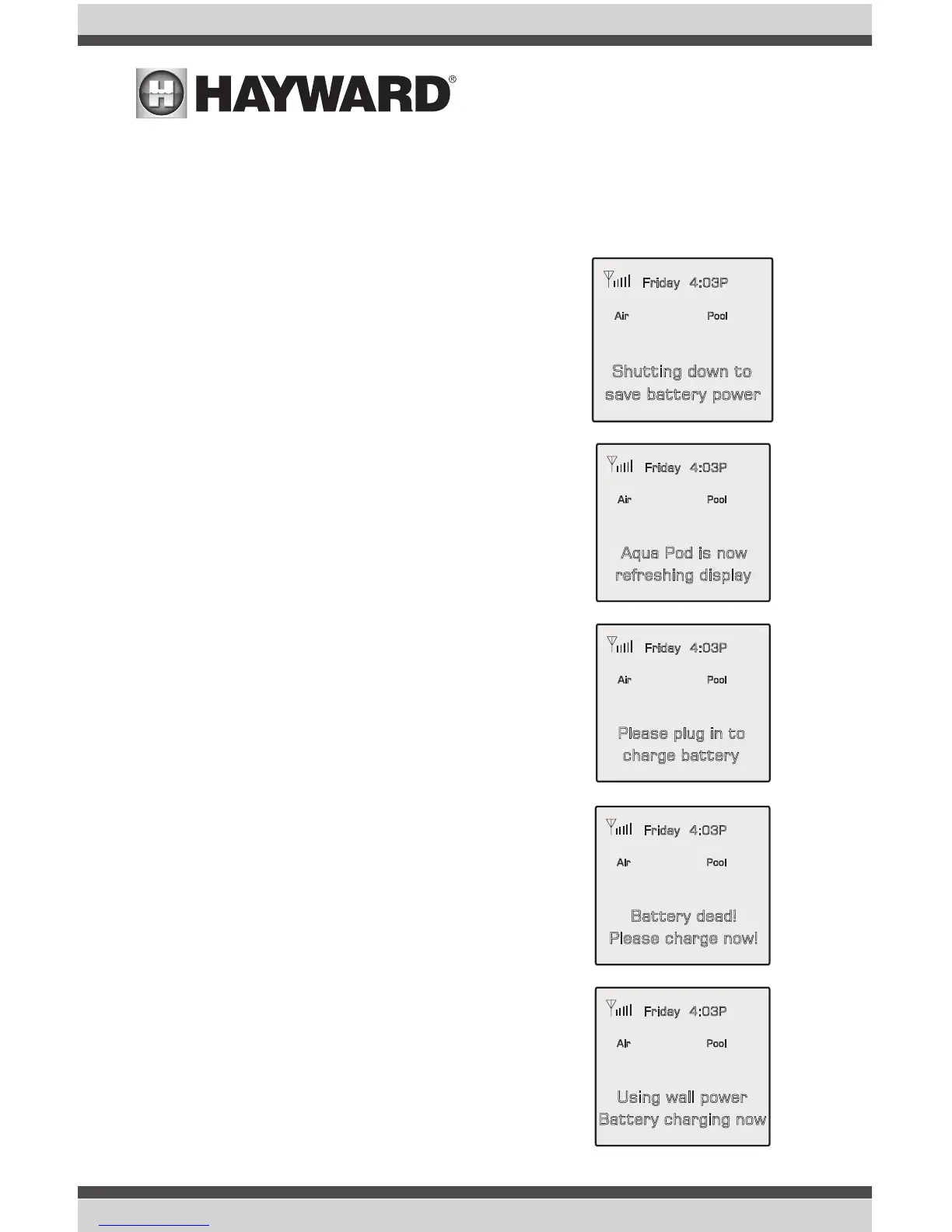
When not in the charging stand, the AquaPod 2.0 will briefly
show the adjacent display and go into “sleep” mode after one
minute if no buttons are pressed. This mode conserves the
battery power while the remote is not in use. While asleep, the
display will be off. To “wake” the unit up, touch the AquaPod
2.0's screen.
When the AquaPod 2.0 “wakes”, it will show this display while it
collects status information from the pool control.
When the battery is low, the AquaPod 2.0 will alternate between
this display and the normal status display. Under typical condi-
tions, there are at least 10 more one-minute uses available
when this display is first shown. The battery will slowly lose
charge if the unit is not put into the charging stand.
This display is shown briefly, immediately before the unit shuts
down. The AquaPod 2.0 will not operate again (to protect the
battery) until it is inserted into the base charger.
This display is shown briefly when the AquaPod 2.0 is first
placed in its charging stand.
Friday
PoolAir
84 88
Shutting down to
save battery power
4:03P
º º
7
USE ONLY HAYWARD GENUINE REPLACEMENT PARTS


 To Next Page