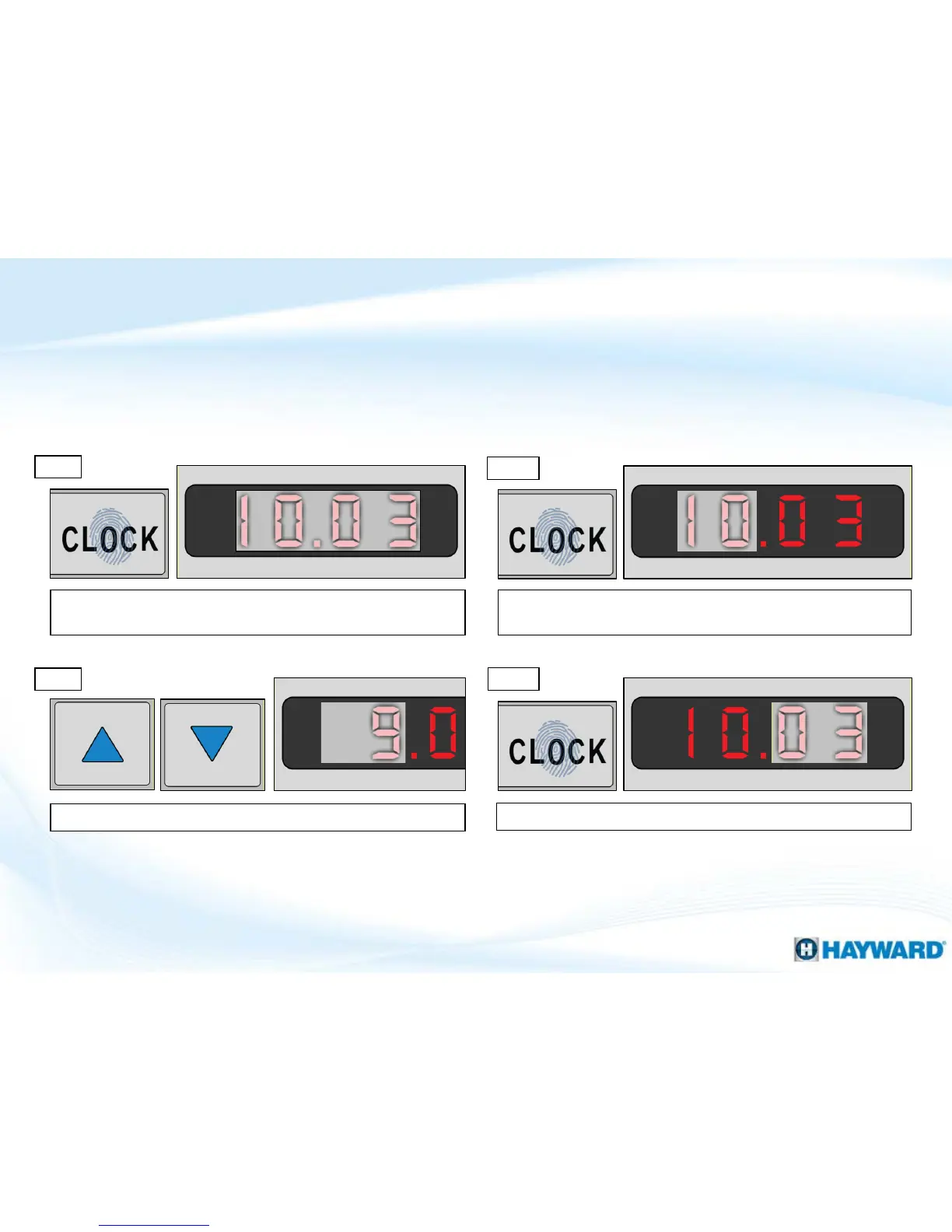
Press the “CLOCK” button, this will cause the minutes to flash.
How To: Set Clock
13
Follow these steps to adjust the Clock Settings. Note: blocked off areas of the display
represent flashing numbers.
Step 3
Step 4
Step 1
Press the “CLOCK” button to show the current time; it will
appear in a flashing state.
Press “CLOCK” a second time, the hours portion of the clock will
be flashing at this point.
Step 2
Use the up or down arrow to adjust the hours.













 To Next Page