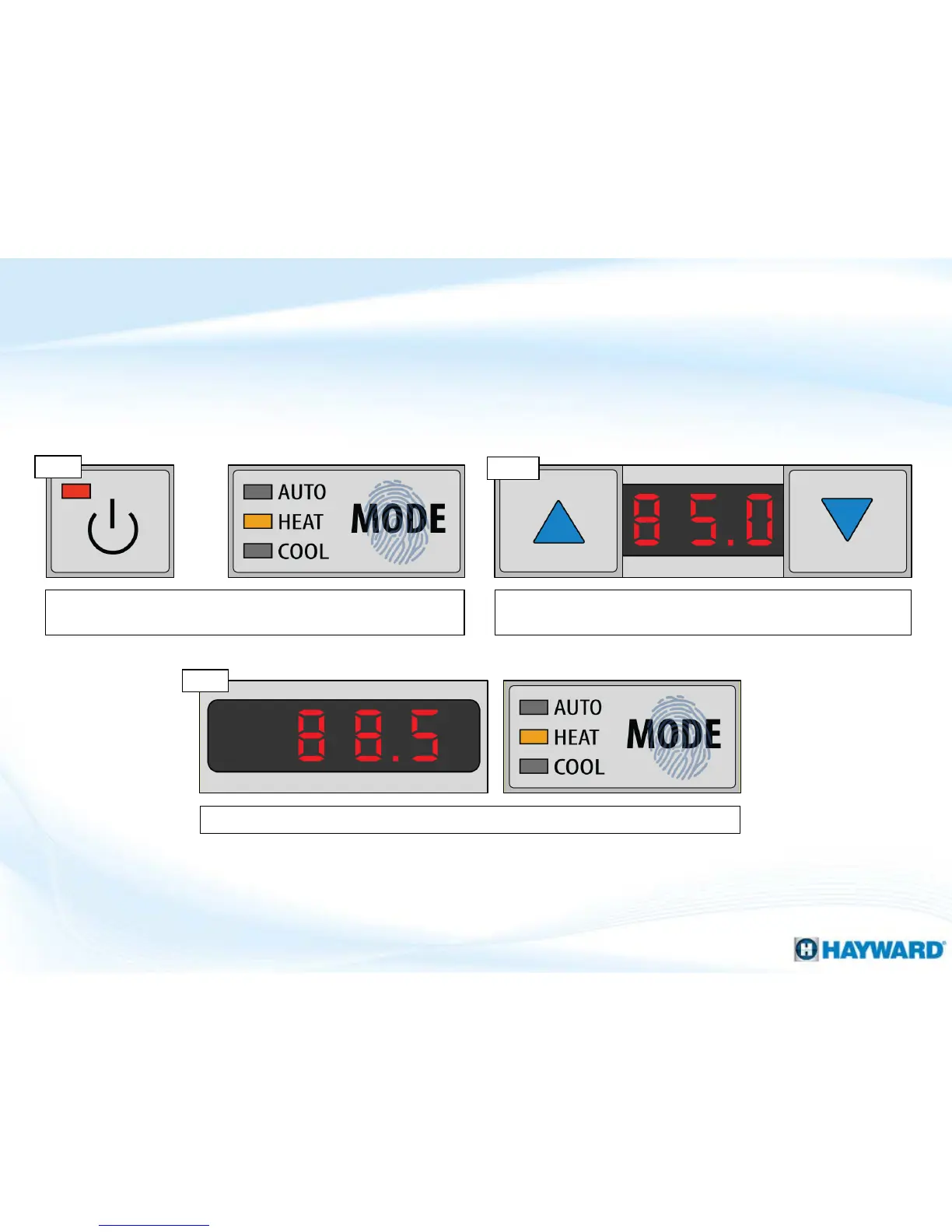
Follow these steps to set the pool temperature.
How To: Set Pool Temperature
12
Step 1
Verify the heater’s power LED is illuminated, and put the heater is
the desired mode.
Using the up and down arrows adjust the heater to the desired
temperature.
Step 2
Once desired temperature has been set, press the “MODE” button to save set point.
Step 3
Note: Step 3, IF you wish to cancel the set point change, press the Power button instead of “MODE”.




 To Next Page