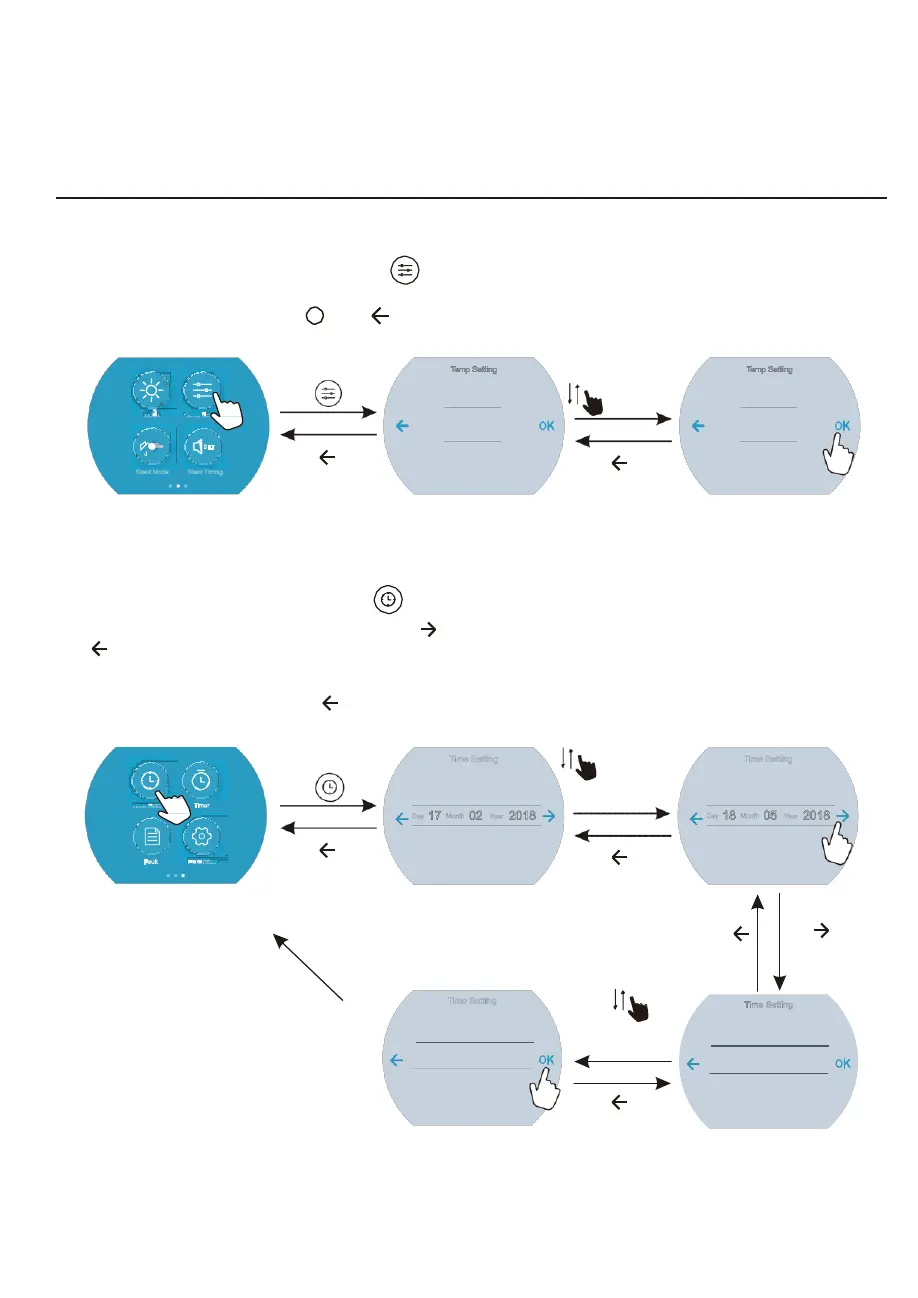
4.2.4 Target temperature setting
In the Second function interface,click “ ” to enter into the Temp Setting interface, slide up or
down to select the target temperature, click “OK” to save the setting and back to the previous
interface; click Back button “ ” or “ ” to quit the settings.
click “ ”
Temp Setting
32.5
33
.0
˫
slide up
or down
Temp Setting
33.0
33
.5
˫
SET
Silent Mode Silent Timing
click “ ”to quit
33.5
click “ ”to quit
34.0
4.2.5 System time setting
In the Third function interface, click “ ” to enter into Time Setting interface.
Slide up or down to select the DATE, click “ ” to save and enter into time setting interface; click
“ ” to cancel and back to the prevoius interface.
In the time setting interface, slide up or down to select TIME, click “OK” to save and return to the
Third function interface; click “ ” back to the prevoius interface.
Time Setti
g
click “ ”
Time
Setting
16 0
2017
slide up or down
to select “D-M-Y”
Time
Setting
17 04
2017
Day
17
Month
02
Year
2018
Day
18
Month
05
Year
2018
click “ ”to quit
18 03 2019
click “ ”to quit
19 06 2019
click “OK”
to save
click “ ”
to quit
click “ ”to save
and enter into the
next time interface
Time
Setting
05 29
slide up or down
to select the time
Time
Setting
08 0
Time
06
:
30
Time
09
:
02
07 3
click “ ”to quit
10 03
11



 To Next Page