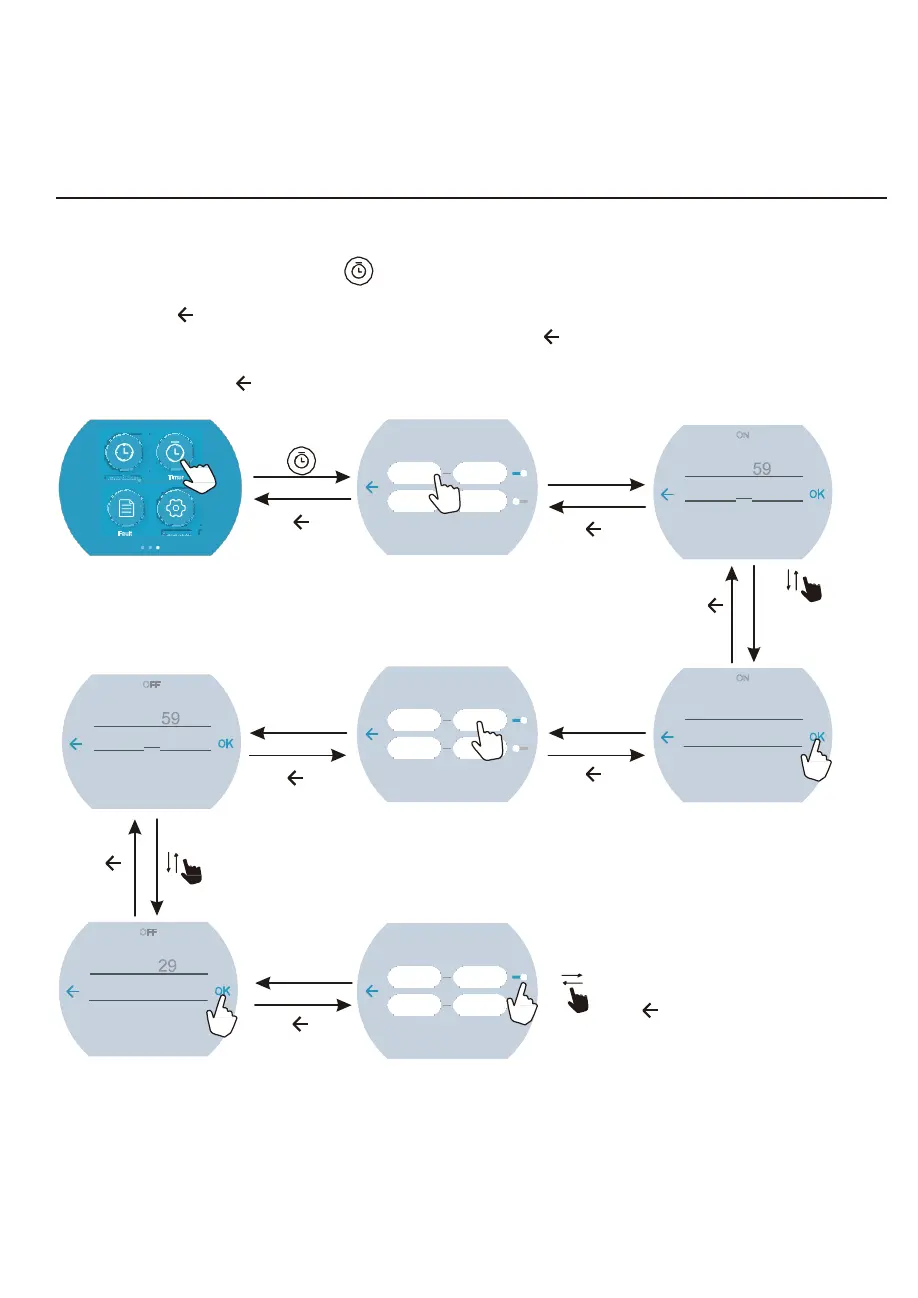
4.2.6 Timing settings
In the Third function interface,click “ ” to enter into the Time setting interface, click the value of
“ON” to enter into the Start time selecting interface, slide up or down to adjust the value, click “OK”
to save (click “ ” backspace); click the value of “OFF” to enter into End time selecting interface,
slide up or down to adjust the value, click “OK” to save (click “ ” backspace).
At last, slide right the right round button to active the timing settings or slide it left to Deactivate the
timing setttings; click “ ” back to the third function interface.
click “ ”
Time
ON
OFF
20
:
00
21
:
00
00
:
00 00
:
00
click the
timer “ON”
ON
19
20
:
00
click “ ”to quit
2 0
click “ ”to quit
click “ ”
to quit
slide up or down
to select the
Start time
OFF
20
21
:
00
click the
timer “OFF”
Time
ON
OFF
07
:
00 21
:
00
00
:
00
00
:
00
click “OK” to save
ON
06 59
07
:
00
22 0
click “ ”to quit
click “ ”to quit
08 0
click “ ”
to quit
slide up or down
to select the
End time
OFF
Time
08
09
:
30
click “OK” to save
ON
OFF
07
:
00
21
:
30
OFF
ON
slide right to start the timer setting;
slide left to close the timer function;
10 3
click “ ”to quit
00
:
00 00
:
00
click “ ” back to the Third interface.
12



 To Next Page