Note: Before you start, make sure that you have completed all the steps in section 4.1.
Page 9 on 16WIFI SmartTemp module
USE ONLY HAYWARD GENUINE REPLACEMENT PARTS
5. LINKING THE WIFI MODULE TO THE HOME NETWORK/ROUTER
5.1 Linking from your mobile device
• Gather the following information:
- WiFi security key for the home router
- name of your home network/router
- serial number and password for you SmartTemp WiFi module (section 2, numbers 5 and 6)
- MAC address for the WiFi module (section 2, number 3)
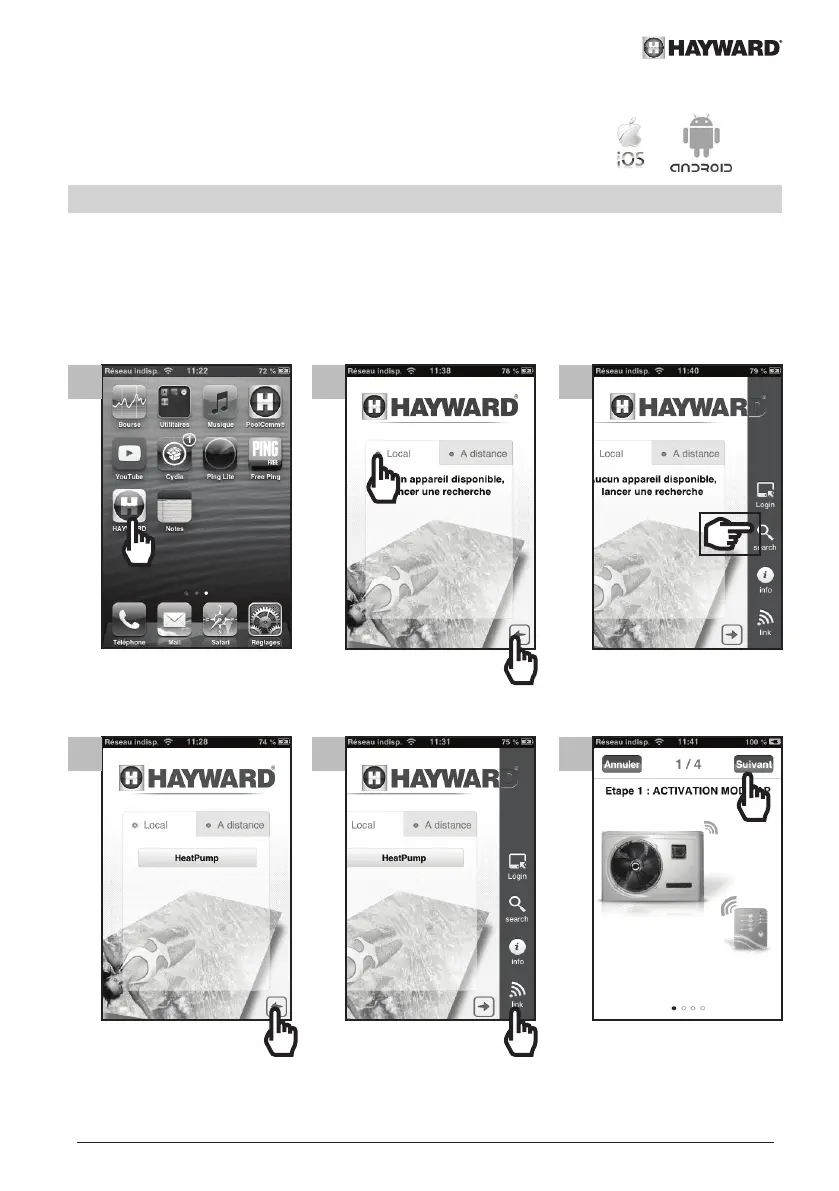
• Follow the steps below.
1 2 3
4 5 6


 To Next Page