Page 13 on 16WIFI SmartTemp module
USE ONLY HAYWARD GENUINE REPLACEMENT PARTS
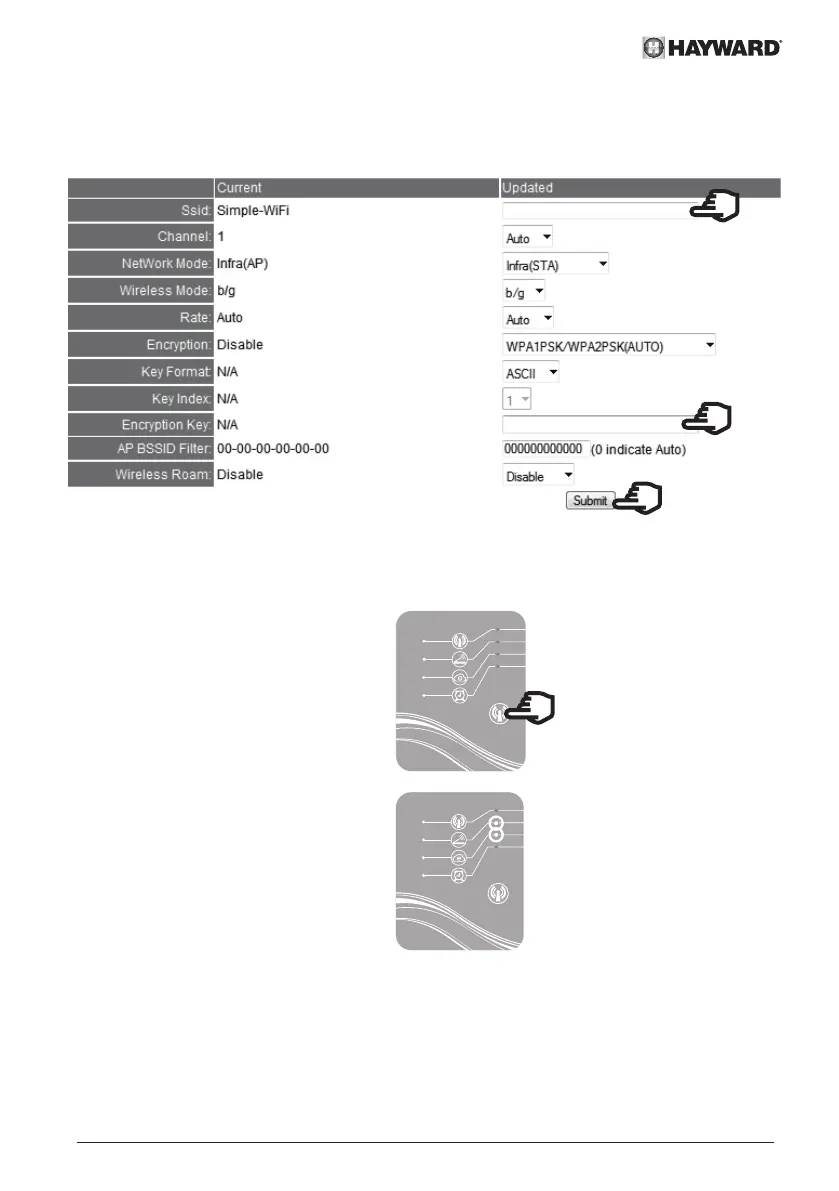
• Enter the name of your home network/router
• Enter the WiFi security key for your home network/router
• Click Submit
"name of home network/router"
"WiFi security key"
• Close the web page.
• Cut the power supply to the heat pump
at the electrical panel.
• Wait 10 seconds then turn the power
on again.
• Press the WiFi function selection
button.
LED 2 and then 3 will turn green.
The heat pump is connected to the
home router and has Internet access.
It can be managed remotely via
any computer or mobile device with
Internet access.


 To Next Page