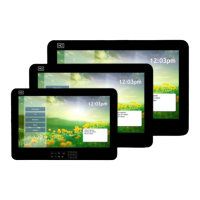
Roommate AP Operations Manual Rev 1.0
Table Of Contents
Safety Instructions 4
Package Contents 6
Product Introduction 7
IR Remote 7
Television I/O Connections 8
Basic Connections 9
Antenna or Cable 9
Composite A/V 9
HDMI 9
PC 9
USB 9
Ethernet 9
Pillow Speaker 9
Serial Port 9
Headphones 9
Installing Remote Batteries 10
Navigation ICONS 10
Admin Mode 10
HCI Settings 11
Information 11
Build Number 11
Upgrade Firmware 11
Reboot Device 11
Ethernet IP Address 11
Ethernet Mac Address 11
Wi-Fi IP Address 11
Wi-Fi Mac Address 11
Model Number 11
Android Version 11
Legal Information 11
Kernel Version 11
Home Screen 11
Home Screen Type 11
Customize 11
Television 12
Picture 12
Picture Mode 12
Brightness 12
Contrast 12
Sharpness 12
Color Temp 12
Aspect Ratio 12
Digital Noise 12
Sound 12
Sound Mode 12
Treble 12
Bass 12
Balance 12
Channel 12
Auto Program 12
Clear Scrambled Channel 12
Settings 12
Language 12
Backlight 12
Menu Time 12
V-chip 12
Change Password 12
PG Switch 12
TV 12
MPAA 12
Ca English 12
Ca French 12
Set Time Zone 12
Banks 13
Pillow Speaker 15
Pillow Speaker 1 Type 15
Pillow Speaker 1 Analog 15
Audio 15
Speaker Mode 15
Power On Volume-Last 15
Power On Volume 15
TV Speaker Maximum Volume 15
Pillow Speaker 1 Maximum Volume 15
More 15
Power On Source 15
Turn On Channel 15
Power On App 15
Serial Control Type 15
Dark Detect 15
Power LED Control 15
Power LED Response Blink 15
IR Band 15
Reboot Timer 16
Virtual Remote Timeout 16
DirecTV Control 16
DirecTV Receiver IP 16
DirecTV Receiver 16
DirecTV Input Source 16
Wireless Setup 16
Wi-Fi 16
Bluetooth 16
Ethernet 17
More… 17
Portable Hotspot 17
Setup Wi-Fi Hotspot 17
Device 17
Display 17
Brightness 17
Font Size 17
Storage 17
Apps 17
Personal Setup 18
Security 18
Administration 18
Credential Storage 18
Language & Input 18
Language 18
Spell Checker 18
Personal Dictionary 18
Keyboard & Input Methods 18
Mouse/Trackpad 18
Pointer Speed 18
Clone & Reset 18
Generate Clone File 18
Restore Clone File 18
Clear TV Channels 18
Factory Data Reset 18
Tier Controller Settings 19
Enable Tier Controller 19
Tier Controller Server ULR 19
Date & Time 19
Automatic Date & Time 19
Set Date 19
Set Time 19
Select Time Zone 19
Use 24-Hour Format 19
Choose Date Format 19
Accessibility 19
Services 19
System 19
Large Text 19
Touch & Hold 19
Delay 19
Enhance Web Accessibility 19
Annex 20
Home Page Configuration 20
Changing Background Image 20
Moving/Deleting Apps Home Page 20
Creating Home Page Folder 20
Adding Apps to the Home Page 20
Adding an Input Shortcut to the 20
Home Page
Front Panel Shortcuts 20
Keyboard/Mouse Tips 21
Automated Programming & Updates 21
Auto Upgrade 21
Restore Clone 21
Factory Reset 21
Log Collection 21
Pillow Speaker Operation 22
Software Updates 23
USB 23
Internet 23
LAN 23
Parental Control 23
Setup 23
Ratings 24
Specifications 25
RM22AP 25
RM26AP 26
RM32AP 27
RM42AP 28
Warranty 30


 To Next Page
 Loading...