EasyManua.ls Logo

HCL HCMELWBT11 - User Manual

HCL HCMELWBT11
48 pages
Print Icon
To Next Page IconTo Next Page
Loading...
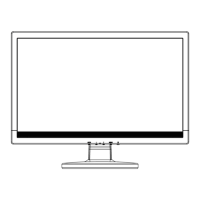
18.5” LCD Color Monitor HCL HCMELWBT11
1
Service
Service
Service
Horizontal Frequency
31kHz – 80kHz
TABLE OF CONTENTS
Description Page Description Page
N
SAFETY NOTICE
ANY PERSON ATTEMPTING TO SERVICE THIS CHASSIS MUST FAMILIARIZE HIMSELF WITH THE
CHASSIS AND BE AWARE OF THE NECESSARY SAFETY PRECAUTIONS TO BE USED WHEN SERVICING
ELECTRONIC EQUIPMENT CONTAINING HIGH VOLTAGES.
Table Of Contents.......……..……..........................…........1
Revision List.….............……...............................……......2
Important Safety Notice.………….......................……......3
1. Monitor Specifications...............................……….........4
2. LCD Monitor Description…………………………….......5
3. Operation Instructions…………...............……..............6
3.1 Control Buttons…………….…..............……...............6
3.2 Attaching the Cables…………..............……...............7
3.3 Adjusting the Picture...........................…....................7
4. Input/Output Specification............……….……...........10
4.1 Input Signal Connector............…………...................10
4.2 Factory Preset Display Modes..................................10
4.3 Panel Specification.....……………….........................11
5. Block Diagram……...................……………................13
5.1 Software Flow Chart….………………............….......13
5.2 Electrical Block Diagram….…...………..….....…...15
6.Schematic……………...........................................…17
6.1 Main Board.……...……..........................................17
6.2 Power Board..………..……....................................22
6.3 Key Board..…………….…….................................25
7.PCB Layout..……………….......................................26
7.1 Main Board……………..........................................26
7.2 Power Board…..……….........................................28
7.3 Key Board…..……….............................................29
8. Maintainability………...............................................30
8.1 Equipments and Tools Requirement……..............30
8.2 Trouble Shooting..…….………..............................30
9. White-Balance, Luminance adjustment...................36
10. Monitor Exploded View……….……………............38
11. BOM List……….....................................................39
CAUTION: USE A SEPARATE ISOLATION TRANSFOMER FOR THIS UNIT WHEN SERVICING
Question and Answer IconNeed help?

Do you have a question about the HCL HCMELWBT11 and is the answer not in the manual?

Summary

Service Manual

Revision History

Details the revision history of the service manual.

Important Safety Notice

Critical safety precautions for servicing the monitor.

Monitor Specifications

Technical specifications and operational parameters of the monitor.

LCD Monitor Description

Overview of the LCD monitor's main components and function.

Operation Instructions

Guidance on how to operate and set up the monitor.

Input;Output Specification

Input Signal Connector

Details of the monitor's input signal connector pinout.

Factory Preset Display Modes

List of standard display resolutions and frequencies supported.

Panel Specification

Detailed specifications of the LCD panel itself, including optical and electrical.

Block Diagrams and Schematics

Software Flow Chart

Visual representation of the monitor's software execution flow.

Electrical Block Diagram

High-level diagram of the monitor's main electronic modules.

Main Board Schematic

Detailed schematic diagram for the monitor's main board.

Power Board Schematic

Detailed schematic diagram for the monitor's power board.

Key Board Schematic

Detailed schematic diagram for the monitor's key control board.

PCB Layout and Maintenance

Main Board PCB Layout

Printed circuit board layout for the main board.

Equipments and Tools Requirement

List of necessary tools and equipment for servicing.

Trouble Shooting

Diagnostic procedures and solutions for common monitor issues.

White-Balance, Luminance Adjustment

Procedure for calibrating white balance and luminance.

Parts Identification

Monitor Exploded View

Diagram showing the physical disassembly of the monitor components.

BOM List

Bill of Materials listing all components used in the monitor.

HCL HCMELWBT11 Specifications

General IconGeneral
Aspect Ratio16:9
Response Time5 ms
Resolution1366 x 768 pixels
Display TypeLED
Input ConnectorsVGA
Power Consumption15W

Related product manuals