Operation Manual Ver. 1.3
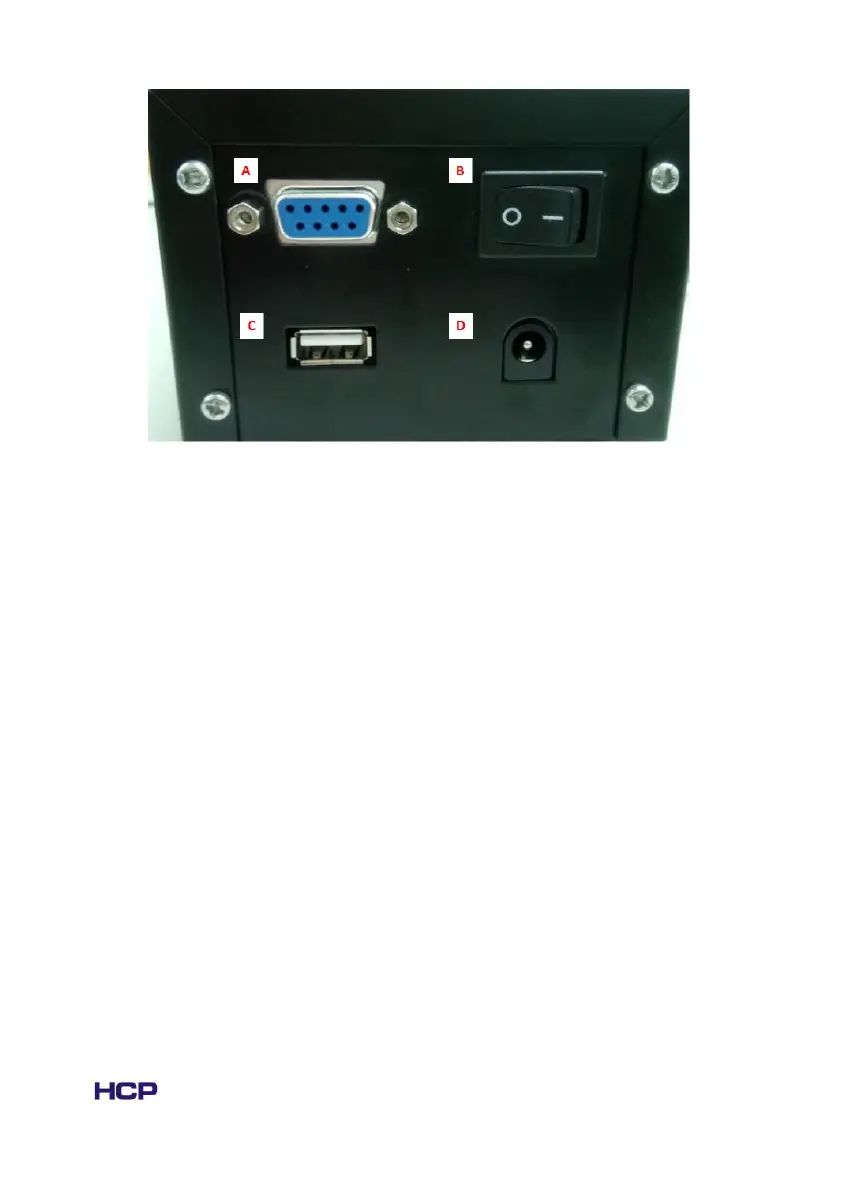
Fig. 1.2.2 The rear panel of the TC-038D controller, A: Connection port to crystal
oven, B: ON/OFF power switch, C: Connection port to PC; D: Connection port to
power supply.
1.3 System Setup
1. Connect the power supply to the temperature controller (Rear - D).
2. Connect the crystal oven to the temperature controller (Rear - A).
3. Open the power switch (Rear - B)
4. Set the target temperature (Front - C/D)
5. Wait till the temperature becomes stable
1.4 Parameters setting
Warning: All the parameters will be set before shipment and not recommend to be
changed, table lists below only shows the description for some important parameters
for reference.



 To Next Page