Operation Manual Ver. 1.3
2. Software
2.1 Installation:
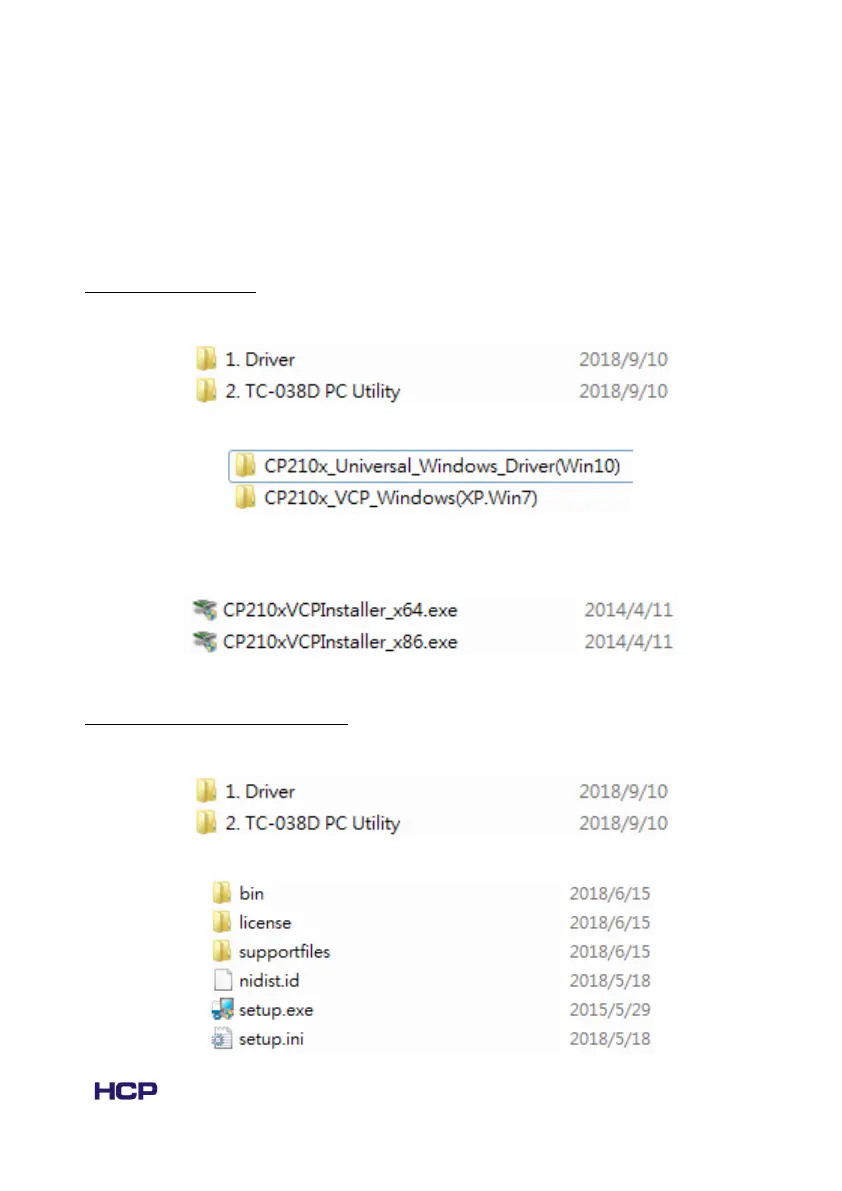
2.1.1 Install drivers
1. Enter the folder “1. Driver”.
2. Select and enter the folder according to your system OS.
3. Select and install the driver according to your system type(x86 or x64). The
system type can be checked in computer -> properties.
1.2 Install TC-038D PC Utility
1. Enter the folder “2. TC-038D PC Utility”.
2. Double click the “setup.exe”.



 To Next Page