13
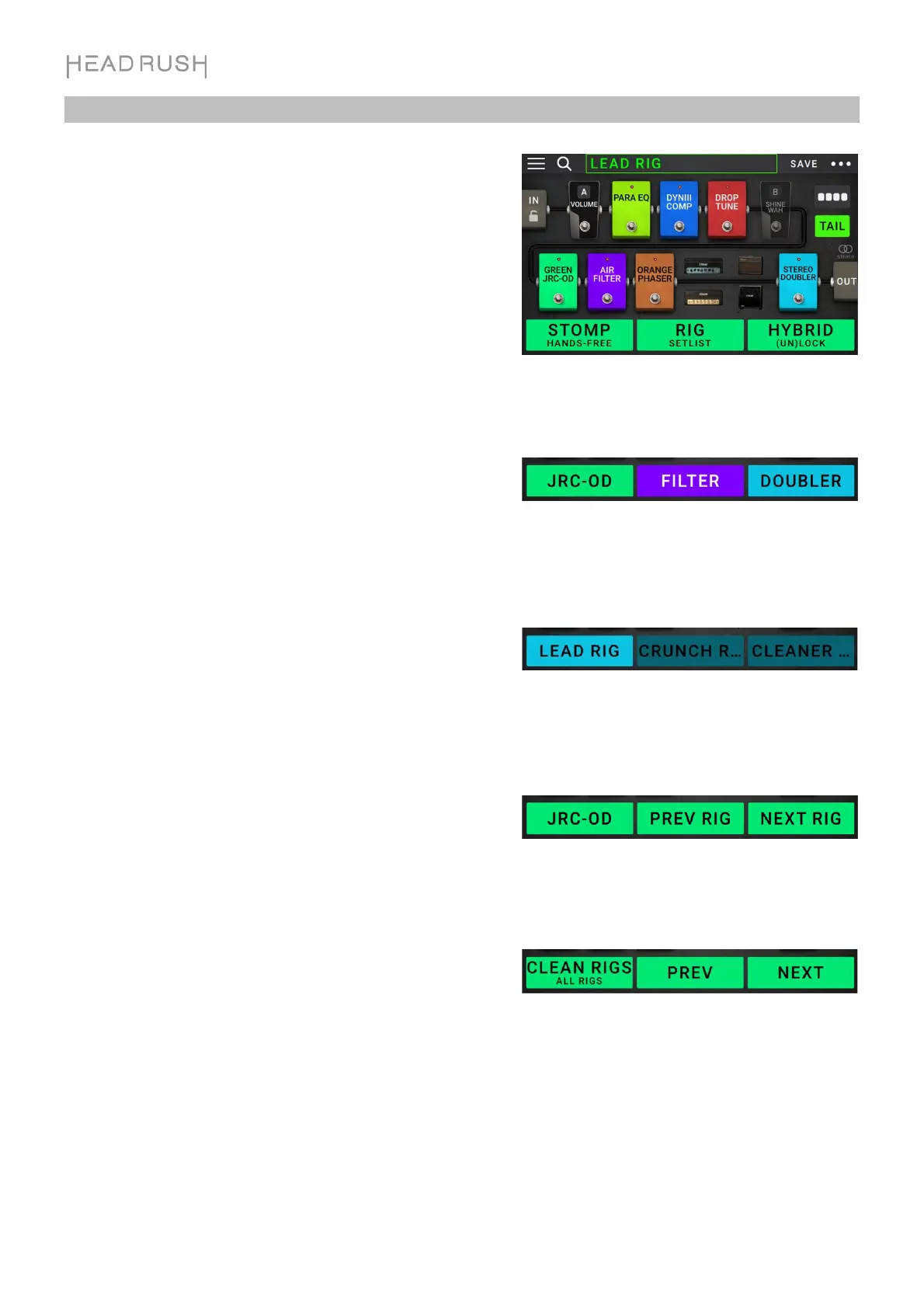
Footswitch Modes
The three footswitches can be used to activate or bypass
models (amps, cabs, impulse responses, or effects) as well as
select scenes, rigs, or setlists. These footswitches are always
in one of four modes: Stomp, Rig, Hybrid, or Setlist.
To change the mode, hold footswitch 1, then:
• To select Stomp mode, press footswitch 1
• To select Rig mode, press footswitch 2
• To select Hybrid mode, press footswitch 3
• To select Setlist mode, hold footswitch 2
Stomp Mode
Footswitches 1-3 correspond to models (amps, cabs, or effects)
in your signal chain. Press a footswitch to activate or deactivate
its model.
To load the next rig, press footswitches 1 and 2 () simultaneously.
To load the previous rig, press footswitches 2 and 3 () simultaneously.
Rig Mode
Footswitches 1-3 correspond to rigs you have previously saved.
Press a footswitch to load its rig.
To show the next bank of three rigs, press footswitches 1 and 2 () simultaneously.
To show the previous bank of three rigs, press footswitches 2 and 3 () simultaneously.
Hybrid Mode
The first footswitch can be assigned to activate/deactivate a
model or to select a scene in the currently selected rig.
To switch to the previous rig, press footswitch 2.
To switch to the next rig, press footswitch 3.
Setlist Mode
To enter the currently shown setlist, press footswitch 1.
To show the previous setlist, press footswitch 2.
To show the next setlist, press footswitch 3.
To enter the All Rigs setlist, press and hold footswitch 1.


 To Next Page