9
To load another rig (preset):
• Tap the name of the rig on the screen and then turn the encoder.
• Press footswitches 1 and 2 (), or footswitches 2 and 3 () simultaneously when MX5 is in Stomp
Mode.
• Press a footswitch assigned to a preset when MX5 is in Rig Mode.
• Press a footswitch assigned to Prev Rig or Next Rig when MX5 is in Hybrid Mode.
To create a new rig, tap the button in the upper-right corner, and then tap New Rig.
To rename the current rig, double tap the rig name, or tap the button in the upper-right corner, and then tap
Edit Rig Name.
To delete the current rig, tap the button in the upper-right corner, and then tap Delete Rig, and then tap Yes to
continue or No to cancel.
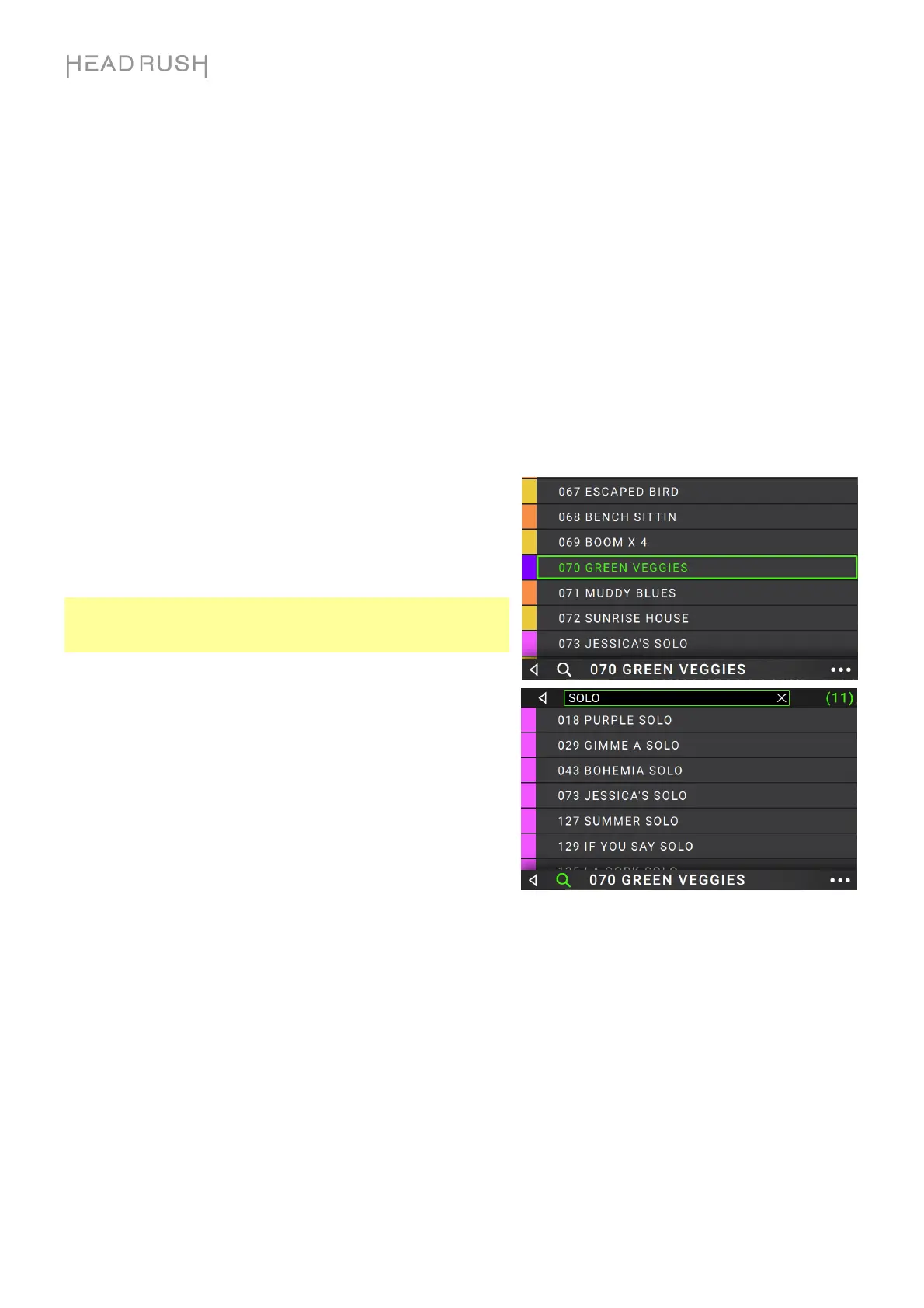
To show a list of available rigs on your HeadRush MX5, tap
the rig name and drag downward. On this list you can tap a
rig’s name to load it.
To hide this list, tap the current rig name and drag upward.
Note: If you have not selected a setlist, all rigs on your
HeadRush will be shown on this rig list. If you have selected a
setlist, only the rigs from that setlist will appear on this rig list.
To search for a rig on your HeadRush, tap the magnifying-
glass icon in the upper-left corner and use the virtual keyboard
that appears to enter a search term (e.g., part of the rig name).
The results will appear below. Tap a result to load that rig.


 To Next Page