- 2 –
3. Find the RPM signal wire:
CBF500, CBR250R Yellow/Green
(Solid Yellow wire with thin Green stripe)
Tachometer signal wire, find either at the ECU
connector or at the dashboard connector.
VTX1800, VT750,
NRX1800, Valkyrie Rune
Yellow
(Solid Yellow)
Crankshaft signal wire, find either at the ECU
connector or at the 2-pole plug of the ignition
pulse generator (pickup coil).
VTX1300 White/Blue
(Solid White wire with thin Blue stripe)
Crankshaft signal wire, find either at the ECU
connector or at the 2-pole plug of the ignition
pulse generator (pickup coil).
4. Peel off the black sleeve (tape), leaving about 3 cm (1.2”) of this wire exposed.
5. Connect the GIpro Black/Green wire to this wire, using the Red wire tap
connector supplied.
Usage: Place the unstripped run wire (shown in the table above) inside the
run channel. Close the side cover until latched. Cut off the excess length,
then insert the unstripped tap wire (Black/Green) completely and check its
position. Insert the blade (u-contact) and press down by finger pressure.
Then, fully depress the u-contact with pliers. Close the hinged top cover until
latched.
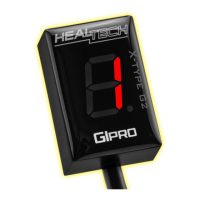
6. Connect the 4-pole GIpro harness connector to the GIpro display connector.
7. Check whether everything is installed and working properly:
- Select Neutral and turn ignition On Æ
The GIpro display should count from 6 to 1, then “L” flashes slowly.
(If not, the display is not receiving power and/or ground. Check the
connections at the speed sensor connector.)
- Rotate the wheels Æ the display should indicate a rolling wheel.
(If not, the display is not receiving the speed signal. Check the connection at
the speed sensor connector.)
- Start the engine Æ “L” should flash faster for a few seconds.
(If not, the display is not receiving the RPM signal. Check the wire tap.)
Turn the ignition Off. If the tests still fail, disconnect the 3-pole and 4-pole
connectors and check whether the connector pins are bent or pushed out of
position. Spray some WD40 into the plugs.
8. Peel off the green plastic from the back of the unit, and mount the display.
9. Neatly route the GIpro harness from the 3-pole plugs to the mounting location,
preferably along the frame.
Do not bend the harness near the 4-pole connectors.
Do not route the harness very close to the exhaust pipe or cylinder head.
10. Use black tape to secure and isolate the 4-pole connectors. To minimize cable
stress, use the supplied cable ties to fasten the unit and harness to other cables.


 To Previous Page
 Loading...