EasyManua.ls Logo

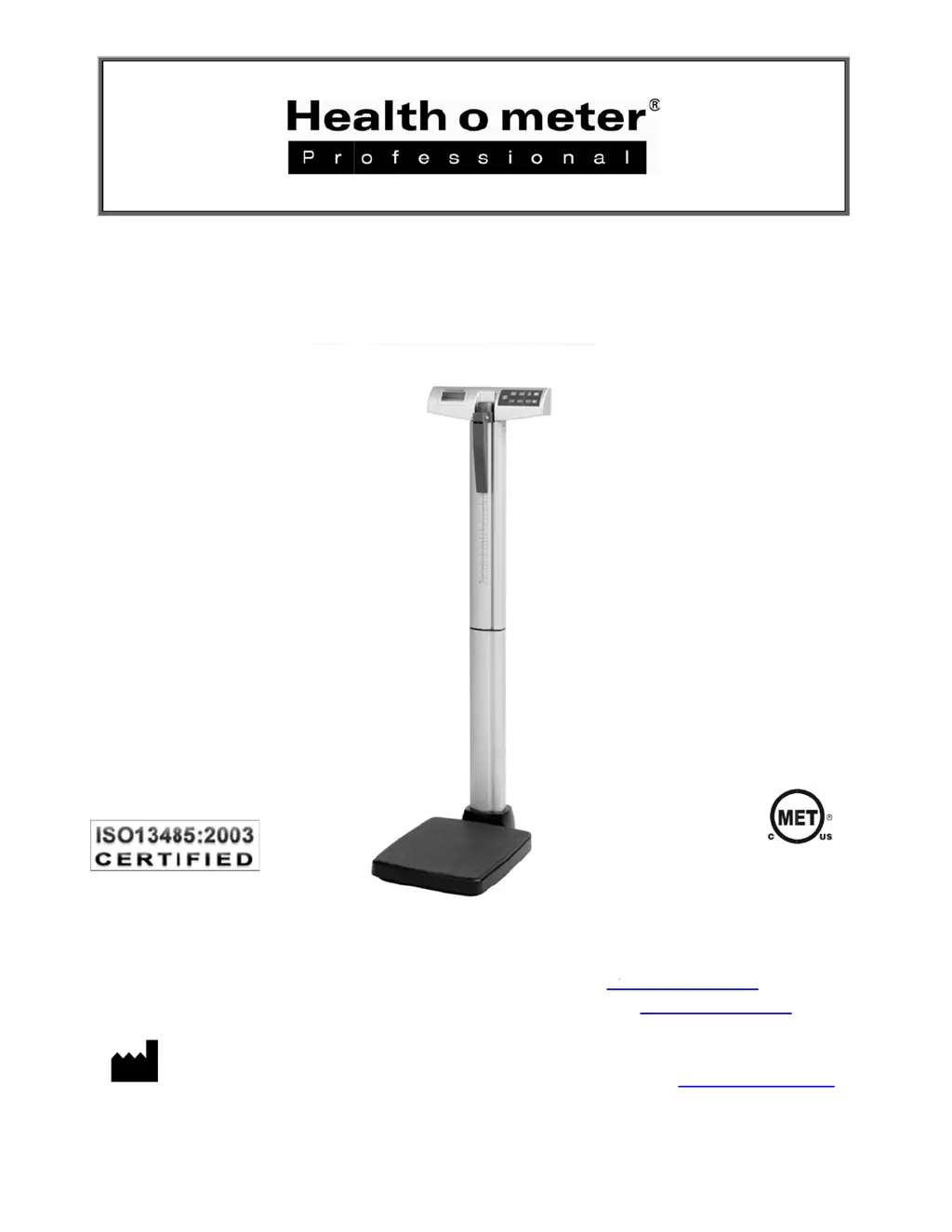
Health O Meter 500KL - User Manual

Health O Meter 500KL
24 pages
Print Icon
To Next Page IconTo Next Page
Loading...
Po
P
P/N UM50
0
E
y
Para ver l
ur les instr
P
ELSTAR,
0
KL Rev 2016
0
y
e Le
v
U
as instruc
c
uctions de
LLC
9500
W
0
414-Eng Onl
y
Mod
v
el Di
g
U
ser I
n
c
iones de u
s
l'utilisateu
r
W
est 55
th
St.
©
P
y
1
e
l 50
0
g
ital
B
n
stru
c
s
o en espa
ñ
r
dans la vi
s
McCook, IL
elstar, LLC 20
0
KL
B
eam
c
tions
ñ
ol visita w
w
s
ite françai
s
60525-7110
1
6
Scale
ww.homscal
s
e www.ho
m
USA ww
w
es.com
m
scales.com
w
.homscale
s
E11
2
s
.com
2
697

Other manuals for Health O Meter 500KL

Questions and Answers

  • C
    Christy SimmonsAug 19, 2025
    How to fix Health O Meter 500KL that does not turn on?
    • J
      John PattonAug 20, 2025
      If your Health O Meter Scales do not turn on, here are a few things to check: 1. **Dead Battery**: Replace the batteries. 2. **Faulty Electrical Outlet**: Try using a different outlet. 3. **Bad Power Supply**: Replace the AC adapter.
  • J
    jesse75Aug 21, 2025
    What to do if Health O Meter 500KL Scales turns on but will not register a weight reading?
    • C
      Charles CruzAug 21, 2025
      If your Health O Meter Scales turn on but do not register a weight reading, the load cell connector cable might not be properly connected. To resolve this: Carefully separate the platform from the column by removing the screws at the base's underside. Check the load cell connector cable to ensure it's fully plugged into the RJ jack. If it was already plugged in, unplug it and plug it back in until you hear a click.
  • V
    vthomasAug 25, 2025
    What to do if Health O Meter 500KL Scales display shows “Lo” message?
    • S
      Steven FoxAug 25, 2025
      If your Health O Meter Scales display shows a “Lo” message, it indicates that the batteries are discharged. Replace the batteries as per the instructions provided.
  • M
    marcus94Aug 26, 2025
    Why my Health O Meter Scales do not turn on?
    • R
      Russell MartinAug 26, 2025
      If your Health O Meter Scales do not turn on, the possible causes are: * Dead battery: Replace the batteries. * Faulty electrical outlet: Try a different outlet. * Bad power supply: Replace the AC adapter.
  • N
    nicholas98Aug 27, 2025
    How to fix questionable weight on Health O Meter Scales?
    • R
      Robert Mendez Jr.Aug 28, 2025
      If you are experiencing questionable weight readings or the Health O Meter Scales do not show zero, consider the following: 1. External object interfering with the scale: Remove anything that might be touching the scale. 2. The display did not show “0.0” before weighing: Have the patient step off, zero the scale, and start the weighing process again. 3. Scale is not on a level floor: Place the scale on a level surface and restart the weighing process. 4. Scale is out of calibration: Check the weight using a known weight value.
  • M
    Michael PowellAug 29, 2025
    How to fix Health O Meter 500KL that won't turn on?
    • A
      Adam PerryAug 30, 2025
      If your Health O Meter Scales do not turn on, the possible causes are: 1. The battery may be dead (replace batteries). 2. The electrical outlet may be faulty (try a different outlet). 3. The power supply could be bad (replace the AC adapter).
  • M
    Michael LopezAug 31, 2025
    What to do if Health O Meter 500KL turn on but will not register a weight reading?
    • C
      cory56Sep 1, 2025
      If the Health O Meter Scales turn on but do not register a weight reading, it might be due to the load cell connector cable not being properly plugged in. Consult the instructions to inspect the load cell cable.
  • J
    John GreeneSep 2, 2025
    Why does my Health O Meter Scales display show 'Lo'?
    • Y
      youngjaredSep 2, 2025
      If your Health O Meter Scales display shows a 'Lo' message, this indicates that the batteries are discharged. Replace the batteries following the instructions provided to resolve this issue.
  • C
    colin47Sep 4, 2025
    Why Health O Meter Scales give questionable weight or does not zero?
    • K
      Kelsey BullockSep 4, 2025
      If your Health O Meter Scales provide questionable weight readings or do not zero correctly, consider the following: 1. **External Interference**: Ensure no objects are interfering with the scale. 2. **Zeroing**: Make sure the display shows '0.0' before weighing. Ask the patient to step off, zero the scale, and restart the process. 3. **Level Surface**: Place the scale on a level floor and try again. 4. **Calibration**: Check the weight using a known weight value.
  • R
    reedjudySep 6, 2025
    What to do if weighing process takes too long on Health O Meter 500KL?
    • J
      jstrongSep 7, 2025
      If the Health O Meter Scales take too long to lock onto a weight during the weighing process, it might be because the patient is not standing still. Ask the patient to remain still.

Summary

Safety and Warnings

General Operating Precautions

Covers general operational safety, weight limits, battery handling, patient attendance, and operational cautions.

AC Adapter Safety

Covers specific warnings and instructions when using the AC adapter for power.

EMC Compliance

Explains the scale's compliance with EMC limits and how to handle potential interference.

Scale Specifications and Symbols

General Scale Overview

Provides an overview of the scale's technology, features, and general capabilities.

Technical Specifications

Details capacity, resolution, power requirements, environmental conditions, and dimensions.

Symbol Definitions

Explains the meaning of various icons and indicators used on the scale.

Certifications, Connectivity, and Disposal

Product Certifications

Details the ISO and MET certifications applicable to the scale.

Data Connectivity

Explains the scale's USB connectivity and EMR-EHR compatibility for data transfer.

Disposal Guidelines

Provides instructions for the proper disposal of the scale as electronic waste.

Assembly Instructions - Preparation

Preparation and Parts

Guidance on inspecting the package, parts list, and tools needed for assembly.

Assembly Instructions - Initial Steps

Initial Assembly Steps

Instructions for unpacking and preparing parts, with a warning about pinch points.

Assembly Instructions - Column Mounting

Column Mounting and Bracket

Details on removing mounting screws and attaching the bracket to the column.

Assembly Instructions - Column Connection

Load Cell Cable and Column Locking

Guide on routing the load cell cable and securing columns together with a caution.

Assembly Instructions - Platform Attachment

Connecting Cable to Platform

Instructions for positioning the platform and connecting the load cell cable to the RJ jack.

Assembly Instructions - Finalizing

Securing Columns to Base

How to attach the assembled columns to the scale platform using screws.

Height Rod Assembly

Instructions for assembling the height rod components.

Assembly Instructions - Height Rod Installation

Inserting the Height Rod

Steps for inserting the assembled height rod into the scale's main column.

Setup and Batteries

Inserting Batteries

Step-by-step guide on how to install 6 AA batteries into the scale.

AC Adapter Setup

Connecting the Adapter

Instructions for connecting the optional AC adapter for power.

Operating Instructions - Keypad

Keypad Functions

Description of each button on the scale's keypad and its function.

Patient Measurement

Weighing a Patient

Step-by-step guide on how to weigh a patient using the scale.

Height Measurement Guide

Guidelines for using the height rod to measure patient height.

Height Measurement Details

Patient Positioning

Instructions on how to position the patient correctly for height measurement.

Reading Height Value

Explains how to read the height from the scale's measuring strip.

Advanced Operations

BMI Calculation

How to calculate and display Body Mass Index using weight and height.

Auto-Off Control

Instructions for enabling or disabling the automatic power-off feature.

Operational Modes

Weighing Mode Lockout

How to set the scale to display weight in KG only or LB only.

Tare Function Usage

Procedure for using the tare function to zero out the weight of an object.

Maintenance and Cleaning

General Maintenance

Guidance on inspecting the scale for damage and proper function.

Cleaning Procedures

Steps for safely cleaning the scale.

Replacement Parts

How to obtain replacement parts for the scale.

Calibration

Calibration Procedure

Step-by-step instructions for calibrating the scale using standard weights.

Troubleshooting

Common Issues and Solutions

A guide to identifying and resolving common operational problems with the scale.

Warranty Information

Warranty Terms and Service

Explains the terms, coverage, exclusions, and service process for the scale's warranty.

Health O Meter 500KL Specifications

General IconGeneral
Graduation0.2 lb / 0.1 kg
Auto-OnYes
Auto-OffYes
DisplayLCD
FunctionsWeight
Capacity500 lb / 220 kg

Related product manuals