VER1.0B1 HeartCheck HANDHELD ECG MONITOR
- 22 -
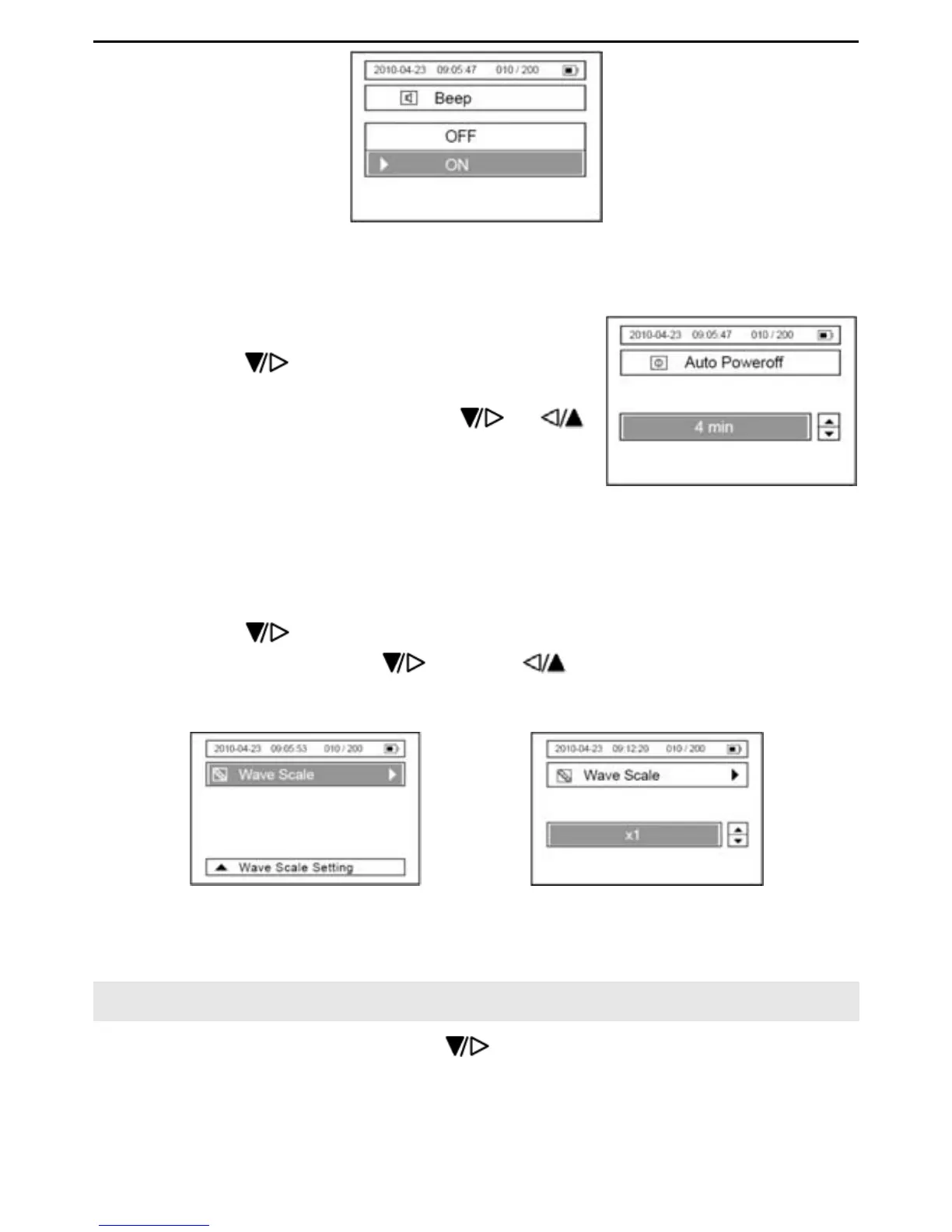
Picture 6-2
6.3.2 Press the “OK “button to save the settings, and to return to the previous interface.
6.4 Auto Power-off Setting
6.4.1 Press the button to select the
“Auto Power off” item, and then press the “OK”
button to enter. Press the button
or
button to select “off”or to set the time limit “1 Min.
2 Min…. 10 Min.”, refer to Picture 6-3.
Picture 6-3
6.4.2 Press the “OK” button to confirm, and to return to the previous menu.
6.5 Wave Scale Setting
6.5.1 Press the button to select the “Wave Scale” item, and then press the “OK”
button to enter. Press the
button or button to select x0.5, x1, x1.5 or
x2. refer to Picture 6-5.
Picture 6-4 Picture 6-5
6.5.2 Press the “OK” button to confirm, and to return to the previous menu.
7. Data Management
In the main menu interface, press the button to select the “Data Management”
item, and then press the “OK” button to enter into the sub menu. Refer to the following
picture.


 To Next Page