■
Water bucket is full.
■
Bucket is not installed.
■
Airflow is restricted.
■
Doors and windows are open.
•
Make sure the dehumidifier plug is pushed completely
into the outlet.
•
Check the house fuse or circuit breaker box and replace
the fuse or reset the breaker.
•
The dehumidifier automatically turns off when this occurs.
Empty the bucket.
• Make sure the bucket is in the right place.
•
•
When first installed, allow at least 3 or 4 days to
maintain the desired dryness.
•
Make sure there are no curtains, blinds or furniture
blocking the front or back of the dehumidifier.
•
Press the Humidity Control button to lower the
humidity.
•
Check that all doors, windows and other openings are
securely closed.
•
Install the dehumidifier away from the dryer.
The dryer should be vented to the outside.
•
The low temperature model will continuously cycle up
to temperature of 42°F(6°C)
•
Check with your dealer to see if the capacity is
adequate.
•
Close all doors and windows to the outside.
• This is normal.
• Check the hose if one is attached.
•
See Removing and Emptying The Water Bucket.
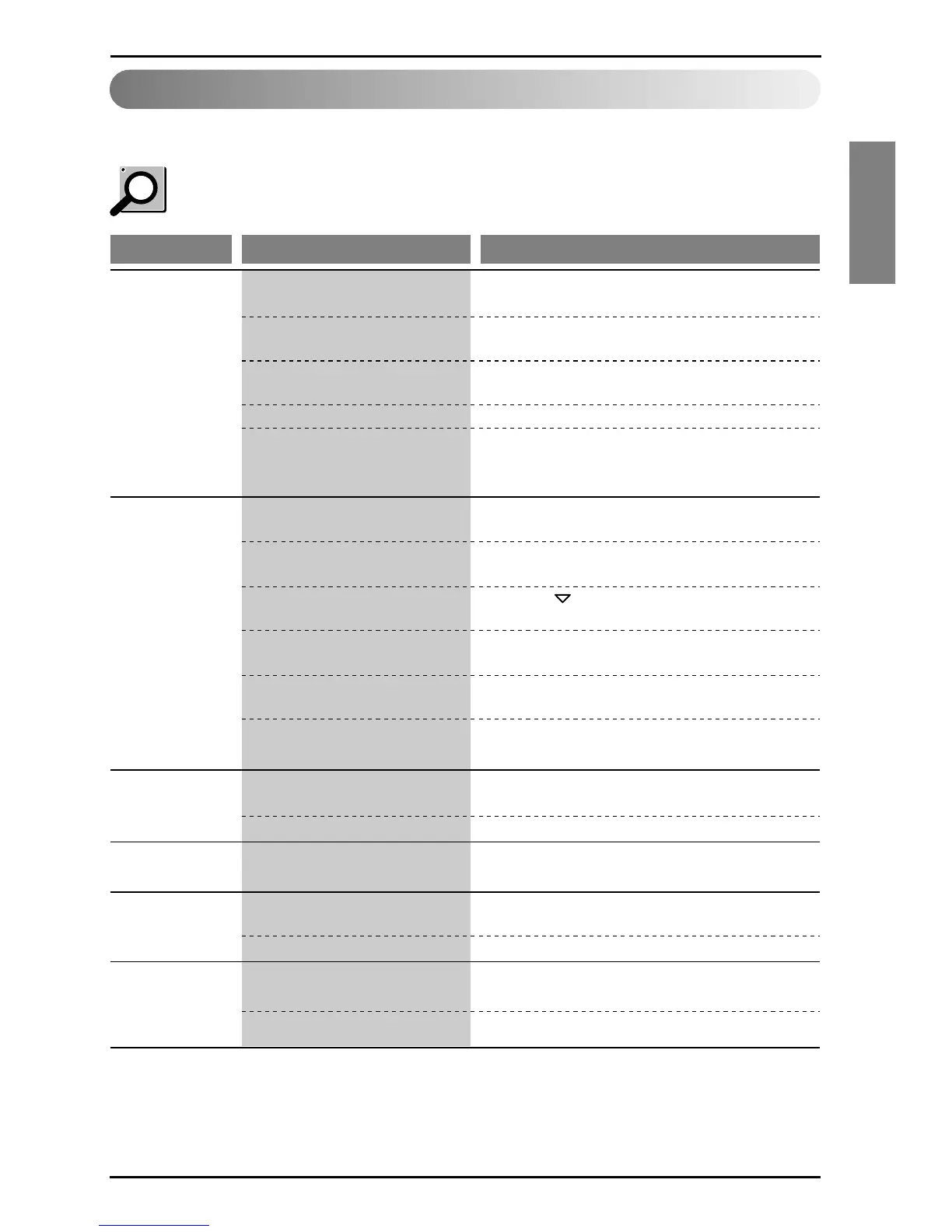
Problem Possible Causes What To Do
Dehumidifier
does not start
Dehumidifier
does not dry the
air as it should
Dehumidifier runs
too much
Fan noise
Water on floor
■
In case the Room humidity is less
than selected humidity setting.
■
The dehumidifier power cord is
unplugged.
■
The fuse is blown or circuit
breaker is tripped.
■
Did not allow enough time to
remove the moisture.
■
The Humidity Control may not be
set to low Humidity.
■
Doors and windows may not be
closed tightly.
■
Clothes dryer may be blowing
moisture-laden air into the room.
■
Room temperature is too low.
■
Area to be dehumidified is too
large.
■
Air is moving through the
dehumidifier.
■
Drain hose connection may be
loose.
■
Water bucket is not in all the way.
Change the humidity set to lower limits.
Dehumidifier
operates
continuously
■
Check if the unit is operating in
"ON" mode.
■
Room Humidity is high
• Change the humidity setting.
• Change the humidity setting.



 To Next Page