Need help?
Do you have a question about the HEDD BASS and is the answer not in the manual?
Instructions for powering on, connecting power, and audio sources for initial use.
Information on registering the product for an extended warranty and downloading the full manual.
Explanation of LED status lights: Red (Overload), Green (Power On), White (Stand-By).
Adjust output volume and activate/deactivate the HEDD Lineariser for phase linearity.
Configure DSP (CoP), Satellite Offset, Crossover Frequency, and Low Frequency Range.
Select input type, adjust input sensitivity, and manually set the phase.
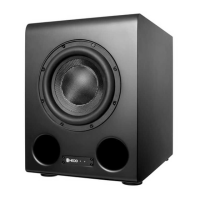
This document serves as a quickstart guide for HEDD BASS Subwoofers, providing essential information for setup, operation, and an overview of their features. The HEDD BASS subwoofers are described as innovative, clean-sounding active subwoofers designed to enhance your music listening experience.
The HEDD BASS subwoofers are professional active subwoofers designed to reproduce low-frequency audio content with precision and clarity. They are engineered to integrate seamlessly into a professional audio setup, extending the bass response of your main monitors or satellites. A key feature is the HEDD Lineariser®, which can be activated or deactivated to achieve full phase linearity, ensuring that the subwoofer's output is perfectly in time with the rest of your audio system. The subwoofers also offer a "CoP" (Closed or Ported) function, allowing users to change the DSP settings based on whether the subwoofer is used in a ported configuration (without a plug) or a closed configuration (with a plug), offering flexibility in sound character and performance. They are equipped with balanced XLR sockets for audio input and output, supporting both analog and AES digital signals, and are designed to connect to satellites for a complete system.
Upon receiving your HEDD BASS subwoofer, it is recommended to unpack it cautiously and inspect for any damage. If damage is found, do not operate the speaker and contact your HEDD dealer. Before initial use, allow the subwoofer to acclimate to your room's temperature for approximately an hour.
To begin, ensure the main power switch is in the "0" (off) position before connecting the power cord to a power socket. Once connected, set the power switch to "1" (on). The LED indicator will turn green, but it may take up to 15 seconds for the subwoofer to power up and be ready to play audio. A warning is provided regarding high volume levels and potential hearing damage, advising users to consider lowering the volume initially.
Audio sources are connected via the balanced XLR socket. The input selection is managed by the "ANALOG/AES" rotary switch. For analog input, both left and right channels should be connected. The subwoofer also provides Left and Right outputs for connecting your satellite speakers.
The backplate of the subwoofer features several control knobs for fine-tuning its performance. For initial setup, it is recommended to start with all markers in the "Up" position, which corresponds to the factory setting: ALL "0" and "↑" POSITION.
The control knobs offer the following adjustments:
The document does not explicitly detail maintenance features. However, it implicitly suggests that in case of any damage to the packaging or the speaker itself, the user should not operate the speaker and instead contact their HEDD dealer for problem resolution. This implies that professional service or guidance from the manufacturer's support network is the primary channel for addressing issues or potential maintenance needs.
For a comprehensive understanding of the device, users are encouraged to download and read the full manual available at hedd.link/manual. Additionally, registering the product at hedd.link/registration provides an extended 3-year warranty and access to information and advice on setting up and configuring the HEDD audio product.
 General
| Inputs | XLR, RCA |
|---|---|
| Outputs | XLR |
| Subwoofer Type | Active |
| Driver Size | 12" |
| Frequency Response | 20 Hz - 80 Hz |
| Phase | 0° - 180° |

 To Next Page