4-1
Chapter4 Troubleshooting Guide
Chapter4 Troubleshooting Guide
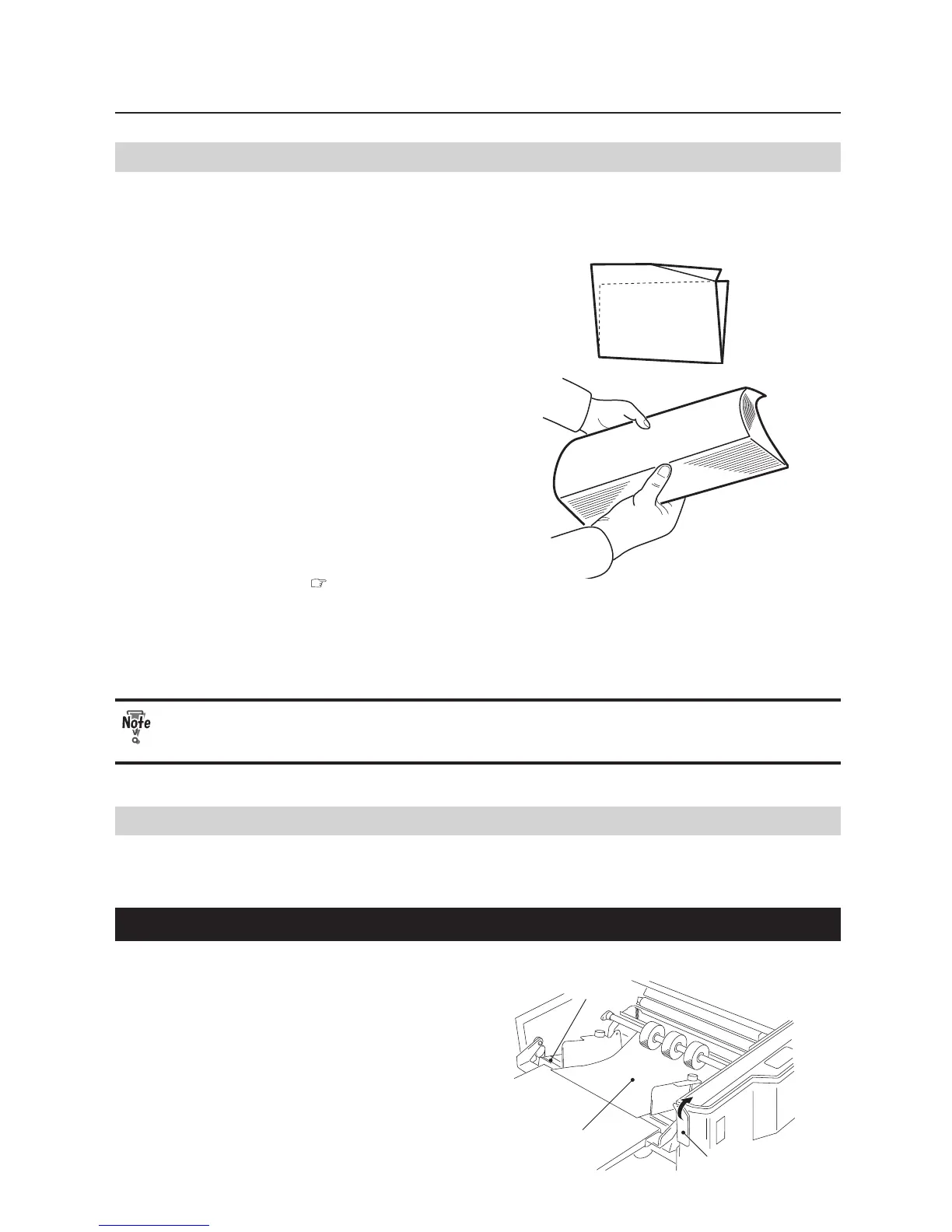
1. Correcting Deformed Folding
Check the following when deformed folding occurs.
Deformed folding
•
Fan the paper well before stacking.
•
Check if the folding plates have been
installed properly. ( p.1-5)
•
Spray a commercially-available air
duster on the rubber roll because the
static electricity may have resulted in
deformed folding.
Do not use paper other than those specied. This will cause not only deformed
folding but also malfunction of the machine.
2. Removing Jammed Paper
When paper jam has occurred, "Feed error/jam" will be displayed on the LCD display. Check the machine to
nd out where the jam has occurred and remove the jammed paper following the procedures below.
2-1. When Paper Has Jammed Near the Paper Feed Ring
Paper feed tray
Paper
Paper set lever
1
Raise the paper set lever to lower the
paper feed tray downwards.


 To Next Page